

How to enable the Timestamp of the Xiaomi Smart Camera?
Timestamp can be enabled in the Mi Home app, making it more convenient to obtain time information during video recording from the video.
To open the Timestamp of the Xiaomi Smart Camera, please refer to the following steps:
1. Open the [Mi Home] app;
2. Select the camera;
3. Tap on the three points icon in the upper right corner;
4. Go to [Camera settings];
5. Tap on [Image settings];
6. Turn on [Timestamp].
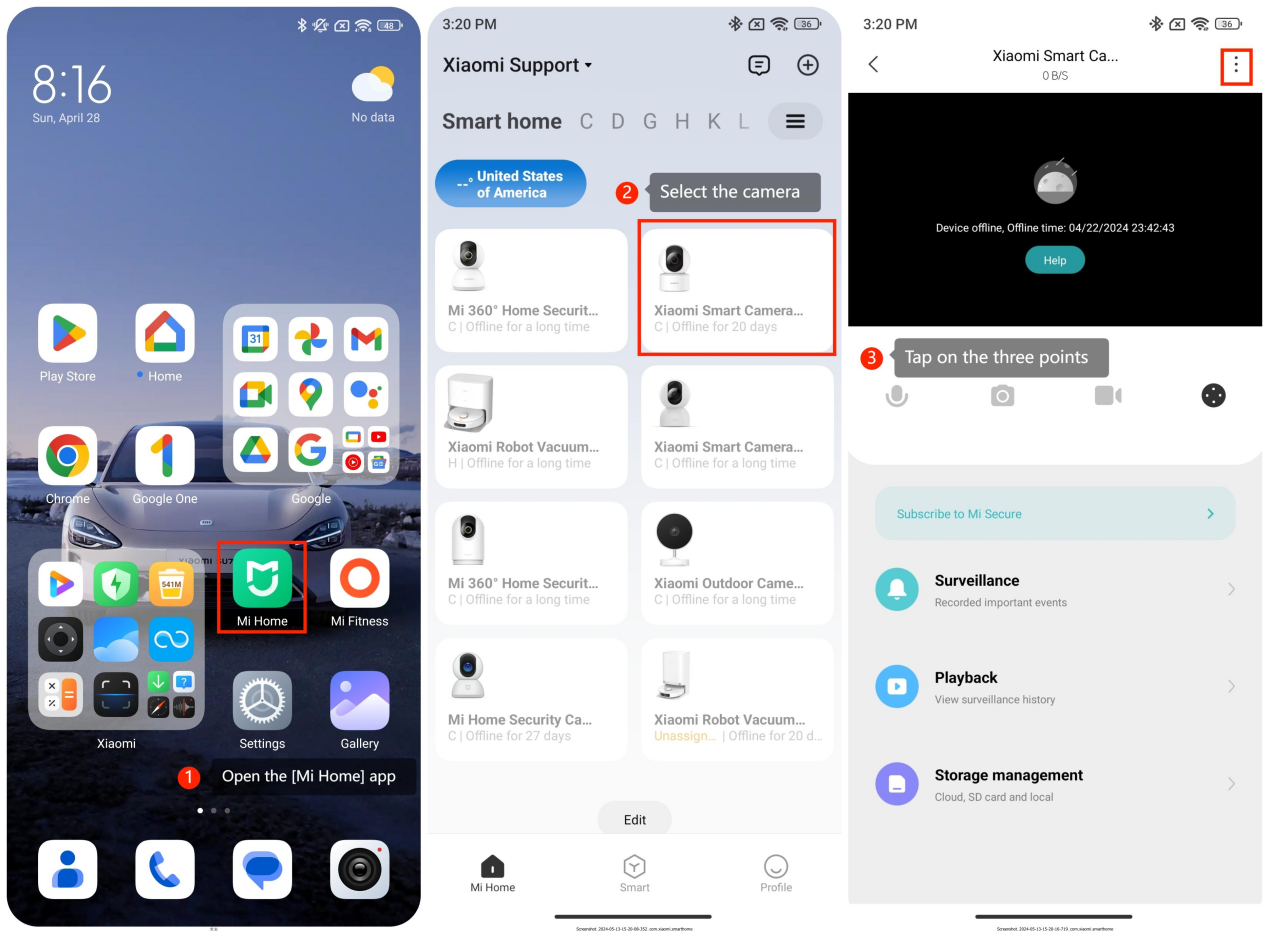
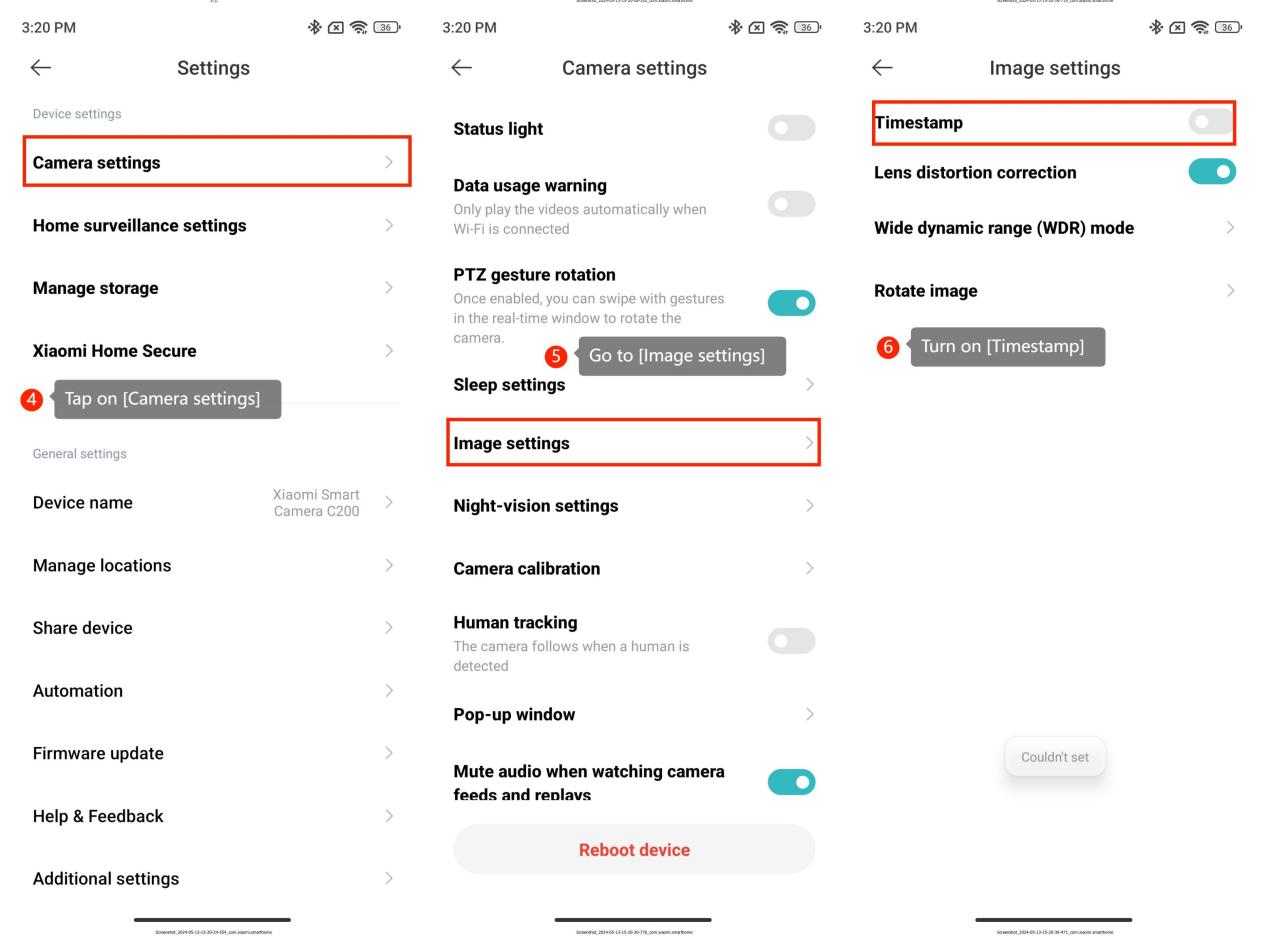
After turning on the timestamp, the time will be displayed in the upper left corner of the camera screen, such as 2017-10-23 23:10:10. If disabled the timestamp, the monitoring screen does not display the time.
To open the Timestamp of the Xiaomi Smart Camera, please refer to the following steps:
1. Open the [Mi Home] app;
2. Select the camera;
3. Tap on the three points icon in the upper right corner;
4. Go to [Camera settings];
5. Tap on [Image settings];
6. Turn on [Timestamp].
After turning on the timestamp, the time will be displayed in the upper left corner of the camera screen, such as 2017-10-23 23:10:10. If disabled the timestamp, the monitoring screen does not display the time.
Does it help?
Yes
No