

How to use the Recents on Redmi Note 12 Pro+ 5G to deal with the recent misson?
The Recents on Redmi Note 12 Pro+ 5G typically lists the most recent items, documents, activities, or interactions, allowing you to quickly access or revisit them without having to search for them manually.
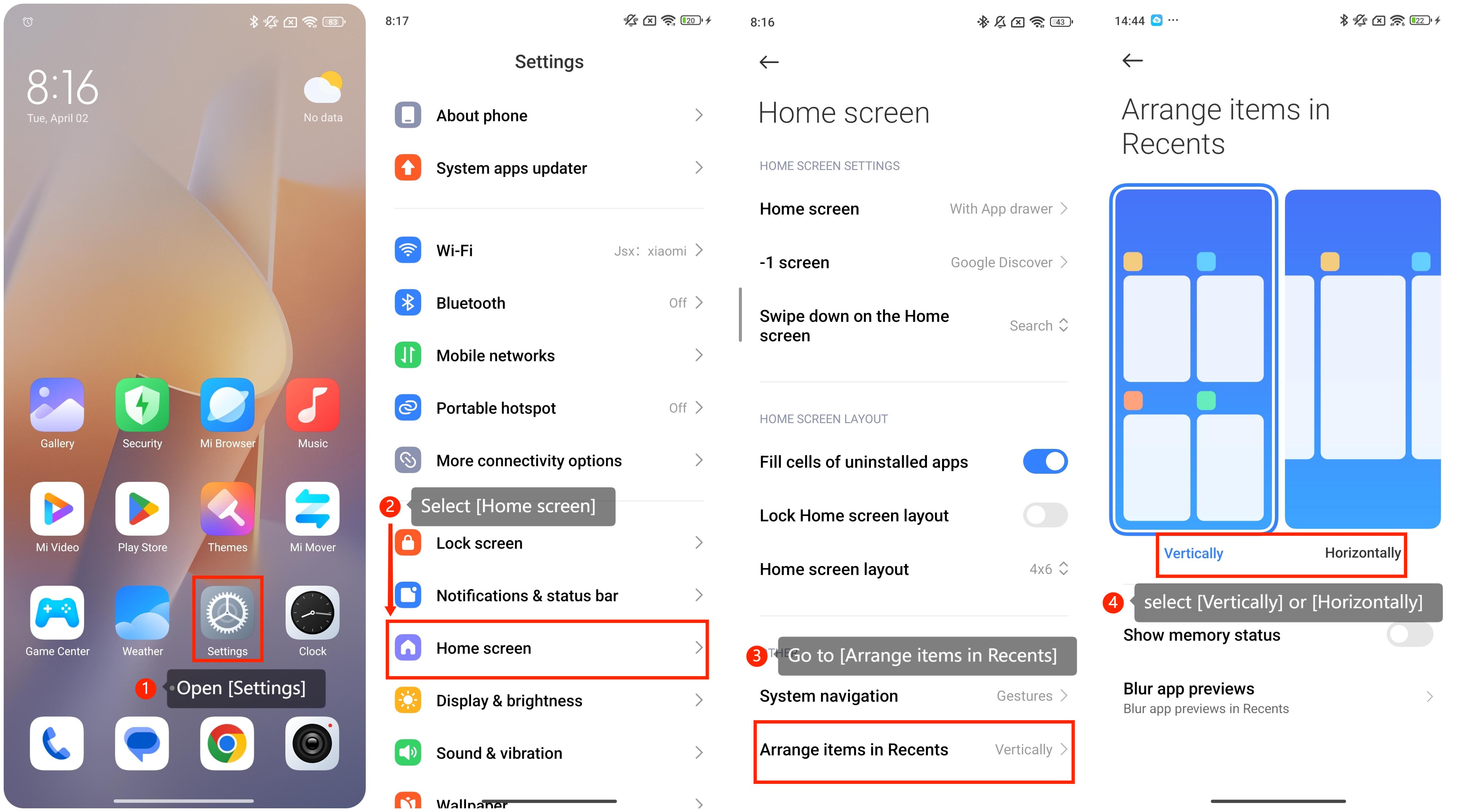
To deal with Recents on the Redmi Note 12 Pro+ 5G with Xiaomi HyperOS, you can adopt the following steps:
1. You can usually find the [Settings] icon on your home screen or in the app drawer. It often looks like a gear or a set of sliders.
2. In the [Settings] menu, please scroll down and look for an option that names [Home screen] and tap it.
3. On this page, please scroll down and go to the [Arrange items in Recents]go to the [Arrange items in Recents] option. And you can select [Vertically] or [Horizontally] as the layout of Recents you prefer. After you select the layout you can check it by swiping up from the bottom of the home screen.
To deal with Recents on the Redmi Note 12 Pro+ 5G with Xiaomi HyperOS, you can adopt the following steps:
1. You can usually find the [Settings] icon on your home screen or in the app drawer. It often looks like a gear or a set of sliders.
2. In the [Settings] menu, please scroll down and look for an option that names [Home screen] and tap it.
3. On this page, please scroll down and go to the [Arrange items in Recents]go to the [Arrange items in Recents] option. And you can select [Vertically] or [Horizontally] as the layout of Recents you prefer. After you select the layout you can check it by swiping up from the bottom of the home screen.
Does it help?
Yes
No