

Mi Smart LED Bulb FAQ
1.Q:What is the maximum brightness of the bulb and can the brightness be adjusted?
A: The maximum brightness is 800 lm and the brightness can be adjusted within the range of 5–100%.
2.Q: Does this bulb support voice control?
A: This bulb supports voice control via Amazon Alexa and Google Assistant to turn on/off the bulb and adjust its brightness, etc. Related devices for voice control must be purchased separately.
3. Q: Can this bulb be controlled by two or more phones?
A: It can be controlled by multiple devices using the same account, and can also be shared with other accounts via the Mi Home app.
4.Q: What are the conditions for connecting the bulb to your phone?
The phone and the bulb must be connected to the same Wi-Fi network when connecting the bulb to the app for the first time. After connecting the bulb successfully, you can control and connect to the bulb as long as both your phone and the bulb have a network and Internet connection.
5.Q: What are the requirements for the network environment when Mi Smart LED Bulb is connected to the APP?
A: a. The phone and the bulb are both connected to the same stable Wi-Fi network.
b. The bulb must be connected to a 2.4 GHz Wi-Fi network, not a 5 GHz Wi-Fi network.
c. The system on your device should be Android 4.4 and iOS 9.0 or above, and the device should have Wi-Fi.
6.Q: Why is the light bulb flickering?
A: a. The bulb fitting may be unstable. Check whether the bulb makes proper contact with the fitting.
b. There may be a dimmer connected to the fitting the bulb is installed in. This bulb is not suitable for use with a dimmer.
7.Q: Can the bulb be connected with other smart devices in Mi Home?
A: Yes, when the bulb is online it can be connected with a Mi Motion Sensor or Mi Light Detection Sensor, etc. to set up smart control. For example, automatically turning on the bulb or adjusting the brightness of the bulb when the motion sensor is triggered.
8.Q: What should I do if the bulb goes offline?
A:1.Check whether your network connection is working normally.
2.When the network is working normally, if the physical switch of the lamp is turned off and the bulb is offline, after turning on the physical switch, the bulb will automatically search for the network and be online again after a while.
3.If other devices are offline, try resetting the device or restarting the router.
9.Q:How to control this bulb at the same time or individually through the APP?
A:
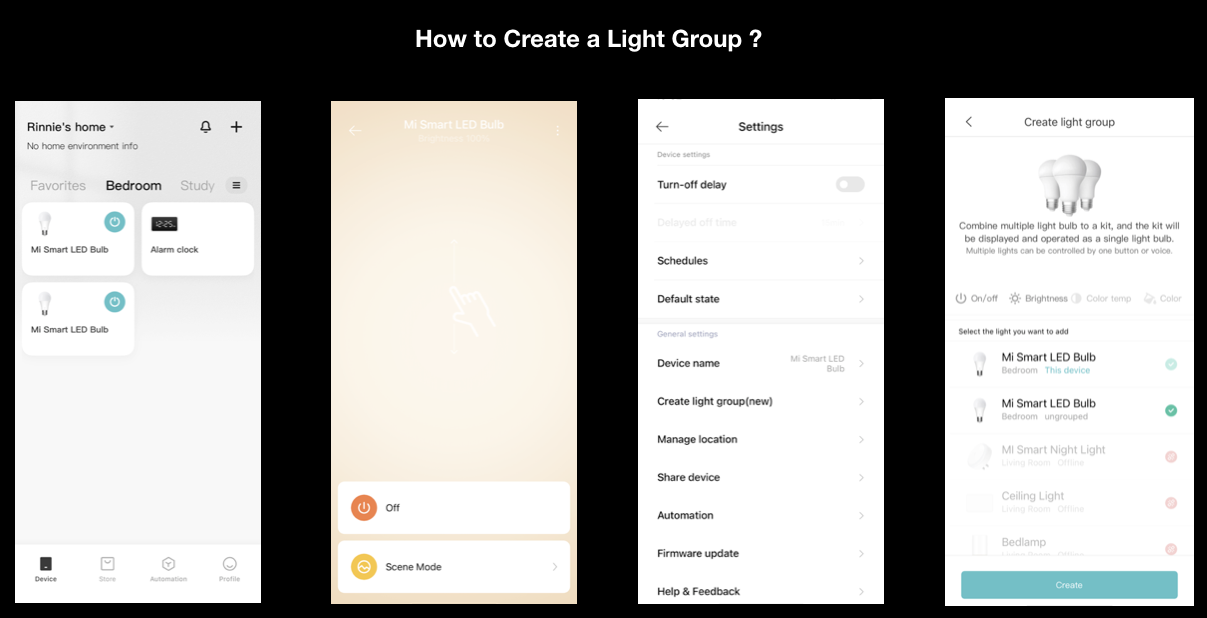
1. Enter the bulb page to control this bulb individually. Click the "three dots" icon in the upper right corner of the control page, in Create Light Group (New), select the bulb you want to add to the light group, and click "Create" at the bottom to complete the creation of the light group;
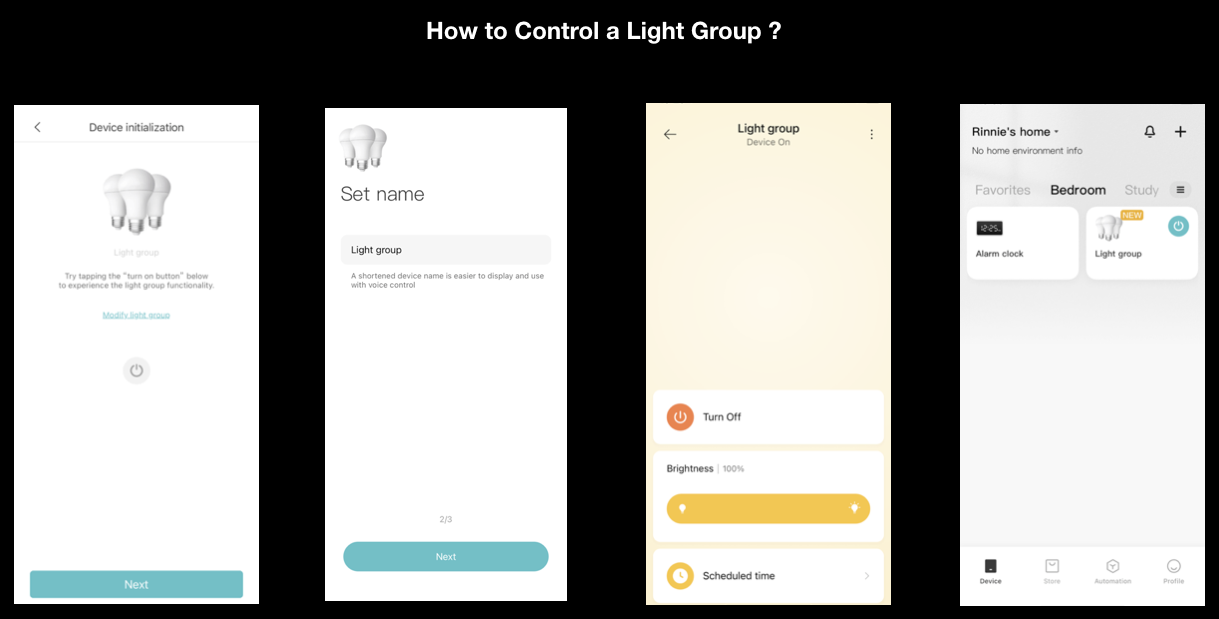
2.After setting the light group name, you can enter the light group page. If you exit the page and return to the device list at this time, the light bulbs will no longer be displayed individually and cannot be controlled individually, but will be displayed in the form of light groups;
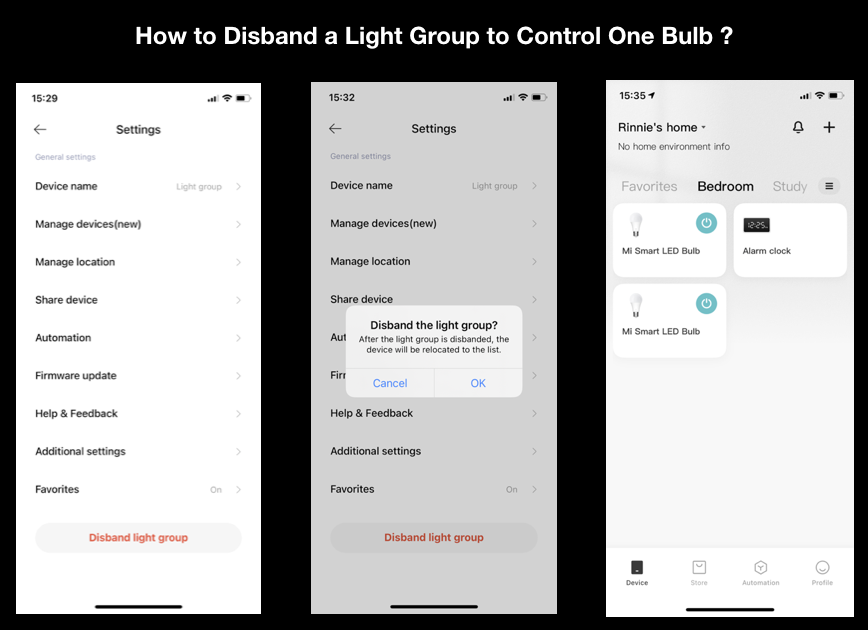
3.If you need to control this bulb separately, please enter the light group control page, click the three-dot icon in the upper right corner, and select Disband the light group, the device list can restore a single light bulb device, and click to enter the single light page.
Xiaomi Smart Lightstrip FAQ
1.Q:How to reset the lightstrip?
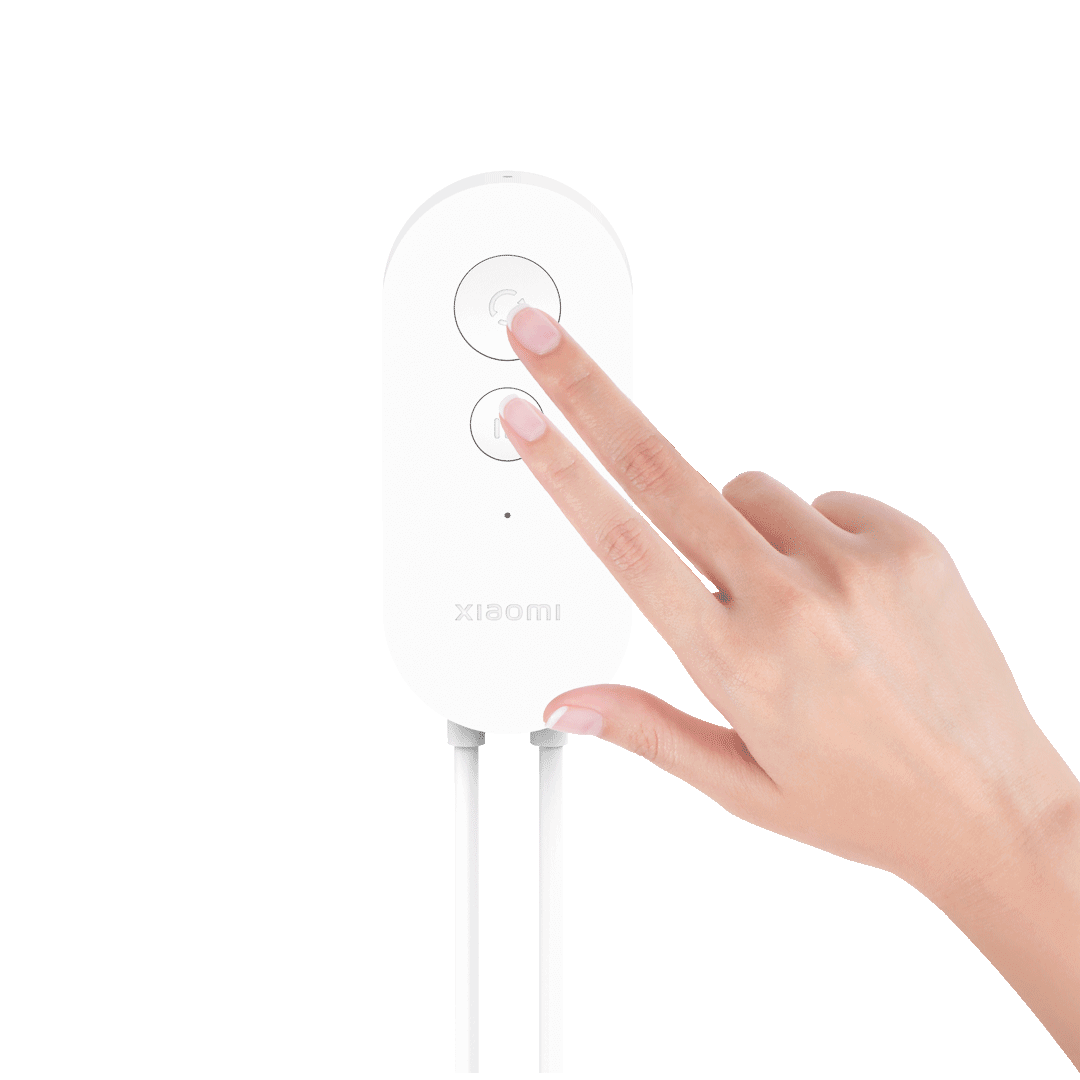
A:Press the mode button button and the music rhythm button at the same time and release when the light starts to flow, when the light is still it means the lightstrip is back to factory settings.
2.Q:How to extend the lightstrip?
A:To extend the lightstrip, please purchase the Xiaomi Smart Lightstrip Pro (1m extension kit). Before extending the lightstrip, make sure to power off the lightstrip, open the carabiner at the end of the lightstrip, remove the tail plug and save it, insert the extension lightstrip into the end of the lightstrip and fasten the carabiner. Insert the tail plug into the end of the extension lightstrip and fasten the carabiner at the tail plug to complete the lightstrip extension connection.
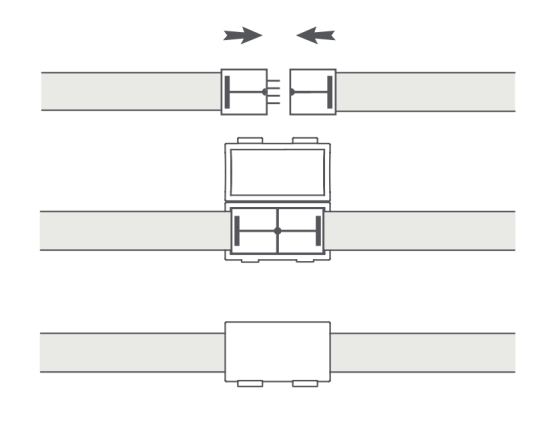
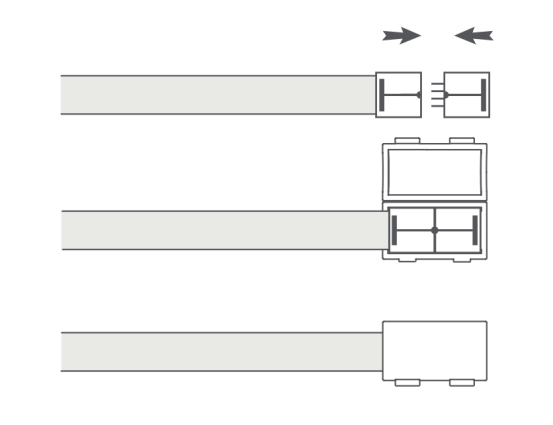
3.Q:How to solve the problem of lightstrip not lighting up after extension?
A:Check whether the tail plug is tightly inserted or re-plug the tail plug after power off. If the tail plug is lost, you can reset the lightstrip length in the product settings page after the lightstrip is connected to Mi Home App, and the lightstrip will light up normally.
4.Q:How to use the control box to switch the lights on and off, switch modes and Lighting that moves with the music function?
A:Press the mode switch button briefly to turn on the lightstrip and press and hold the mode switch button to turn off the lightstrip.
Press the mode switch button repeatedly to cycle through the light modes.
Press the music button briefly to switch on the lighting that moves with the music function and again briefly to switch it off.
5.Q:How to Upgrade OTA?
A:When the OTA is launched, you can upgrade the product via the "Check OTA" function in the Mi Home APP settings.
6.Q: What are the dimensions of the lightstrip?
A:lightstrip: 2896mm x 13mm x 6 mm (2896mm including control box and cable length, excluding power adapter length. (Tolerances: length ±30mm, width and thickness ±1mm). -Control box length, width and thickness: 80 x 36 x 14mm (tolerance ±1mm).
7.Q:What are the operating voltage and power?
A:24 V⎓0.21A, 5.1W (2m)
24 V⎓0.88A, 21W (10m)
8.Q:What are the network and connection requirements for this product?
A:The phone needs to be Android 4.4 or iOS 10.0 and above, with Wi-Fi function.
The device supports 2.4GHz Wi-Fi signal, not 5GHz.
The phone and the device are connected to the same Wi-Fi signal and the network is working.
Does it help?