

How to check local APKs on the Redmi Note 12 Pro+ 5G?
You can check and manage locally downloaded APK files using the File Manager app on your Redmi Note 12 Pro+ 5G with Xiaomi HyperOS.
To check local APKs on the Redmi Note 12 Pro+ 5G with Xiaomi HyperOS, please refer to the following methods:
Method 1:
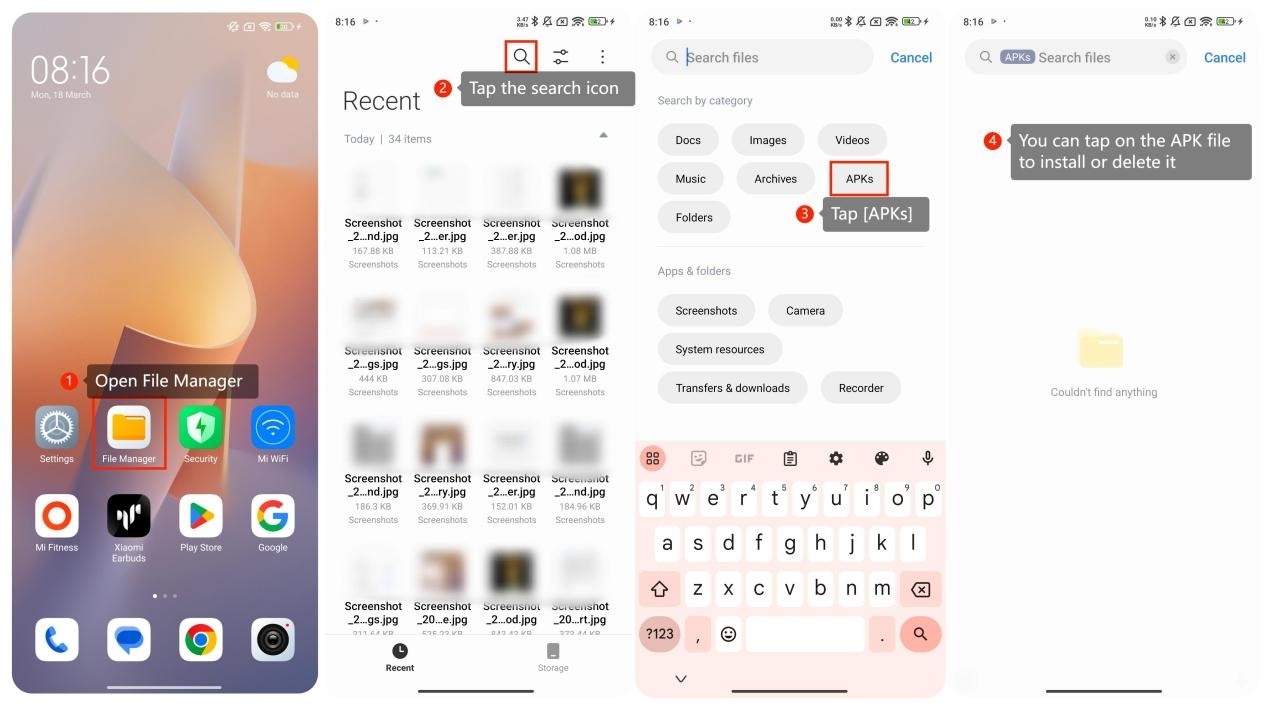
1. Go to the home screen of your device. Open the File Manager app. It usually has a folder icon and is pre-installed on your smartphone;
2. Tap the search icon in the upper right of the interface;
3. Tap [APKs] to search for the APK files, which usually have the ".apk" file extension;
4. If you want to install the app, you can tap on the APK file, and your smartphone will prompt you to install it. If you want to delete the APK file, you can select it and choose the delete or trash option.
To check local APKs on the Redmi Note 12 Pro+ 5G with Xiaomi HyperOS, please refer to the following methods:
Method 1:
1. Go to the home screen of your device. Open the File Manager app. It usually has a folder icon and is pre-installed on your smartphone;
2. Tap the search icon in the upper right of the interface;
3. Tap [APKs] to search for the APK files, which usually have the ".apk" file extension;
4. If you want to install the app, you can tap on the APK file, and your smartphone will prompt you to install it. If you want to delete the APK file, you can select it and choose the delete or trash option.
Method 2:
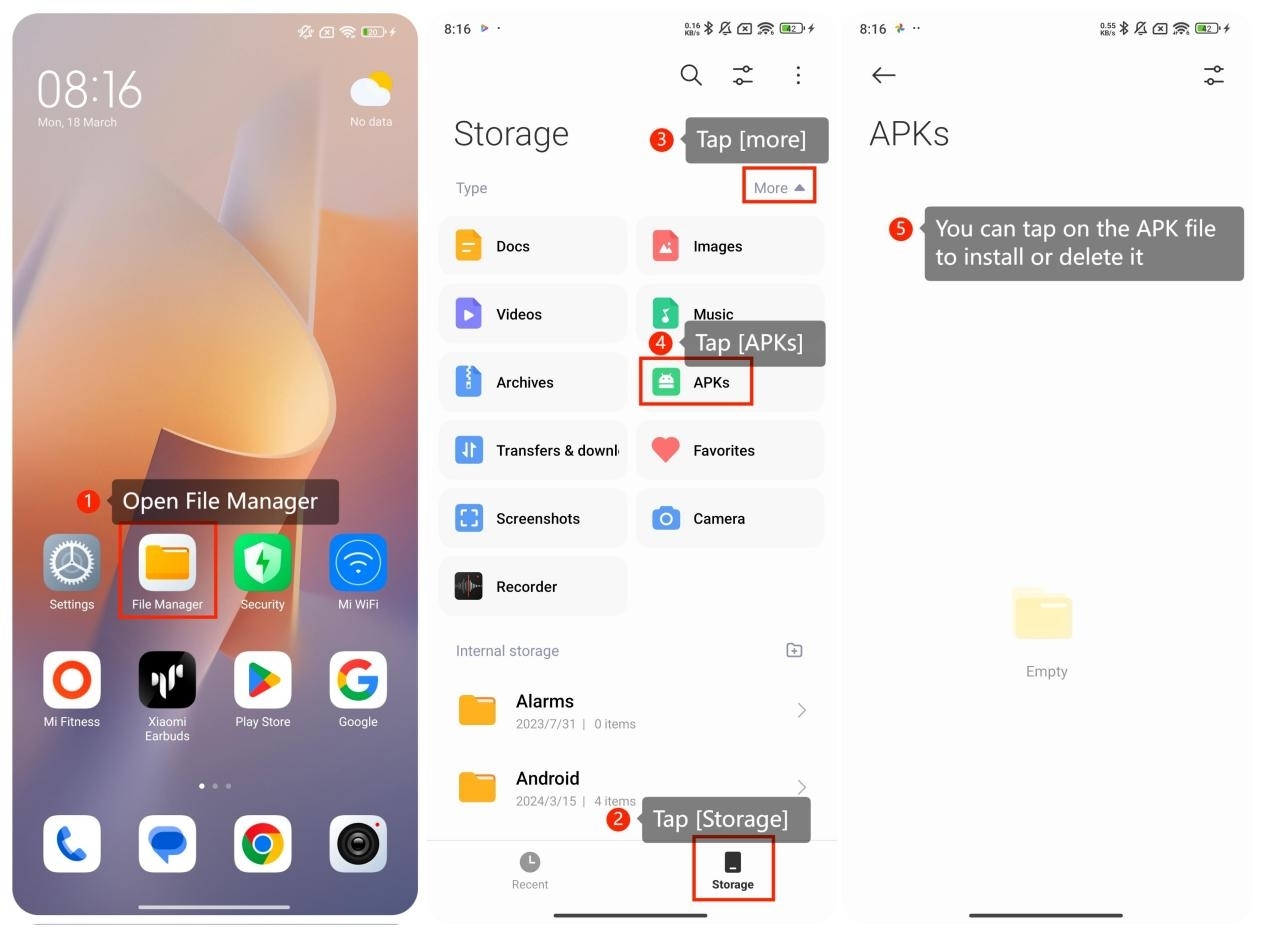
1. Go to the home screen of your device. Open the File Manager app. It usually has a folder icon and is pre-installed on your smartphone;
2. Tap [Storage] at the bottom of the interface;
3. Tap [more] and then tap [APKs] to display the APK files, which usually have the ".apk" file extension;
4. If you want to install the app, you can tap on the APK file, and your smartphone will prompt you to install it. If you want to delete the APK file, you can select it and choose the delete or trash option.
1. Go to the home screen of your device. Open the File Manager app. It usually has a folder icon and is pre-installed on your smartphone;
2. Tap [Storage] at the bottom of the interface;
3. Tap [more] and then tap [APKs] to display the APK files, which usually have the ".apk" file extension;
4. If you want to install the app, you can tap on the APK file, and your smartphone will prompt you to install it. If you want to delete the APK file, you can select it and choose the delete or trash option.
Note:
Installing apps from unknown sources (outside the official app store) can pose security risks. Make sure to download APK files only from trusted sources to avoid potential malware or other security issues. Also, be cautious about side loading apps, and consider the potential risks associated with it.
Installing apps from unknown sources (outside the official app store) can pose security risks. Make sure to download APK files only from trusted sources to avoid potential malware or other security issues. Also, be cautious about side loading apps, and consider the potential risks associated with it.
Does it help?
Yes
No