

How to use the WhatsApp cleaner feature in the Security App on the Redmi 12C?
The Redmi 12C with Xiaomi HyperOS supports the WhatsApp cleaner feature in the Security app, which is a useful tool for maintaining the storage health of WhatsApp. This feature allows you to identify and remove unnecessary files and cache data in WhatsApp that may accumulate over time.
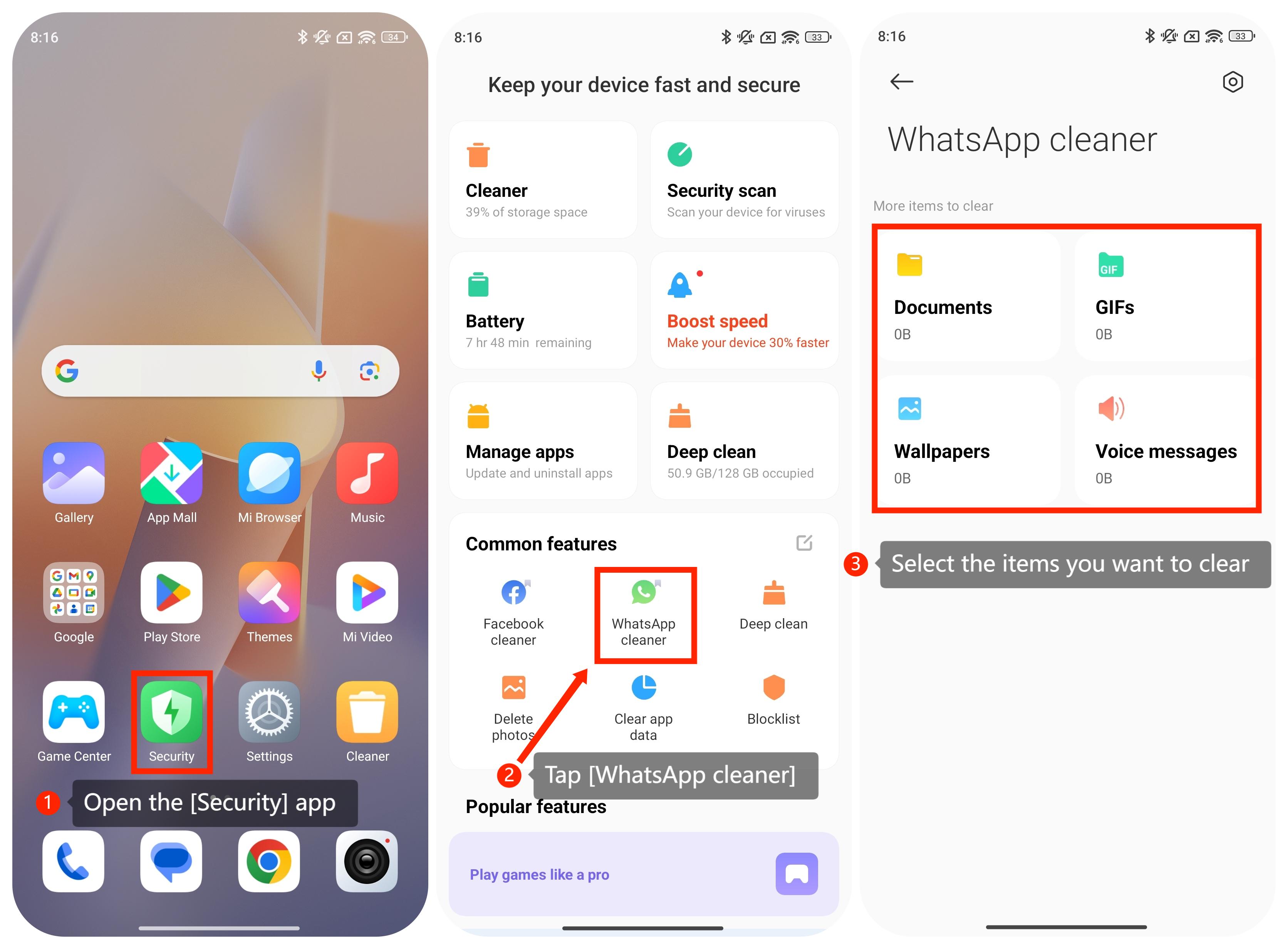
If you want to enable this feature on your Redmi 12C with Xiaomi HyperOS, please refer to the following steps:
1. Open the [Security] app;
2. Scroll down and tap [WhatsApp cleaner];
3. Select the items you want to clear.
If you want to enable this feature on your Redmi 12C with Xiaomi HyperOS, please refer to the following steps:
1. Open the [Security] app;
2. Scroll down and tap [WhatsApp cleaner];
3. Select the items you want to clear.
Friendly tips:
1. WhatsApp tends to store media files, chat backups, and other data on your smartphone. The cleaner function can help you quickly free up space by safely removing unnecessary files that may be taking up storage;
2. By regularly cleaning up unnecessary files related to WhatsApp, you can potentially experience improved smartphone performance. Clearing storage can contribute to a smoother experience.
1. WhatsApp tends to store media files, chat backups, and other data on your smartphone. The cleaner function can help you quickly free up space by safely removing unnecessary files that may be taking up storage;
2. By regularly cleaning up unnecessary files related to WhatsApp, you can potentially experience improved smartphone performance. Clearing storage can contribute to a smoother experience.
Does it help?
Yes
No