

Mi Vacuum Cleaner G10
Maintain and repair
Scenarios of use the accessories
2-in-1 brush: suitable for cleaning dust on surfaces such as curtains, sofas and coffee tables.
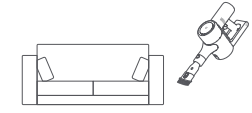
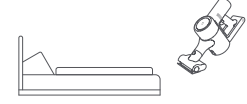
Electric mite brush: suitable for cleaning dust and mites on fabric surfaces such as bed linen and bedding.
Tip: Not recommended for use on surfaces that are prone to ticking and scratching (e.g. silk ).
Tip: If any of the rotating parts become stuck, the product may stop automatically and can be used again after removing all stuck foreign objects.
The motor will stop automatically after high temperature protection, please wait until the battery temperature is normal before continuing to use.
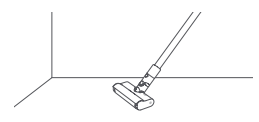
Crevice suction head: Suitable for cleaning door and window corners, wall corners, stairs and other narrow crevices.
Intelligent sensor floor brush: Suitable for cleaning floors, marble, tiles, short pile carpets and other floors.In the automatic gear the hoover automatically adjusts the suction power according to the different floor types.
Tip: The sensor brush can also be installed directly on the main unit.
Frequent ask question
| Common faults | Possible causes | Solutions |
| Not working | No battery or low battery | Please fully charge the product before using it |
| Automatic protection due to high temperatures caused by blockages | Cool down the product and restart | |
| Blockage of the dust suction opening or passage | Clean the vacuum opening or passage | |
| Reduced suction power | Dust bin is full, HEPA clogged with dust | Please clean dust bins and HEPA |
| Smart sensor brush, extension bar and other accessories clogged | Please clean clogged smart sensor brushes, extension bars and other accessories | |
| The motor runs with a strange sound | Blocked main suction port or extension rod | Clear obstructions in the main suction opening, extension bar |
| The first indicator light is always on in red when starting | Damaged battery pack | Please contact the after-sales service for repairs |
| The first indicator light flashes red when charging | Mismatched power adapter | Please use the original power adapter |
| Battery status indicator doesn't light up when charging | Main product is not connected to power adapter | Check that the power adapter is plugged in |
| Battery is fully charged, battery goes to sleep | It works properly | |
| Exclude the above two cases, if the problem persists please contact the after-sales service for repair. | ||
Does it help? Yes No | ||