

Mi 11 Lite FAQ
Overview
1.Q:What are the features of Mi 11 Lite?
A:Mi 11 Lite adopts flexible screen,has a 4520mAh large rechargeable battery,the standard wired charger output is 33W,supports 64 MP AI camera. The hardware is equipped with Qualcomm® Snapdragon™ 732G , 6.55-inch eye-protection screen, brings a cinematic visual experience.
Appearance
1.Q:What are the features of Mi 11 Lite,and what material does it use?
A:Mi 11 Lite use a 6.55-inch screen. Screen glass material is Corning 5th generation Gorilla glass, the front glass screen side is Corning GG6.
2.Q:Does Mi 11 Lite have touch button?
A:Mi 11 Lite doesn’t have touch button and uses a virtual button scheme.
Setting path: Additional settings >> Full screen display>>Buttons
3.Q:Does Mi 11 Lite have a LED charge indicator light?
A:Mi 11 Lite doesn’t have a LED charge indicator light.
4.Q:What specification interface does Mi 11 Lite use?
A:Mi 11 Lite supports Type-C digital headsets, Type-C analog headsets, and Type-C to 3.5mm headsets.
5.Q: Does Mi 11 Lite support AI face unlock and Side-mounted fingerprint sensor? Is there any new unlock function?
A: Mi 11 Lite support AI face unlock and side-mounted fingerprint sensor. The face unlock of Mi 11 Lite can achieve fast and safe face unlock through high-precision intelligent matching through face detection, attitude estimation, quality assessment, feature extraction, face comparison, in vivo detection and other technologies. Side-mounted fingerprint sensor adopts hidden fingerprint, fingerprint recognition position is on the power button. The dark fingerprint unlocking function is added to the mobile phone. When the ambient light is dark, the brightness of the spot can be reduced to avoid glare. The switch is turned off by default. After typing fingerprint, open this function in Settings - Password & Security - Fingerprint unlock. When triggering dark unlock, the fingerprint unlock time is increased, so it is turned off by default.
Risk tip: Face recognition is less secure than graphic, digital and hybrid passwords, and the phone could be unlocked by photos, people with similar looks or objects with similar features.
6. Q: Does Mi 11 Lite support waterproofing?
A: Mi 11 Lite supports IP53 living waterproof and dustproof. Damages caused by invading liquid or dust are not covered by the warranty. In addition, life dustproof spillage function will be reduced due to daily wear and tear, not permanent effective. Do not charge mobile phone in wet condition.
7. Q:How long does it take to charge Mi 11 Lite fully with a standard charger?
A:It is fully charged in 65 minutes in Lab test environment.
8. Q:Standard package:
A:Mi 11 Lite | Adapter | USB Type-C Cable| Type-C to 3.5 mm Headphone Adapter | SIM eject tool | Soft case | User guide | Warranty card
Hardware related
1.Q: What is the selfie effect of Mi 11 Lite front camera?
A: Mi 11 Lite uses a 16MP camera with AI portrait mode in the front, express the emotions through the lens.
2. Q: How does the Mi 11 Lite rear camera?
A: The Mi 11 Lite rear camera adopts 64M(main camera)+8M (ultra wide-angle)+5M(macro), which can detect multiple scenes to create better images.
3.Q: Why doesn't Mi 11 Lite blur in preview when taking photos in portrait mode?
A: For the comprehensive consideration of power and performance, Mi 11 Lite will not render the blur effect in the preview state when taking photos in portrait mode. After the shooting, the photos taken in portrait mode will show the background blur effect.
4.Q: What screen does Mi 11 Lite use?
A: Mi 11 Lite use a 2400*1080 resolution screen. At present, most apps on the market can automatically recognize the size and resolution of the phone's screen. A small number of software or play video may not be full screen, not full screen software can be in the full screen Settings can force full screen, no black edge.
Note: if the current frequently used App of abnormal display and screen proportion is out of balance, submits feedback in the desktop >> system tools folder >>Services & feedback, and the module selects more >> third party Application >>select the corresponding application name, and detailed description of the problem of the App name, App developers will make adaptation updates.
5.Q: What are the features of the Mi 11 Lite screen? Does it support sun screen, night screen, eye protection mode and color temperature adjustment?
A: Mi 11 Lite use a 6.55-inch eye-protection screen with a resolution of 2400*1080. Support for sunlight screen, noctilucent screen, eye protection mode.
6.Q: What kind of SIM card can Mi 11 Lite use? Does it support external SD card?
A: Mi 11 Lite adopts Nano SIM+ Nano SIM/Micro SD.
Note 1: It is not recommended to cut the card by themselves, which may cause damage to the card holder, fail to recognize the card or SIM card cannot be taken out, etc.
7.Q: Does Mi 11 Lite support 5G and esim card?
A: Mi 11 Lite doesn’t support 5G networks or esim card.
8.Q: Does Mi 11 Lite support VoLTE?
A: Mi 11 Lite supports VoLTE (HD voice and video calling).Use this feature to make the call faster, better call quality. It needs SIM card operator to support, and the region has VoLTE network signal coverage.
9.Q: Does Mi 11 Lite support VoWiFi?
A: Mi 11 Lite supports VoWiFi. Some operators support VoWiFi, depending on the actual situation.
10.Q: What is the capacity of the Mi 11 Lite battery?
A: Mi 11 Lite battery capacity is 4520mAh large capacity.
* The actual situation may vary with usage scenarios and software versions.
11.Q: Does Mi 11 Lite support quick charging? What is the standard of the adapter?
A: Mi 11 Lite supports QC4+ / QC3+ / PD3.0 quick charge protocol.
12.Q: Does Mi 11 Lite support NFC (near field communication)?
A: Mi 11 Lite is supported in the international version, but not in the Indian version..
13.Q: Does Mi 11 Lite support WiFi Direct\WiFi Display?2.4G/5GWiFi?
A: Mi 11 Lite supports WiFi Direct/WiFi Display,2.4G supports b/g/n/ax,5G supports a/n/ac/ax protocol.
14.Q: What is the bluetooth version of Mi 11 Lite?
A: Mi 11 Lite use bluetooth version Bluetooth 5.1, and HID, can connect to external devices such as bluetooth mouse and bluetooth keyboard.
15.Q: What are the Bluetooth audio protocols supported by Mi 11 Lite?
A: Mi 11 Lite supports MP3 | FLAC | APE | AAC | WMA | AMR.
16.Q: Does Mi 11 Lite support radio function?
A: Mi 11 Lite doesn’t support headphone FM function.
17.What Global band does Mi 11 Lite support?
A: LTE FDD: 1/2/3/4/5/7/8/12/17/20/28/32/66
LTE TDD: 38/40/41 (120MHz)
WCDMA: 1/2/4/5/3
G5M: 2/3/5/8
System related
1.Q: Does Mi 11 Lite have voice assistant?
A: Mi 11 Lite has Google voice assistant.
2.Q: Does Mi 11 Lite support high volume mode?
A: Mi 11 Lite supports the high-volume mode. After adjusting the call volume to full, press the volume + button upward to enable the high-volume mode. By optimizing the software with the underlying hardware, the volume of the receiver can be increased again. At the same time, Mi 11 Lite supports external amplifying volume, which greatly improves the external playback volume and sound quality of the phone.
3.Q: Does Mi 11 Lite support big MAC fonts?
A: Mi 11 Lite supports big MAC font, which makes reading large characters easier and more convenient for the elderly.
Open path: System Settings >> Display >> Text size >> select "big MAC".
4.Q: Does Mi 11 Lite support split screen mode?
A: Mi 11 Lite supports split screen mode.
5.Q: Does Mi 11 Lite support full-screen gestures?
A: Mi 11 Lite supports full-screen gestures, it is supported to select directly at the first boot or switch in the full-screen options set by the system after entering the system.
6.Q: Does Mi 11 Lite support one-handed mode?
A: Mi 11 Lite supports one hand mode, open method: Settings >> Additional settings >> One-handed mode, for different sizes.
7.Q: Does Mi 11 Lite support double click to wake up?
A: Mi 11 Lite supports double click on the screen to wake up (the system is turned off by default), which needs to be turned on manually.
Open Double tap screen to wake setting path: system settings >> Lock screen >> Double tap screen to wake.
8.Q: How does Mi 11 Lite perform hardware detection?
A: There are two ways of hardware detection for Mi 11 Lite:
Method 1: enter "*#*#64663#*#*" in the dial interface, or enter "*#*#6484#*#*".
Mode 2: in the Setting>>About phone>>All specs, click "kernel version" four times.
9.Q: Does Mi 11 Lite have Bootloader lock?
A: In order to improve the security of user data, ensure the reliability of phone search function, and prevent scalpers from batch swiping third-party ROM, which may lead to user information leakage or other system problems, Mi 11 Lite has added Bootloader lock.
10. Q: Does Mi 11 Lite support the Recovery mode to empty data?
A: Mi 11 Lite supports the Recovery mode to clear all data. Enter the Recovery mode: in the shutdown state, hold down the volume + power button, and release the power button until entering the Recovery mode after Mi Logo appears on the screen.
Risk issue
1.Detailed Description: When switching to the next frame, the impression of the previous frame will remain
Analysis: The hysteresis effect is quite obvious. When switching to the next frame, the TFT characteristics cannot be recovered immediately, thus there is the residue of the previous frame.
Suggested: In long-term use, due to the display nature of AMOLED, it may show slight visual changes, including "image retention" or "aging," showing a faint residual image even after switching to a new one on screen. This is a screen effect and is not actually broken or aging. In order to reduce the "image retention" or "aging" effect of OLED, a number of optimizations have been added to Settings, including optimized screen brightness, dimmed display, and AI power saving. It supported to reduce the "image retention" or "aging" effect by reducing screen lock time, occasionally adjusting the layout of desktop ICONS, and automatically switching wallpaper.
2.Detailed Description: The AOD screen shows only 10s
Analysis: The function of constant light on AOD screen has been removed, and only the function of 10s display on AOD screen has been retained.
Suggested: The AOD screen design strategy is 10 seconds and shut down automatically. This strategy can effectively reduce the power consumption of the clock on the rest screen. And check the time with the phone's rest screen clock at any time, pick up the phone and light up the screen, which will still ensure the user experience.
3.Detailed Description: The rear shell feels vibration when the music is played at high volume
Analysis: Due to the structural space limitation, the upper speaker is designed with an open rear cavity. When the volume is high, there will be pressure difference between the internal and external atmospheric pressure of the phone, resulting in vibration of the rear shell
Suggested: in order to improve the speaker sound quality experience, the speaker adopts the unique design of stereo volume after the shell will be a "slight shell shock" phenomenon, belongs to the normal phenomenon, is not a product quality problem, if feel a strong vibration, suggested that the collocation standard protection shell use, can relieve the shell vibration phenomenon
4.Detailed Description: click some function buttons on the edge of the screen with thumb in a large area, and occasionally there is no response
Analysis: The touchscreen issue requires constant iteration of the firmware version.
Suggested: wait for the OTA update of the new version
5.Detailed Description: NFC horizontal swiping is not sensitive
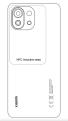
Analysis: NFC antenna design reasons
Suggested: Confirm the NFC position identification on the full envelope, manual and user feedback APP
6.Detailed Description: slight stalling and frame drop phenomenon in the game.
Analysis: The game rendering caused the thread waiting time to be too long, which needs to be continuously optimized.
Suggested: Upgrade for optimization
7.Detailed Description: poor battery life and high power consumption
Analysis: The machine is light and thin, and the overall battery life is not high. The remaining power consumption problems will be optimized continuously.
Suggested: The battery capacity configuration has been achieved relatively extreme. The power consumption may be a little less than that of some big-battery phones, but the 33W quick-charge technology is sure to save the hassle.
8.Detailed Description: Ultrasonic distance is not sensitive. The screen cannot be extinguished or the screen is extinguished slowly when answering/making telephone calls and listening to voice;
Analysis: Optimized OTA version
Suggested: Upgrade for optimization
9.Detailed Description: when using the three-party APP, the Audio channel is switched, there may be silence and sound changes.
Analysis: For example, answering a voice call during the recording process of plugging in the headset, playing the recording file after hanging up, and the voice becomes significantly smaller after answering the call. Switching between different modes requires time for switching between different devices and channels. This is the design of theoretical principles, and no modification will be made.
Suggested: This is normal for third-apps to switch audio channels.
1.Q:What are the features of Mi 11 Lite?
A:Mi 11 Lite adopts flexible screen,has a 4520mAh large rechargeable battery,the standard wired charger output is 33W,supports 64 MP AI camera. The hardware is equipped with Qualcomm® Snapdragon™ 732G , 6.55-inch eye-protection screen, brings a cinematic visual experience.
Appearance
1.Q:What are the features of Mi 11 Lite,and what material does it use?
A:Mi 11 Lite use a 6.55-inch screen. Screen glass material is Corning 5th generation Gorilla glass, the front glass screen side is Corning GG6.
2.Q:Does Mi 11 Lite have touch button?
A:Mi 11 Lite doesn’t have touch button and uses a virtual button scheme.
Setting path: Additional settings >> Full screen display>>Buttons
3.Q:Does Mi 11 Lite have a LED charge indicator light?
A:Mi 11 Lite doesn’t have a LED charge indicator light.
4.Q:What specification interface does Mi 11 Lite use?
A:Mi 11 Lite supports Type-C digital headsets, Type-C analog headsets, and Type-C to 3.5mm headsets.
5.Q: Does Mi 11 Lite support AI face unlock and Side-mounted fingerprint sensor? Is there any new unlock function?
A: Mi 11 Lite support AI face unlock and side-mounted fingerprint sensor. The face unlock of Mi 11 Lite can achieve fast and safe face unlock through high-precision intelligent matching through face detection, attitude estimation, quality assessment, feature extraction, face comparison, in vivo detection and other technologies. Side-mounted fingerprint sensor adopts hidden fingerprint, fingerprint recognition position is on the power button. The dark fingerprint unlocking function is added to the mobile phone. When the ambient light is dark, the brightness of the spot can be reduced to avoid glare. The switch is turned off by default. After typing fingerprint, open this function in Settings - Password & Security - Fingerprint unlock. When triggering dark unlock, the fingerprint unlock time is increased, so it is turned off by default.
Risk tip: Face recognition is less secure than graphic, digital and hybrid passwords, and the phone could be unlocked by photos, people with similar looks or objects with similar features.
6. Q: Does Mi 11 Lite support waterproofing?
A: Mi 11 Lite supports IP53 living waterproof and dustproof. Damages caused by invading liquid or dust are not covered by the warranty. In addition, life dustproof spillage function will be reduced due to daily wear and tear, not permanent effective. Do not charge mobile phone in wet condition.
7. Q:How long does it take to charge Mi 11 Lite fully with a standard charger?
A:It is fully charged in 65 minutes in Lab test environment.
8. Q:Standard package:
A:Mi 11 Lite | Adapter | USB Type-C Cable| Type-C to 3.5 mm Headphone Adapter | SIM eject tool | Soft case | User guide | Warranty card
Hardware related
1.Q: What is the selfie effect of Mi 11 Lite front camera?
A: Mi 11 Lite uses a 16MP camera with AI portrait mode in the front, express the emotions through the lens.
2. Q: How does the Mi 11 Lite rear camera?
A: The Mi 11 Lite rear camera adopts 64M(main camera)+8M (ultra wide-angle)+5M(macro), which can detect multiple scenes to create better images.
3.Q: Why doesn't Mi 11 Lite blur in preview when taking photos in portrait mode?
A: For the comprehensive consideration of power and performance, Mi 11 Lite will not render the blur effect in the preview state when taking photos in portrait mode. After the shooting, the photos taken in portrait mode will show the background blur effect.
4.Q: What screen does Mi 11 Lite use?
A: Mi 11 Lite use a 2400*1080 resolution screen. At present, most apps on the market can automatically recognize the size and resolution of the phone's screen. A small number of software or play video may not be full screen, not full screen software can be in the full screen Settings can force full screen, no black edge.
Note: if the current frequently used App of abnormal display and screen proportion is out of balance, submits feedback in the desktop >> system tools folder >>Services & feedback, and the module selects more >> third party Application >>select the corresponding application name, and detailed description of the problem of the App name, App developers will make adaptation updates.
5.Q: What are the features of the Mi 11 Lite screen? Does it support sun screen, night screen, eye protection mode and color temperature adjustment?
A: Mi 11 Lite use a 6.55-inch eye-protection screen with a resolution of 2400*1080. Support for sunlight screen, noctilucent screen, eye protection mode.
6.Q: What kind of SIM card can Mi 11 Lite use? Does it support external SD card?
A: Mi 11 Lite adopts Nano SIM+ Nano SIM/Micro SD.
Note 1: It is not recommended to cut the card by themselves, which may cause damage to the card holder, fail to recognize the card or SIM card cannot be taken out, etc.
7.Q: Does Mi 11 Lite support 5G and esim card?
A: Mi 11 Lite doesn’t support 5G networks or esim card.
8.Q: Does Mi 11 Lite support VoLTE?
A: Mi 11 Lite supports VoLTE (HD voice and video calling).Use this feature to make the call faster, better call quality. It needs SIM card operator to support, and the region has VoLTE network signal coverage.
9.Q: Does Mi 11 Lite support VoWiFi?
A: Mi 11 Lite supports VoWiFi. Some operators support VoWiFi, depending on the actual situation.
10.Q: What is the capacity of the Mi 11 Lite battery?
A: Mi 11 Lite battery capacity is 4520mAh large capacity.
* The actual situation may vary with usage scenarios and software versions.
11.Q: Does Mi 11 Lite support quick charging? What is the standard of the adapter?
A: Mi 11 Lite supports QC4+ / QC3+ / PD3.0 quick charge protocol.
12.Q: Does Mi 11 Lite support NFC (near field communication)?
A: Mi 11 Lite is supported in the international version, but not in the Indian version..
13.Q: Does Mi 11 Lite support WiFi Direct\WiFi Display?2.4G/5GWiFi?
A: Mi 11 Lite supports WiFi Direct/WiFi Display,2.4G supports b/g/n/ax,5G supports a/n/ac/ax protocol.
14.Q: What is the bluetooth version of Mi 11 Lite?
A: Mi 11 Lite use bluetooth version Bluetooth 5.1, and HID, can connect to external devices such as bluetooth mouse and bluetooth keyboard.
15.Q: What are the Bluetooth audio protocols supported by Mi 11 Lite?
A: Mi 11 Lite supports MP3 | FLAC | APE | AAC | WMA | AMR.
16.Q: Does Mi 11 Lite support radio function?
A: Mi 11 Lite doesn’t support headphone FM function.
17.What Global band does Mi 11 Lite support?
A: LTE FDD: 1/2/3/4/5/7/8/12/17/20/28/32/66
LTE TDD: 38/40/41 (120MHz)
WCDMA: 1/2/4/5/3
G5M: 2/3/5/8
System related
1.Q: Does Mi 11 Lite have voice assistant?
A: Mi 11 Lite has Google voice assistant.
2.Q: Does Mi 11 Lite support high volume mode?
A: Mi 11 Lite supports the high-volume mode. After adjusting the call volume to full, press the volume + button upward to enable the high-volume mode. By optimizing the software with the underlying hardware, the volume of the receiver can be increased again. At the same time, Mi 11 Lite supports external amplifying volume, which greatly improves the external playback volume and sound quality of the phone.
3.Q: Does Mi 11 Lite support big MAC fonts?
A: Mi 11 Lite supports big MAC font, which makes reading large characters easier and more convenient for the elderly.
Open path: System Settings >> Display >> Text size >> select "big MAC".
4.Q: Does Mi 11 Lite support split screen mode?
A: Mi 11 Lite supports split screen mode.
5.Q: Does Mi 11 Lite support full-screen gestures?
A: Mi 11 Lite supports full-screen gestures, it is supported to select directly at the first boot or switch in the full-screen options set by the system after entering the system.
6.Q: Does Mi 11 Lite support one-handed mode?
A: Mi 11 Lite supports one hand mode, open method: Settings >> Additional settings >> One-handed mode, for different sizes.
7.Q: Does Mi 11 Lite support double click to wake up?
A: Mi 11 Lite supports double click on the screen to wake up (the system is turned off by default), which needs to be turned on manually.
Open Double tap screen to wake setting path: system settings >> Lock screen >> Double tap screen to wake.
8.Q: How does Mi 11 Lite perform hardware detection?
A: There are two ways of hardware detection for Mi 11 Lite:
Method 1: enter "*#*#64663#*#*" in the dial interface, or enter "*#*#6484#*#*".
Mode 2: in the Setting>>About phone>>All specs, click "kernel version" four times.
9.Q: Does Mi 11 Lite have Bootloader lock?
A: In order to improve the security of user data, ensure the reliability of phone search function, and prevent scalpers from batch swiping third-party ROM, which may lead to user information leakage or other system problems, Mi 11 Lite has added Bootloader lock.
10. Q: Does Mi 11 Lite support the Recovery mode to empty data?
A: Mi 11 Lite supports the Recovery mode to clear all data. Enter the Recovery mode: in the shutdown state, hold down the volume + power button, and release the power button until entering the Recovery mode after Mi Logo appears on the screen.
Risk issue
1.Detailed Description: When switching to the next frame, the impression of the previous frame will remain
Analysis: The hysteresis effect is quite obvious. When switching to the next frame, the TFT characteristics cannot be recovered immediately, thus there is the residue of the previous frame.
Suggested: In long-term use, due to the display nature of AMOLED, it may show slight visual changes, including "image retention" or "aging," showing a faint residual image even after switching to a new one on screen. This is a screen effect and is not actually broken or aging. In order to reduce the "image retention" or "aging" effect of OLED, a number of optimizations have been added to Settings, including optimized screen brightness, dimmed display, and AI power saving. It supported to reduce the "image retention" or "aging" effect by reducing screen lock time, occasionally adjusting the layout of desktop ICONS, and automatically switching wallpaper.
2.Detailed Description: The AOD screen shows only 10s
Analysis: The function of constant light on AOD screen has been removed, and only the function of 10s display on AOD screen has been retained.
Suggested: The AOD screen design strategy is 10 seconds and shut down automatically. This strategy can effectively reduce the power consumption of the clock on the rest screen. And check the time with the phone's rest screen clock at any time, pick up the phone and light up the screen, which will still ensure the user experience.
3.Detailed Description: The rear shell feels vibration when the music is played at high volume
Analysis: Due to the structural space limitation, the upper speaker is designed with an open rear cavity. When the volume is high, there will be pressure difference between the internal and external atmospheric pressure of the phone, resulting in vibration of the rear shell
Suggested: in order to improve the speaker sound quality experience, the speaker adopts the unique design of stereo volume after the shell will be a "slight shell shock" phenomenon, belongs to the normal phenomenon, is not a product quality problem, if feel a strong vibration, suggested that the collocation standard protection shell use, can relieve the shell vibration phenomenon
4.Detailed Description: click some function buttons on the edge of the screen with thumb in a large area, and occasionally there is no response
Analysis: The touchscreen issue requires constant iteration of the firmware version.
Suggested: wait for the OTA update of the new version
5.Detailed Description: NFC horizontal swiping is not sensitive
Analysis: NFC antenna design reasons
Suggested: Confirm the NFC position identification on the full envelope, manual and user feedback APP
6.Detailed Description: slight stalling and frame drop phenomenon in the game.
Analysis: The game rendering caused the thread waiting time to be too long, which needs to be continuously optimized.
Suggested: Upgrade for optimization
7.Detailed Description: poor battery life and high power consumption
Analysis: The machine is light and thin, and the overall battery life is not high. The remaining power consumption problems will be optimized continuously.
Suggested: The battery capacity configuration has been achieved relatively extreme. The power consumption may be a little less than that of some big-battery phones, but the 33W quick-charge technology is sure to save the hassle.
8.Detailed Description: Ultrasonic distance is not sensitive. The screen cannot be extinguished or the screen is extinguished slowly when answering/making telephone calls and listening to voice;
Analysis: Optimized OTA version
Suggested: Upgrade for optimization
9.Detailed Description: when using the three-party APP, the Audio channel is switched, there may be silence and sound changes.
Analysis: For example, answering a voice call during the recording process of plugging in the headset, playing the recording file after hanging up, and the voice becomes significantly smaller after answering the call. Switching between different modes requires time for switching between different devices and channels. This is the design of theoretical principles, and no modification will be made.
Suggested: This is normal for third-apps to switch audio channels.
Does it help?
Yes
No