

Phone contacts lost for no reason
1. Contact information can be added to Contacts App from the phone (not synchronized), Mi account, SIM card, Google account and other accounts. Therefore, when the contacts are lost for no reason, first check the source in the Contacts, go to Contacts >> the symbol on the right of the three dots in the upper right corner >> choose accounts, and check the contact information, as shown in the following figure.
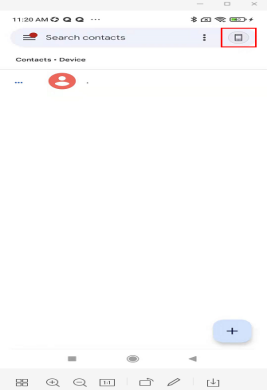
For example: the contacts are from this device, when this device is selected, the contacts of this device will be displayed, as shown in the following figure;
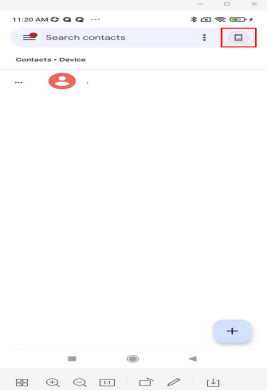
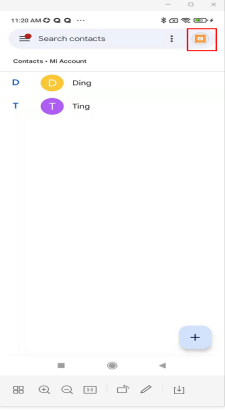
Contacts being from Mi account, when selecting Mi account, only the contacts of Mi account are displayed, as shown in the following figure;
2. Confirm whether the contact synchronization switch in the Xiaomi cloud service has been turned on, and the contacts have been successfully synchronized to the cloud. You can log in to the contacts in i.mi.com and try to restore the previous contact information. The setting method is: Contacts-Restore contacts-Restore, as shown in the figure below.

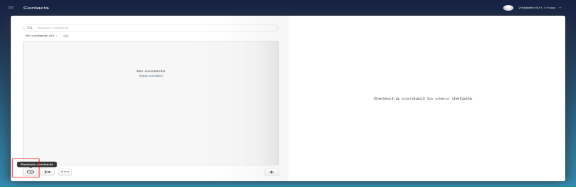
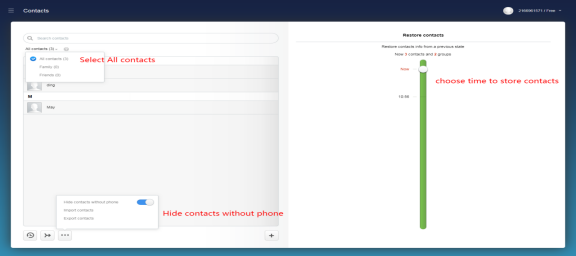
Notes: (1).If the contact list is empty after logging in to i.mi.com, and the list is still empty after restoring the contacts, it may be that the contacts have not been successfully synchronized to the cloud;
(2).If the contact only has "now" and no other progress, it means that there has been no recent changes in the contact, and it may be that the cloud service synchronization function has not been used for a long time.
3. Whether there are other multiple mobile devices logging into the same Mi account, all have performed the contact operation, and enter Settings >> Mi Account >>Device to view other login devices. If there are other devices, it is recommended to change the password or log out Account for the corresponding device.
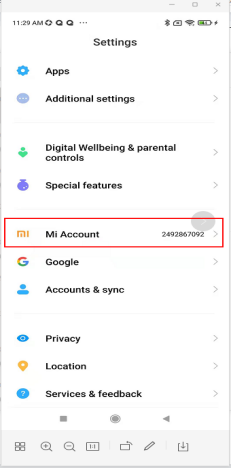
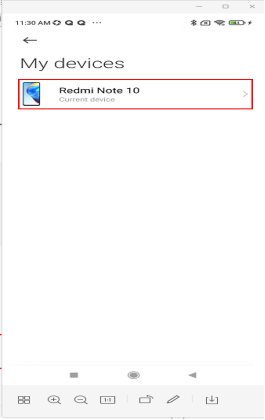
4. Whether you have used other functions for backup or synchronization, such as backup in mobile phone system and security, Xiaomi mobile assistant, QQ synchronization assistant, WeChat address book synchronization, etc.;
5. If none of the above functions are used, it is technically impossible to recover contact data. It is recommended to apply for after-sales service.
In order to ensure the security of the user's mobile phone data and information, it is recommended that bind Mi account, use the Xiaomi cloud service function, or the Xiaomi mobile assistant and other functions to back up important information.
Notes: If the contact is lost, it is recommended to check whether the android.process.acore.log file is generated under the path of MIUI/debug_log/com.android.providers.contacts or (MIUI/debug_log/com.android.contacts), and submit feedback to Service&feedback . (No need to do this if there is no this file.)
Does it help?