

Mi Band 2 FAQ
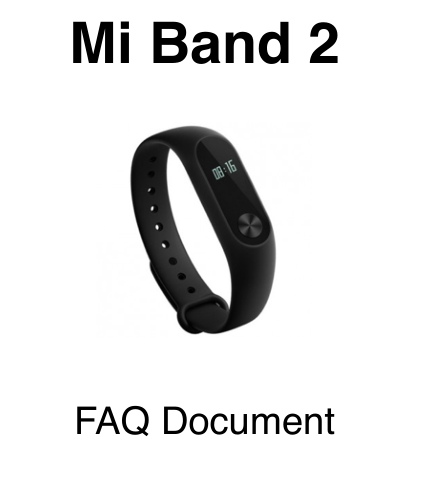
Explanation:
1.Q: What are the basic requirements of the phone to pair with the Mi Band 2?
A: For Android based phones, the requirements are BT 4.0 and running Android Kit Kat or above. For iOS devices, it works on iPhone 4S and above running iOS 7 and above.
2.Q: How to change the information shown on Mi Band 2?
A: 1. Mi Band 2 uses an OLED display to show information. By lifting wrist, the current
time on Mi Band 2 can be viewed. More information like steps, heart rate, calories burnt, remaining battery are shown on
2. the display by clicking the capacitive button on Mi Band 2. These can be customised on the Zepp Life app.
3.Q: Why can’t find the Mi Band 2 when trying to pair using bluetooth?
A: 1. Please check if Mi Band 2 has enough charge. If the band does not switch on, please connect it to a charger right away.
2. Turn off other bluetooth devices nearby. Any signal interference from bluetooth devices nearby can stop owner from pairing using bluetooth. The closer the phone is to the Mi Band 2, the better the connectivity.
3. Turn off bluetooth on the phone, turn it on and try to pair the phone. Also, reboot the phone and check if the device detects Mi band 2.
4. If Mi Band 2 is paired to another phone, please un-pair the band and retry. Mi Band 2 can be paired to only one phone at any given point in time.
4.Q: Is Mi Band 2 water-resistant?
A: Yes, it is IP67 water resistant. Mi Band 2 is durable and resistant against water, sweat, cosmetics,
dust and more. Mi Band 2 can be worn when rinsing hands or taking a shower. However, using it when swimming or in a sauna is not recommended.
5.Q: Why does it not work when charging the Mi Band 2 with Power Bank?
A: Power banks are designed to charge phones and other devices that have a li-ion battery of larger capacities.It stop charging devices once the battery is full or if the current input required is very low. As Mi Band 2 has a current input of only 45 mA, power banks will not charge it as the required current input is very low.
6.Q: How long does the Mi Band 2 last after full charge?
A: The battery capacity of Mi Band 2 is 70mAh. When fully charged, Mi Band 2 can work for 20 days under standard conditions. However, based on usage, the band may last lesser than 20 days.
7.Q: Does it need to login using a Mi account to use Mi Band 2?
A: Yes, it needs a Mi account to use the Mi Band 2 along with the Zepp Life app. If use other
fitness apps, a Mi account login is not unnecessary. However, for the best results and performance, it is suggested to use the Zepp Life app.
8.Q: How to do if the Mi Band 2 data sync failed?
A: Mi Band will automatically sync data once everyday. Also, data sync can be manually done using the Zepp Life app. If it fails to sync, please try the following:
1. Exit the Zepp Life app and re-enter it.
2. Restart the phone and check if the sync works.
9.Q: Why does the screen unlock not work for the phone?
A: 1. Screen Unlock is a unique MIUI feature that helps to unlock the phone by using Mi Band 2.
2. This feature only works on Mi phones with Android 4.4 and above. For non-Mi phones, it requires at least Android 5.0 and should support smart lock function with Bluetooth 4.0.
10.Q: How to do if the Screen Unlock fails to work?
A: 1. Bring the band closer to phone and check if it works.
2. If it does not work, manually unlock the phone. Go to the phone “Settings”>>”Lock screen and Password”>>”Unlock with Bluetooth device”>>Delete the current Mi Band.
3. Reboot the phone and check if it works. (For security reasons, manual unlock is required after
rebooting the phone)
Does it help?
Yes
No