

How to turn on Performance mode on the Xiaomi 14T
The Xiaomi 14T's Performance mode is a feature that optimizes the device's performance for demanding tasks such as gaming, heavy multitasking, or high-resource applications. When enabled, the device prioritizes speed, responsiveness, and overall power, boosting CPU and GPU performance, however, it can increase battery consumption and device temperature.
To turn on the Performance mode on your phone, please refer to the following methods:
Method 1:
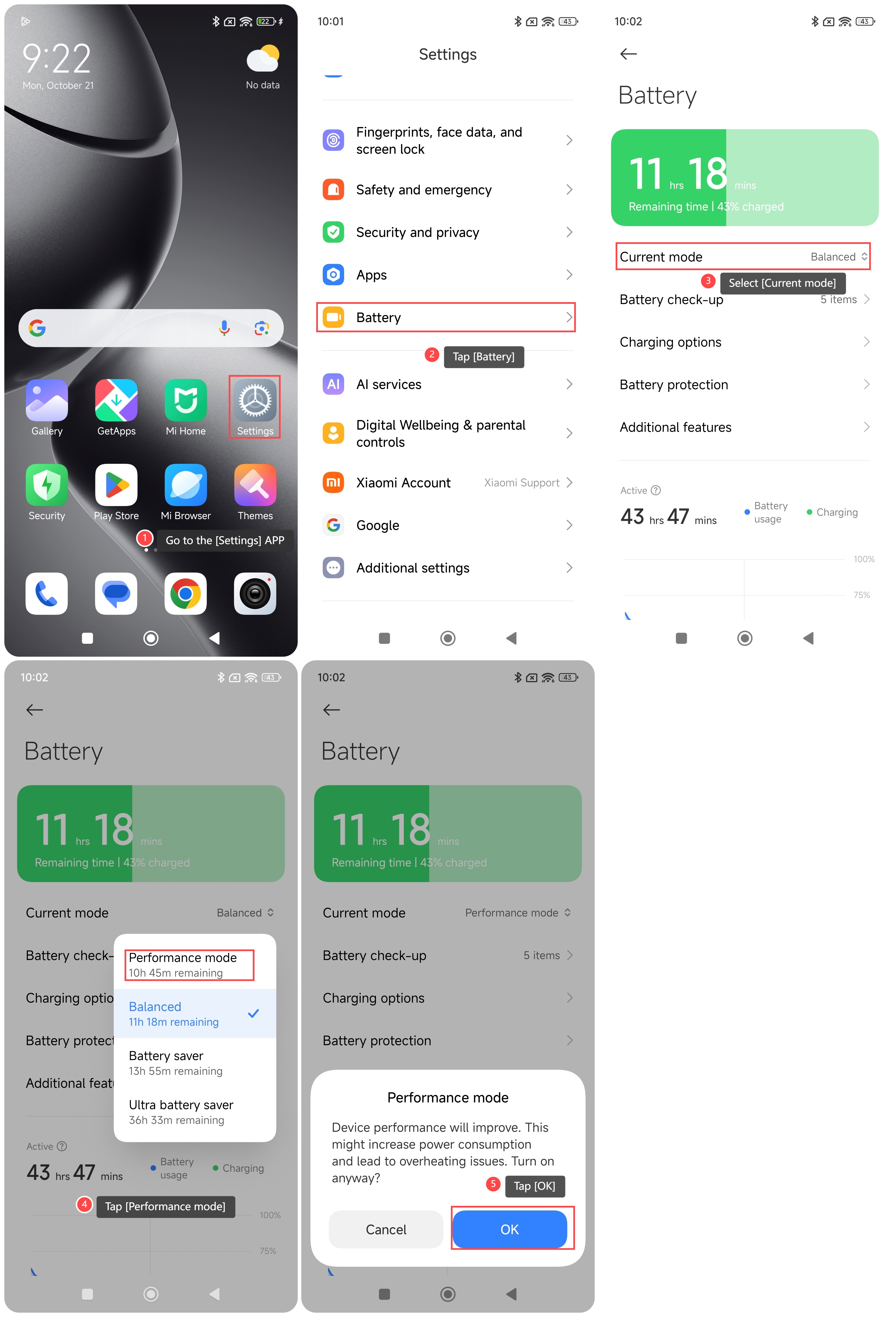
1. Go to the [Settings] APP on your phone;
2. Scroll down and tap [Battery];
3. Select [Current mode];
4. Tap [Performance mode];
5. Tap [OK].
Method 2:
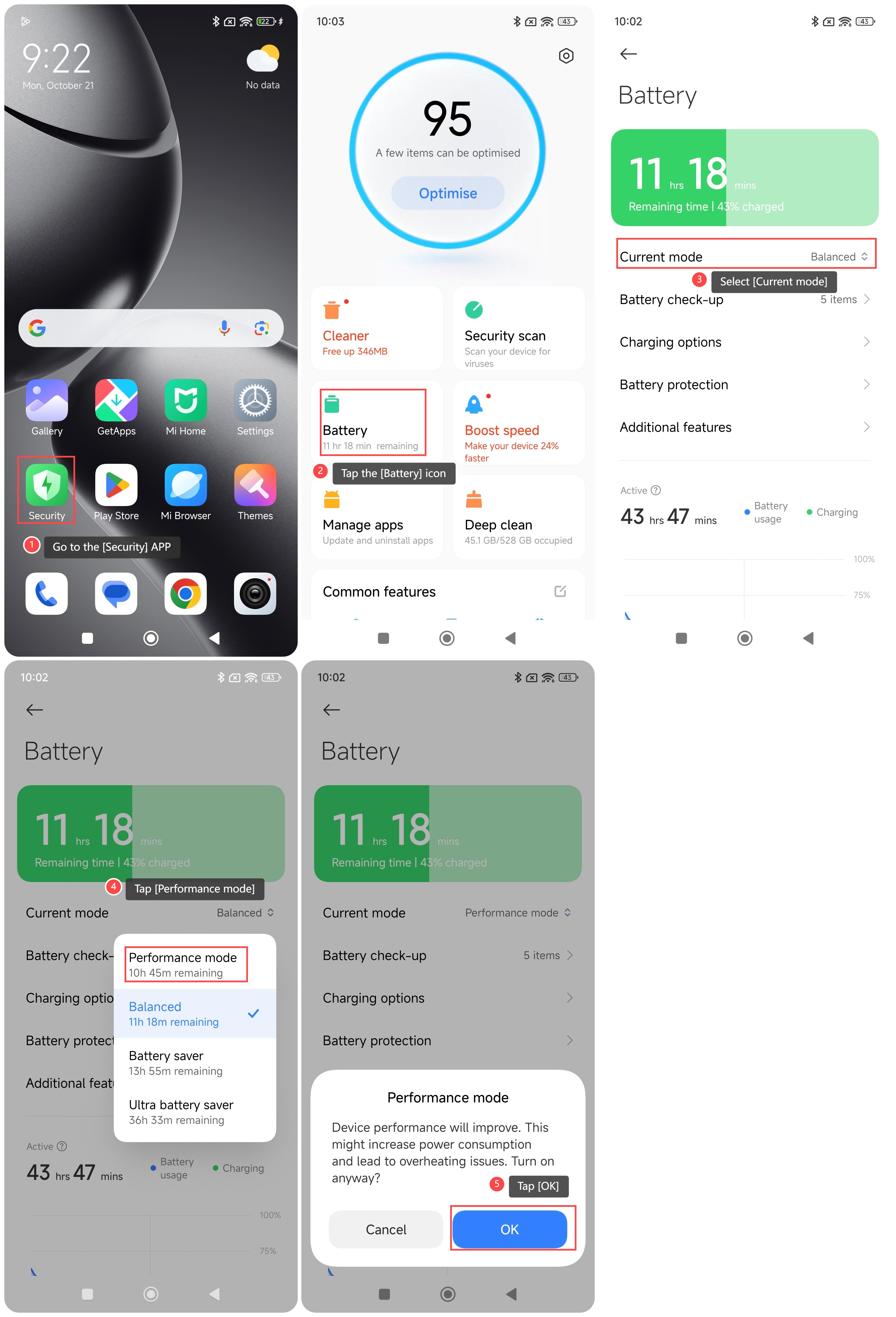
1. Go to the [Security] APP on your phone;
2. Tap the [Battery] icon;
3. Select [Current mode];
4. Tap [Performance mode];
5. Tap [OK].
Method 3:
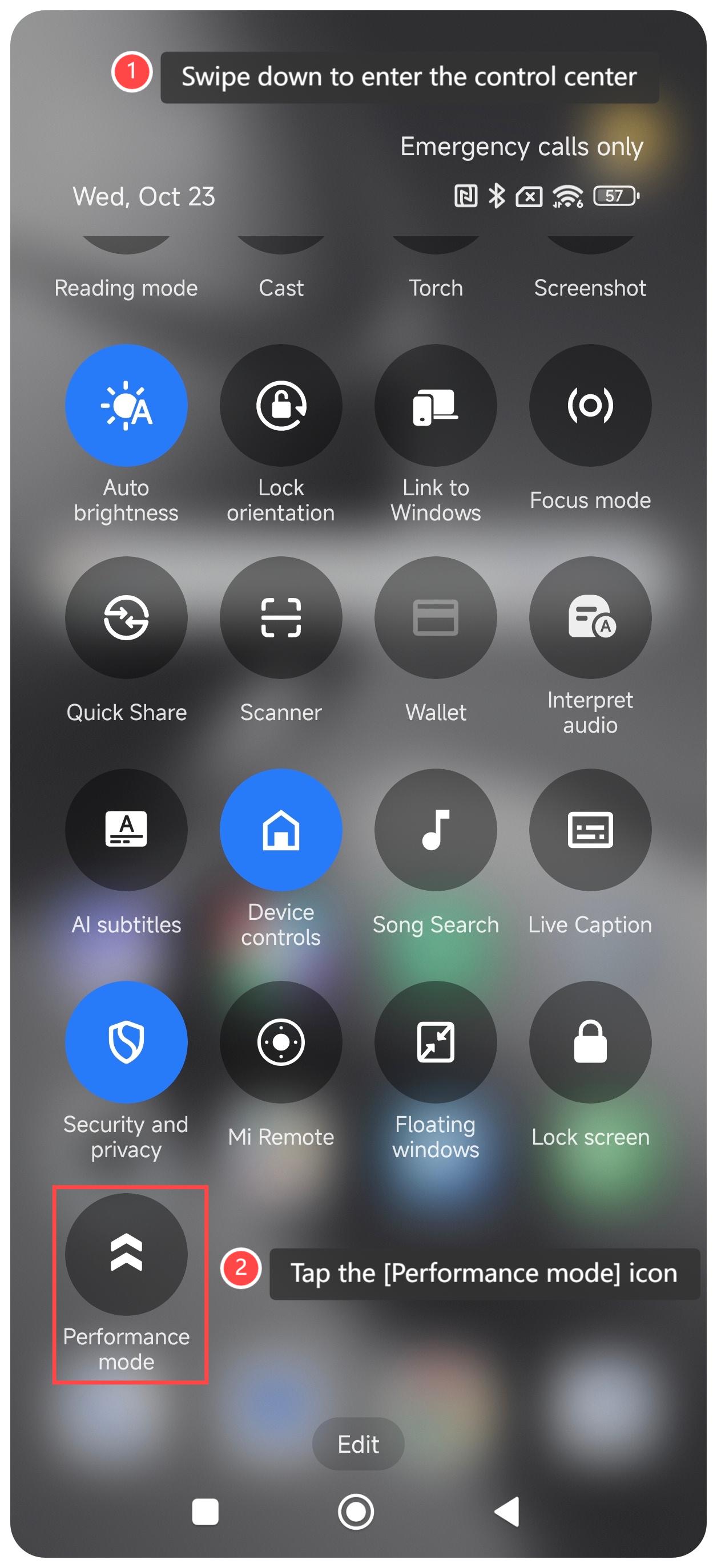
1. Swipe down to enter the control center;
2. Tap the [Performance mode] icon to turn it on.
Note:
When using Performance mode, be mindful of increased battery drain, heat generation, and potential impact on device lifespan, and use it selectively for demanding tasks to maintain your phone’s health.
To turn on the Performance mode on your phone, please refer to the following methods:
Method 1:
1. Go to the [Settings] APP on your phone;
2. Scroll down and tap [Battery];
3. Select [Current mode];
4. Tap [Performance mode];
5. Tap [OK].
Method 2:
1. Go to the [Security] APP on your phone;
2. Tap the [Battery] icon;
3. Select [Current mode];
4. Tap [Performance mode];
5. Tap [OK].
Method 3:
1. Swipe down to enter the control center;
2. Tap the [Performance mode] icon to turn it on.
Note:
When using Performance mode, be mindful of increased battery drain, heat generation, and potential impact on device lifespan, and use it selectively for demanding tasks to maintain your phone’s health.
Does it help?
Yes
No