

How to improve the location accuracy on the Redmi 13C?
Enabling the option to improve location accuracy on the Redmi 13C allows for more precise navigation, enhances the performance of location-based APPs, and activates location-specific features like reminders and nearby searches. It also improves safety features by providing accurate data in emergencies and can optimize battery usage by efficiently balancing location services.
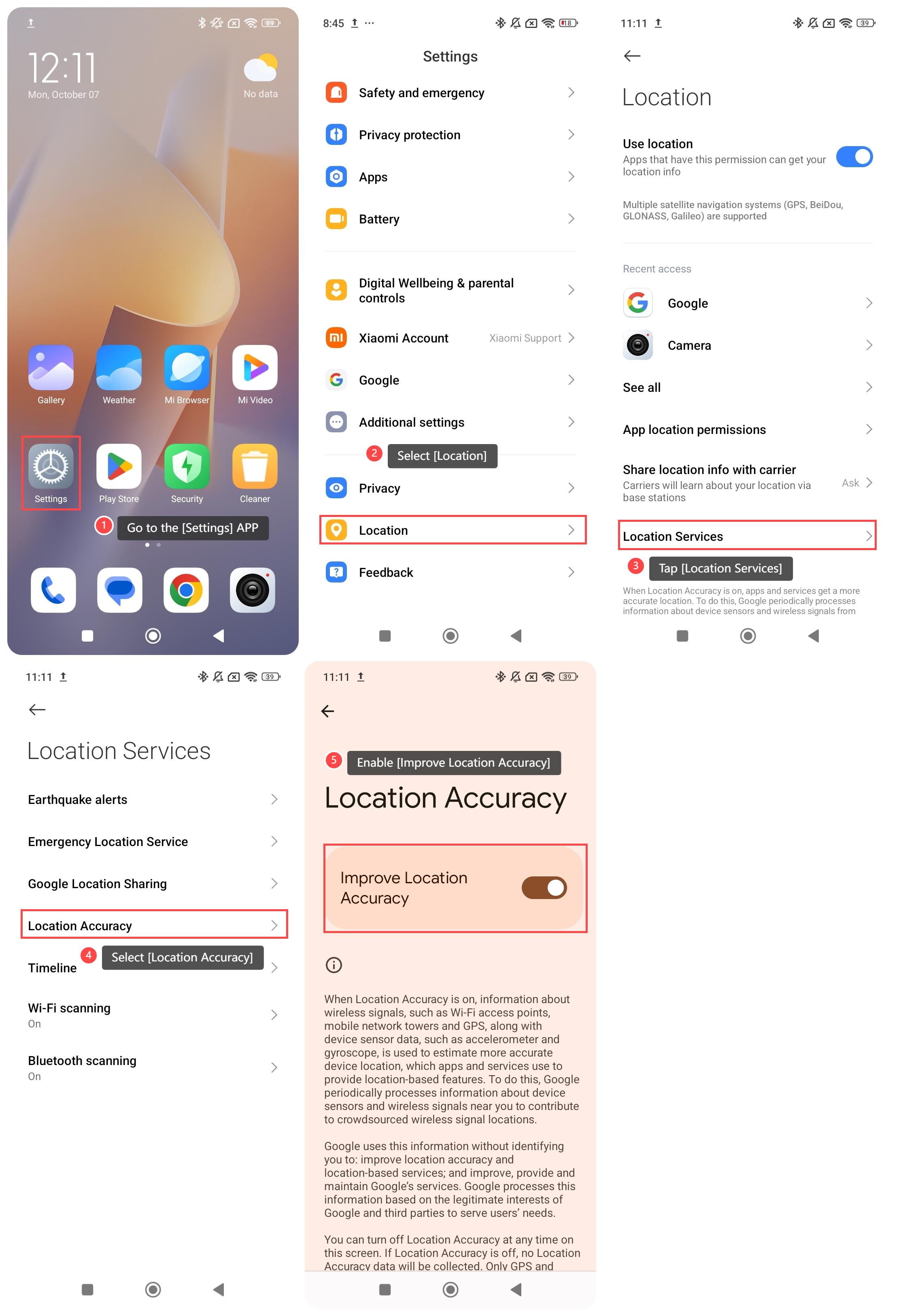
To improve the location accuracy on your phone, please refer to the following steps:
1. Go to the [Settings] APP on your phone;
2. Scroll down and select [Location];
3. Tap [Location Services];
4. Select [Location Accuracy];
5. Enable [Improve Location Accuracy].
Note:
When Location Accuracy is enabled, the device uses information from wireless signals (such as Wi-Fi access points, mobile network towers, and GPS) along with data from device sensors (such as accelerometer and gyroscope) to estimate a more precise location. This information is utilized by apps and services to offer location-based features.
To improve the location accuracy on your phone, please refer to the following steps:
1. Go to the [Settings] APP on your phone;
2. Scroll down and select [Location];
3. Tap [Location Services];
4. Select [Location Accuracy];
5. Enable [Improve Location Accuracy].
Note:
When Location Accuracy is enabled, the device uses information from wireless signals (such as Wi-Fi access points, mobile network towers, and GPS) along with data from device sensors (such as accelerometer and gyroscope) to estimate a more precise location. This information is utilized by apps and services to offer location-based features.
Does it help?
Yes
No