If you delete the second space, all app data in the second space will be lost. If you need any data from the second space, back it up to the first space or your computer before deletion.
To delete the Second space on your Xiaomi smartphone, please refer to the following methods:
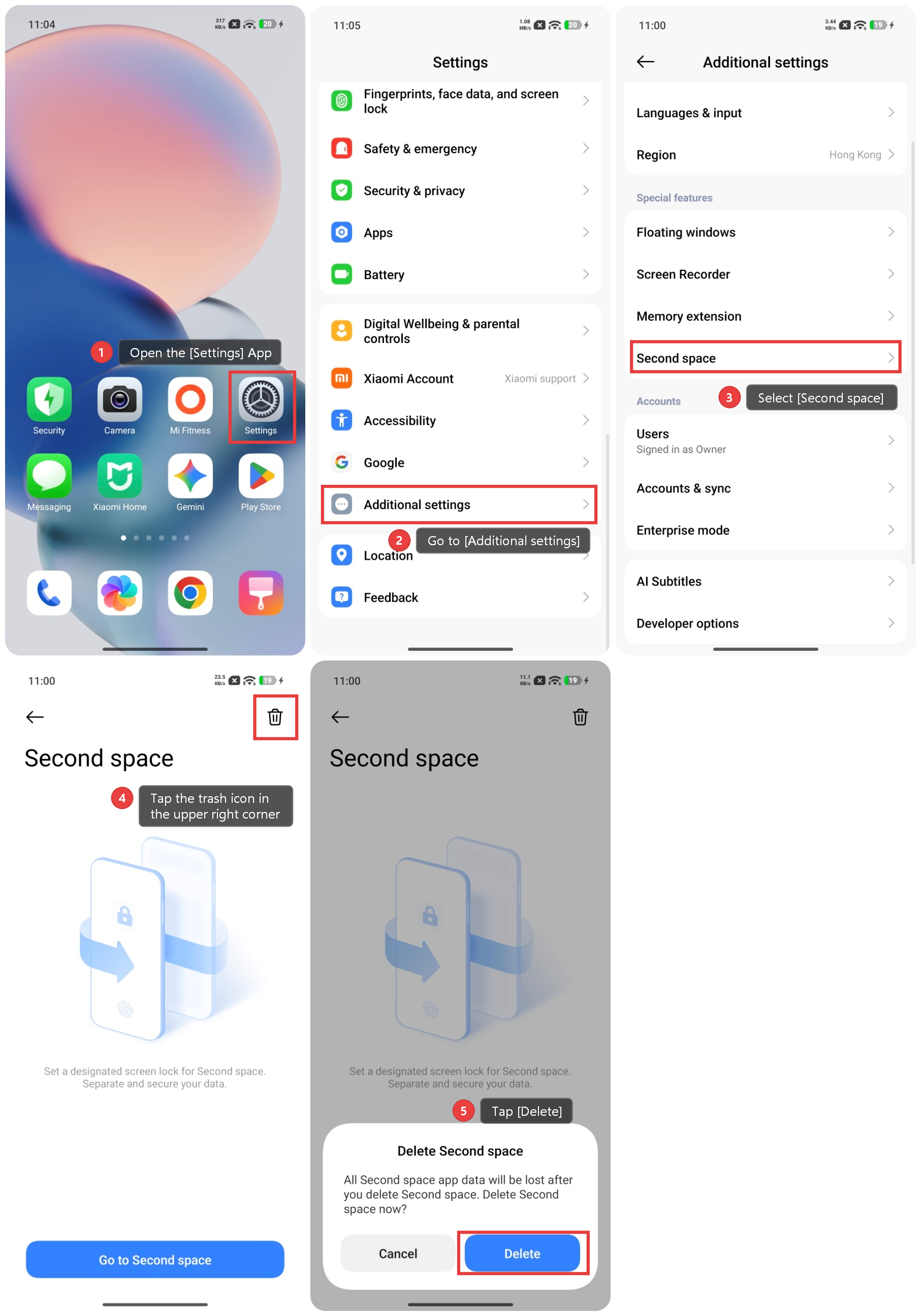
Method 1: In the first space
1. Open the [Settings] App.
2. Go to [Additional settings].
3. Select [Second space].
4. Tap the trash icon in the upper right corner.
5. Tap [Delete] to confirm the action.
6. Enter your Xiaomi account password to authorise the deletion.
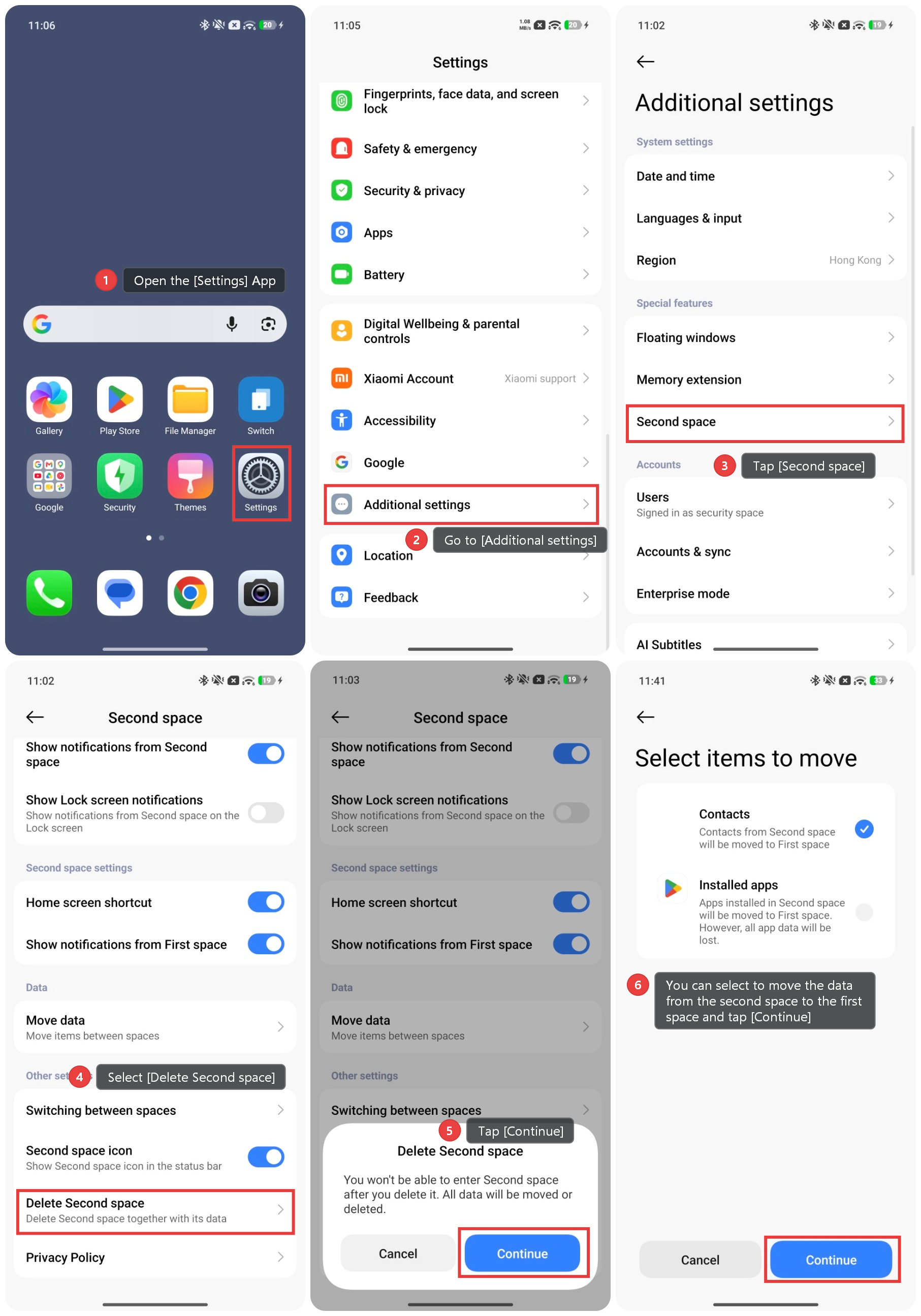
Method 2: In the second space
1. Open the [Settings] App.
2. Go to [Additional settings].
3. Tap [Second space].
4. Select [Delete Second space].
5. Tap [Continue] and enter the second space password.
6. You can select to move the data from the second space to the first space and tap [Continue].
7. Then the second space will be deleted.