

Automatic network selection can optimize connectivity by choosing the best available network based on factors like signal strength, speed, and reliability. You can enable this feature to enjoy a more seamless, efficient and stable connection.
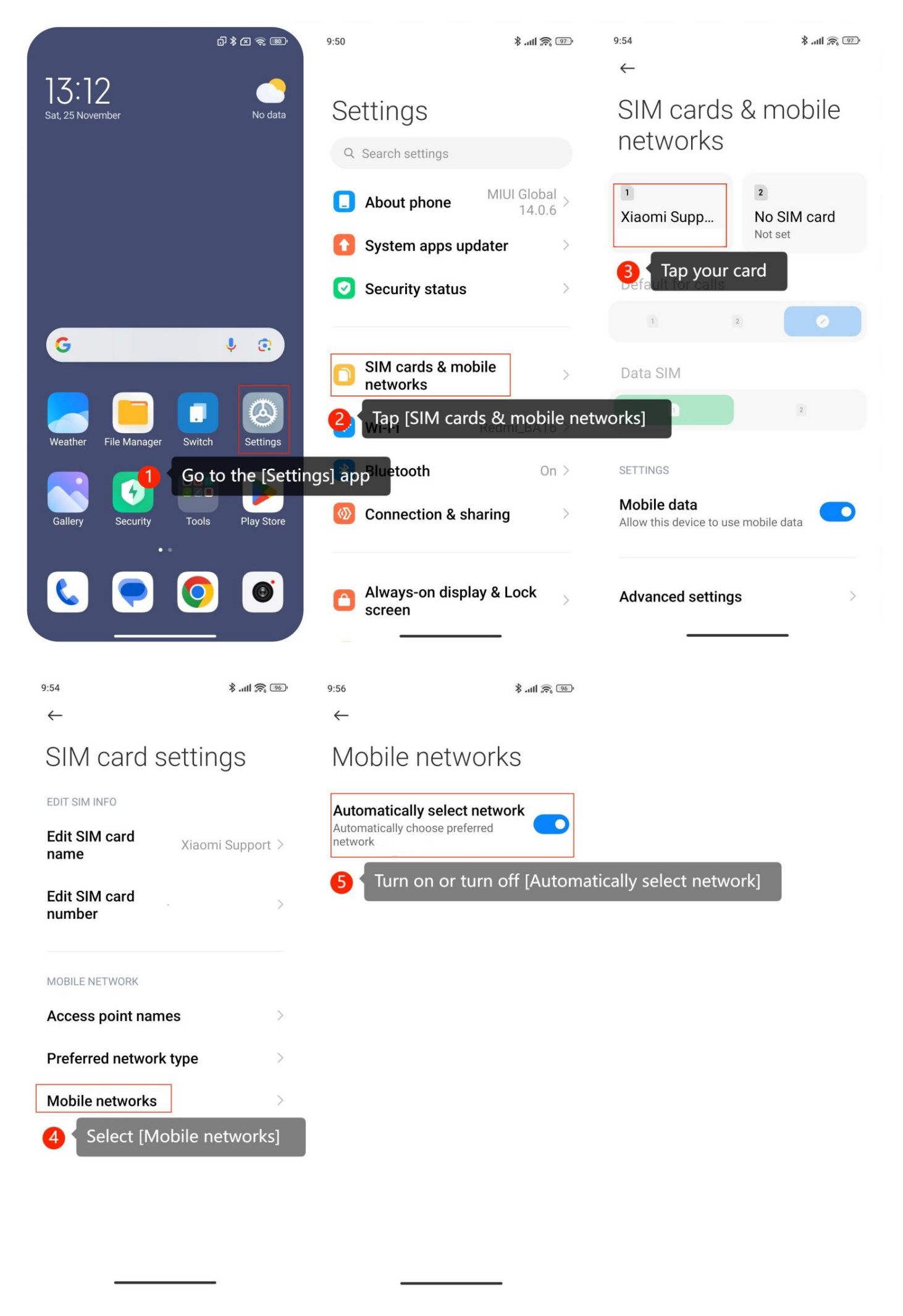
If you want to turn on or turn off Automatically select network on your Xiaomi 13T, please refer to the following steps:
1. Go to the [Settings] app on your smartphone;
2. Look for an option [SIM cards & mobile networks] and tap it;
3. Tap on your SIM card and you can access SIM card settings;
4. Tap on [Mobile networks];
5. Turn on or turn off [Automatically select network] to enable or disable this feature.
If you have an interest in Automatically selecting networks, here are some detailed advantages you can refer to:
1. By enabling the Automatically select network option, your phone can seamlessly switch between available mobile networks;
2. The automatic network selection feature helps ensure that your phone is connected to the mobile network with the strongest signal in a given location.
If you want to turn on or turn off Automatically select network on your Xiaomi 13T, please refer to the following steps:
1. Go to the [Settings] app on your smartphone;
2. Look for an option [SIM cards & mobile networks] and tap it;
3. Tap on your SIM card and you can access SIM card settings;
4. Tap on [Mobile networks];
5. Turn on or turn off [Automatically select network] to enable or disable this feature.
If you have an interest in Automatically selecting networks, here are some detailed advantages you can refer to:
1. By enabling the Automatically select network option, your phone can seamlessly switch between available mobile networks;
2. The automatic network selection feature helps ensure that your phone is connected to the mobile network with the strongest signal in a given location.