

The Fire detection Beta feature on the Xiaomi Smart Camera C701 intelligently identifies smoke and flame conditions via the camera's video feed. When significant smoke or open flames are detected, the system records the event timestamp within the Home surveillance, simultaneously pushes a real-time notification to your mobile phone, and can trigger corresponding actions through linked smart scenes.
To enable the Fire detection Beta feature on the Xiaomi Smart Camera C701, please follow the steps below:
1. Open the Xiaomi Home App.
2. Select the device card for the Xiaomi Smart Camera C701.
3. Select [AI Features].
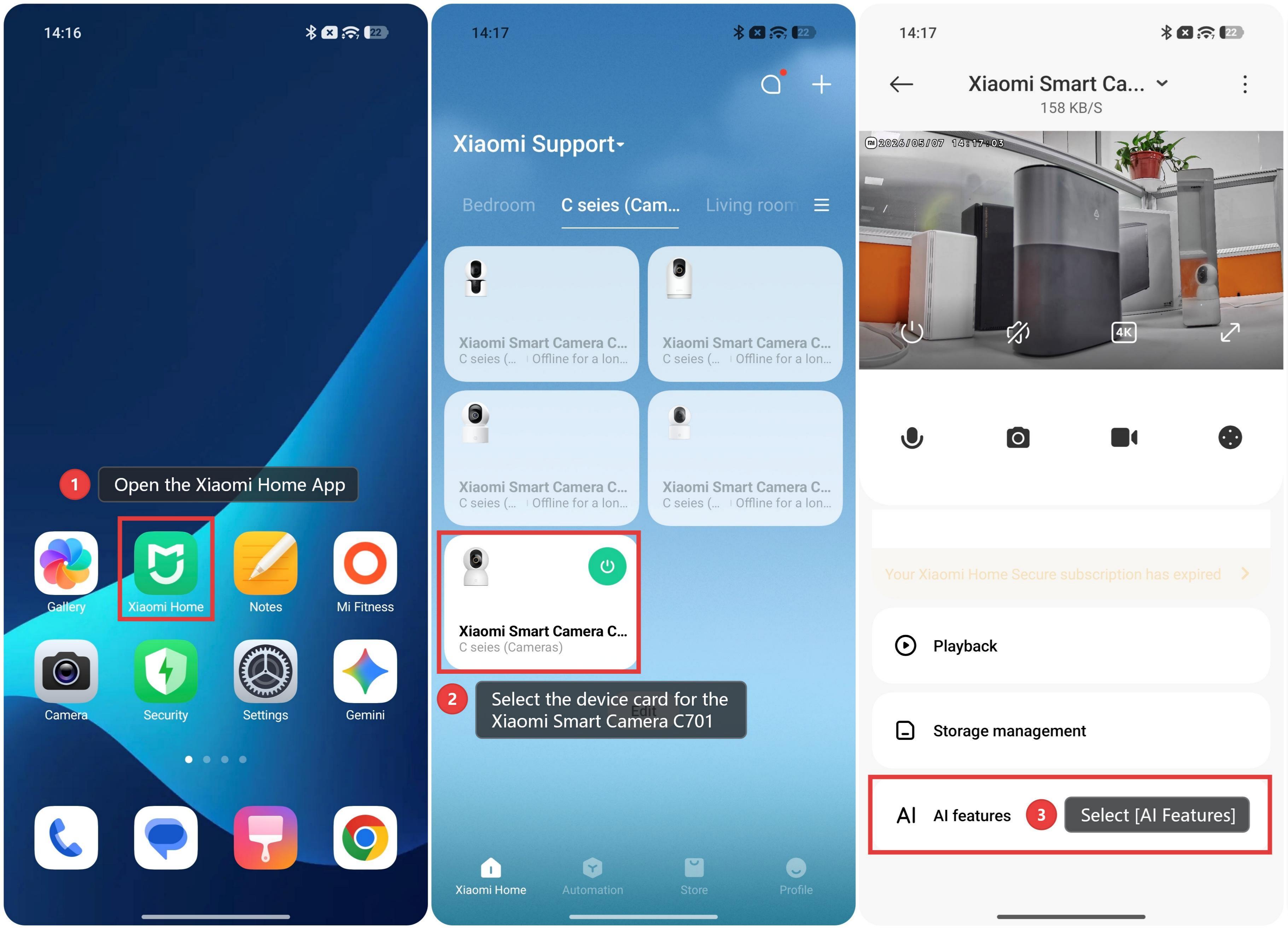
4. Select [Fire detection Beta], and enter the settings.
5. Locate and toggle on the [Fire detection Beta] feature in the center of the page.
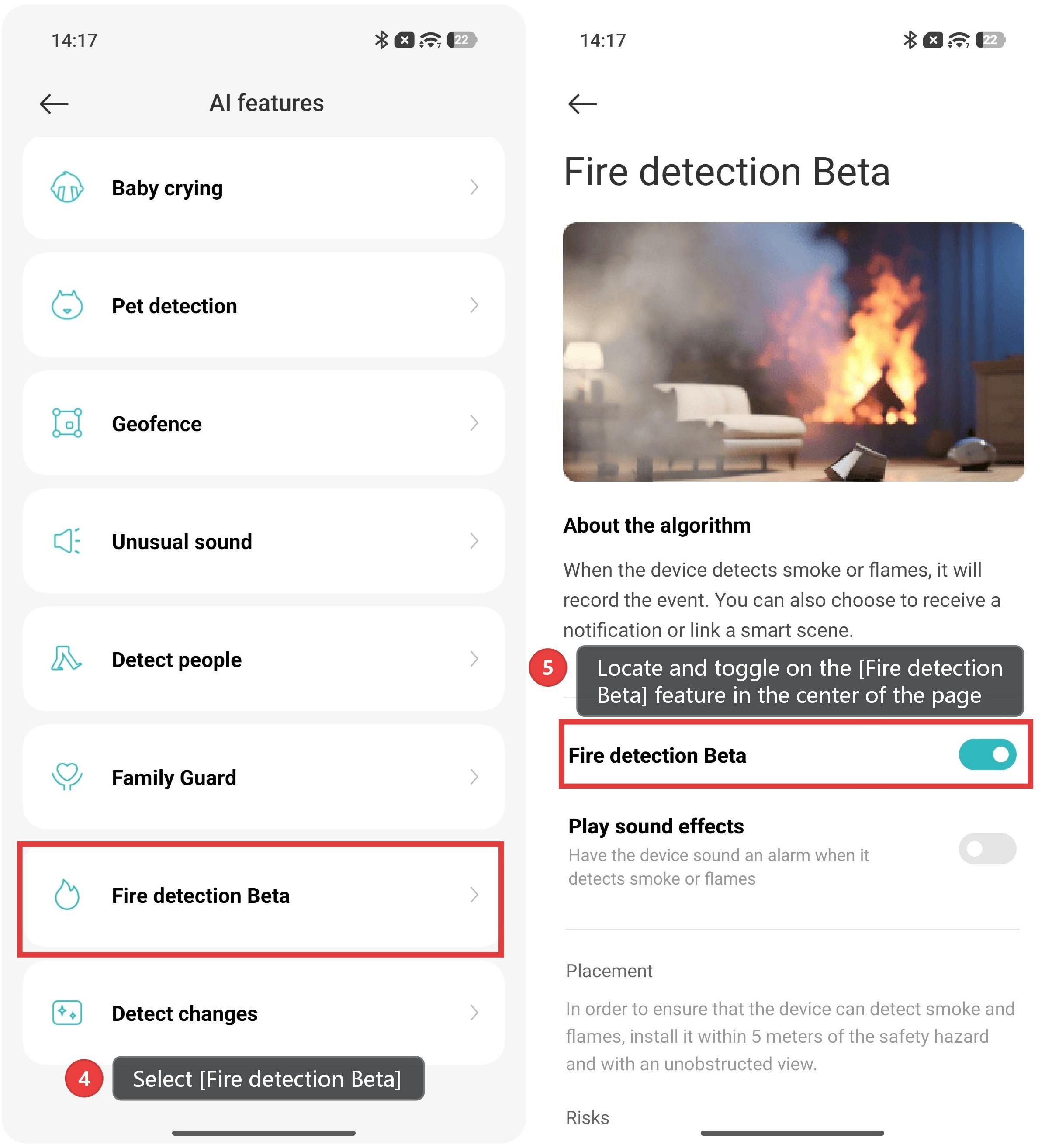
About the algorithm
When the device detects smoke or flames, it will record the event. You can also choose to receive a
notification or link a smart scene.
Placement
In order to ensure that the device can detect smoke and flames, install it within 5 meters of the safety hazard
and with an unobstructed view.
Risks
1. This feature can't prevent fires from occurring or responding to them.
2. This feature won't work in Night vision mode.
3. This feature can alert you to smoke and flames in the camera's field of view. Technical limitations environmental factors, etc. may cause the camera to not detect a fire or cause false alarms. Use this feature only as an auxiliary means for smoke and fire detection. Examples of situations that might cause false alarms include:
a) Pictures or videos of fire or smoke or colors that resemble open flames.
b) Gray or black objects with shapes similar to thick smoke.
c) Objects obstructing the camera's field of view.
d) Water vapor or mist that appears in black-and-white night vision images.
e) Lights or halos that resemble fire.