

The privacy protection password or feature on the Mi 10 is designed to provide an extra layer of security for sensitive data or applications. If you want to enable the feature, please refer to the following steps:
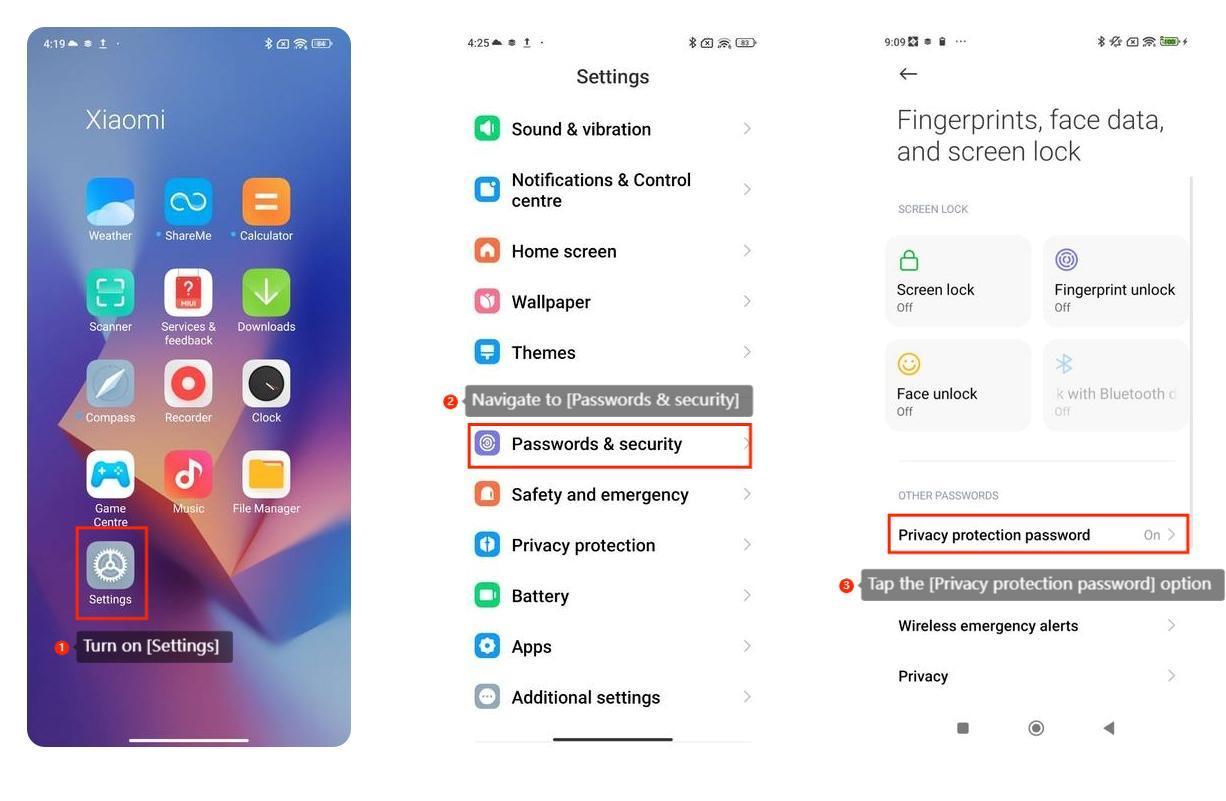
1. Turn on [Settings]:
You can usually find the [Settings] icon on your home screen or in the app drawer. It often looks like a gear or a set of sliders.
2. Navigate to [Passwords & security]:
In the [Settings] menu, scroll down and look for an option that names [Passwords & security] and tap it.
3. Set the [Privacy protection password]:
Tap the [Privacy protection password] option and set your privacy protection password. The privacy protection password uses a pattern to unlock and it needs to connect at least four dots.
In addition, here are some privacy password settings for your reference:
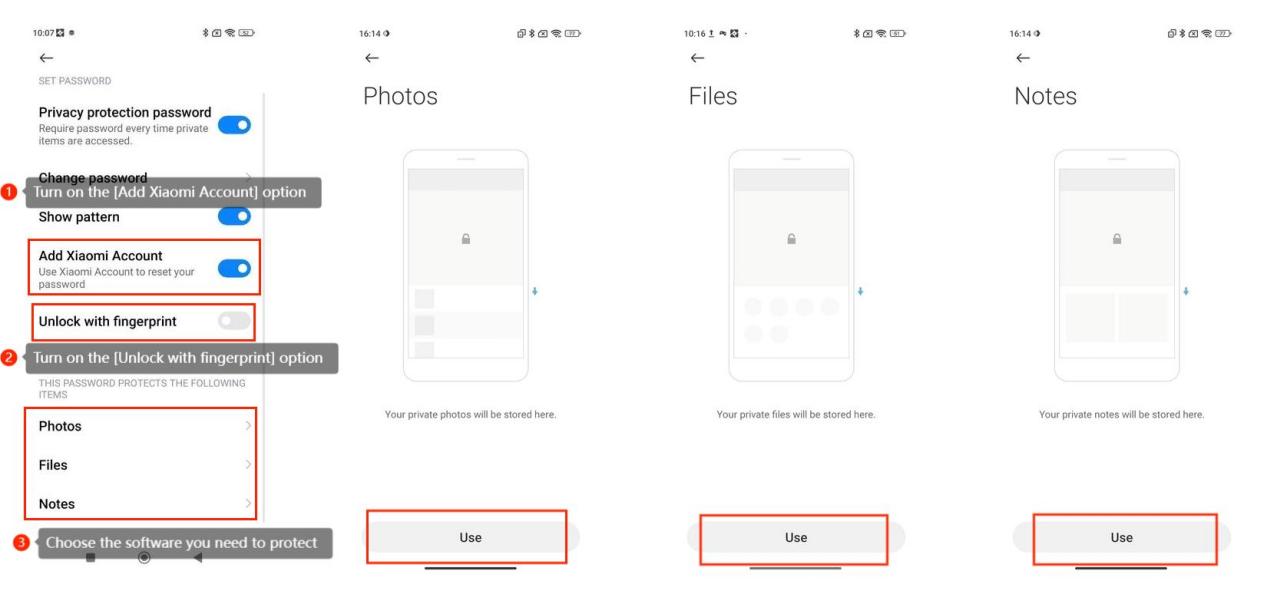
(1). Turn on the [Add Xiaomi Account] option: You can add your Xiaomi account so that you can use the Xiaomi account to reset your password.
(2). Turn on the [Unlock with fingerprint] option: You can log in your fingerprint information on your phone and then use your fingerprint to unlock it.
(3). Choose the software you need to protect: This phone supports setting privacy passwords for photo albums files and notes. When you choose to use a privacy password to protect your photo album files or messages, you will need the privacy password to enter when you want to open this software.
1. Turn on [Settings]:
You can usually find the [Settings] icon on your home screen or in the app drawer. It often looks like a gear or a set of sliders.
2. Navigate to [Passwords & security]:
In the [Settings] menu, scroll down and look for an option that names [Passwords & security] and tap it.
3. Set the [Privacy protection password]:
Tap the [Privacy protection password] option and set your privacy protection password. The privacy protection password uses a pattern to unlock and it needs to connect at least four dots.
In addition, here are some privacy password settings for your reference:
(1). Turn on the [Add Xiaomi Account] option: You can add your Xiaomi account so that you can use the Xiaomi account to reset your password.
(2). Turn on the [Unlock with fingerprint] option: You can log in your fingerprint information on your phone and then use your fingerprint to unlock it.
(3). Choose the software you need to protect: This phone supports setting privacy passwords for photo albums files and notes. When you choose to use a privacy password to protect your photo album files or messages, you will need the privacy password to enter when you want to open this software.