

If you are not paired, plug in a card or connect to wifi, you can swipe left or right on the watch displays clock screen to find "Phone" or "Voice" and tap on it to bring up the QR code. Or press the power button on the watch clock page to enter the watch application page, find the QR code application and click on it to display the QR code.
In the paired state, enter the watch displays clock page, and then press the power button to go to the watch application page, find the QRcode application and click on it to display the QR code.
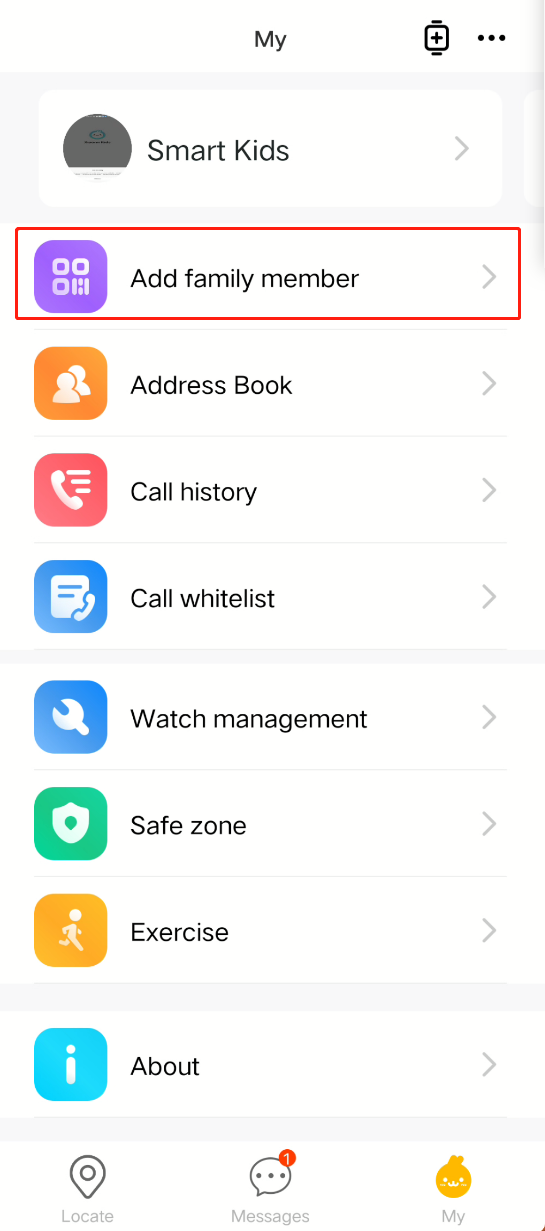
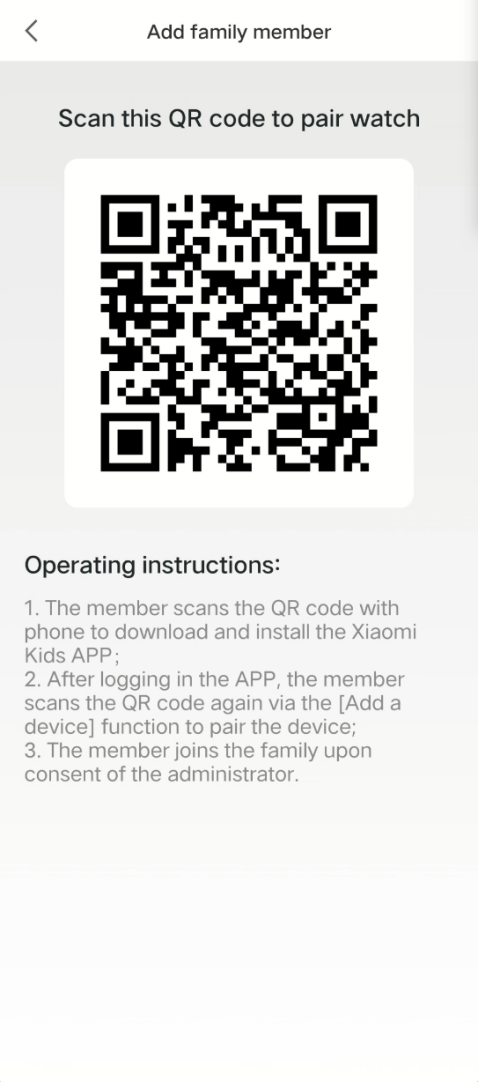
If the watch is already paired, in addition to finding the QR code on the watch, you can also go to the Xiaomi Kids app → My → Add family member for the family member that is already bound. Newly bound family members will need to be approved by the administrator before they can join the family group.
In the paired state, enter the watch displays clock page, and then press the power button to go to the watch application page, find the QRcode application and click on it to display the QR code.
If the watch is already paired, in addition to finding the QR code on the watch, you can also go to the Xiaomi Kids app → My → Add family member for the family member that is already bound. Newly bound family members will need to be approved by the administrator before they can join the family group.