

You can make video calls from Dialpad , or Recents and Contacts tabs.
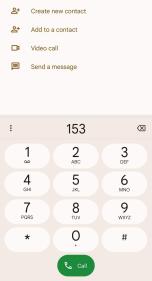
• On Dialpad , aler you enter the phone number, you can tap Video call to make a video call.
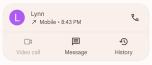
• On Recents tab, you can tap the phone number of a recent contact, then tap Video call to make a video call.
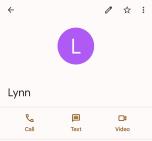
• On Contacts tab, Choose a contact and tap Video call to make a video call.
Note
• You need to sign into your Google account to use the feature.
• Not all devices support video calling. The receiver has the option to accept the video call or answer the call as a regular voice call.