

Setting the date, time, and time zone on the Mi Smart Projector ensures accuracy for scheduling, automatic updates, and data logging. It also ensures compatibility with applications and services, enhancing productivity and convenience for users.
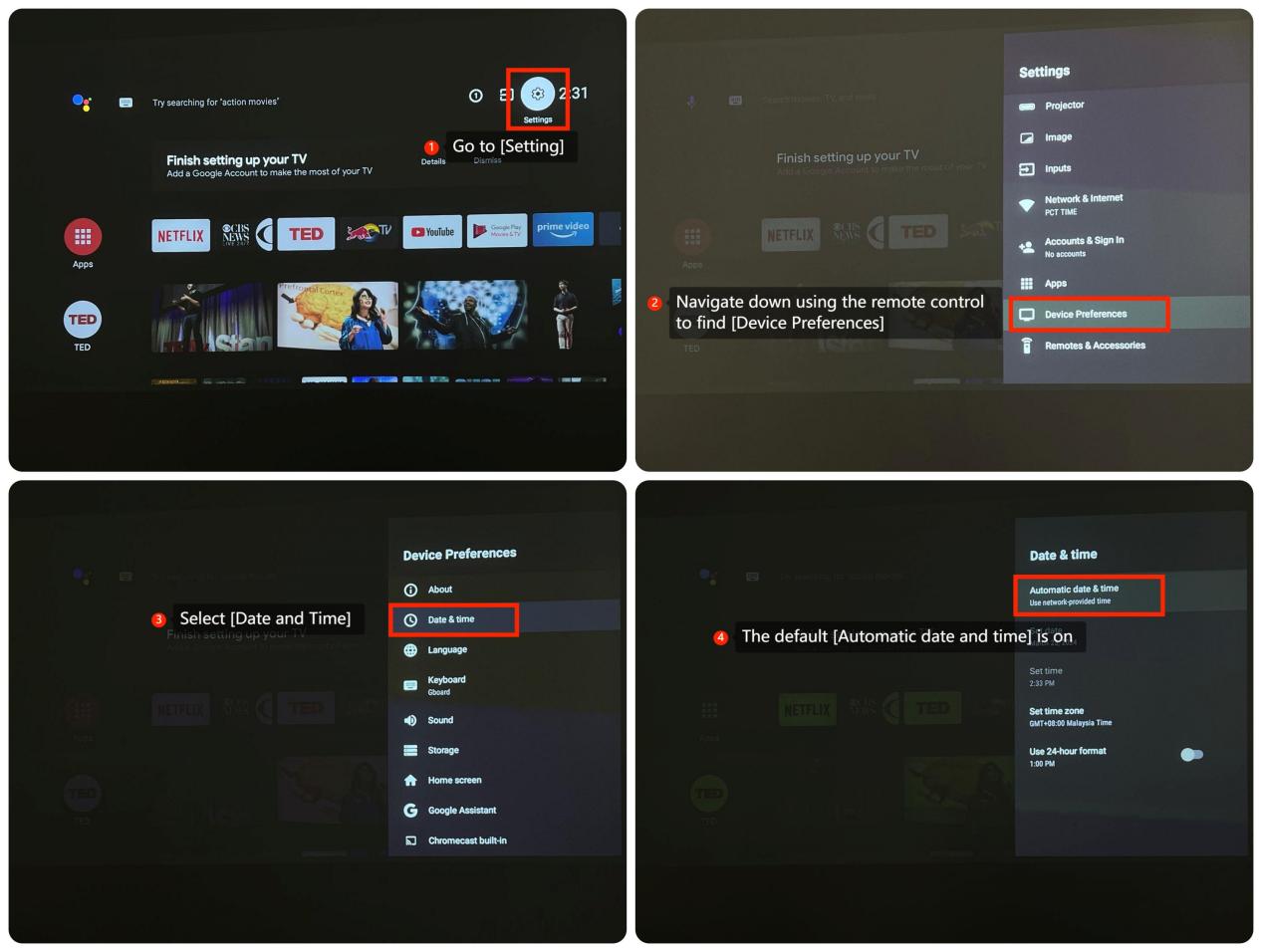
If you want to set the date, time and time zone on the Mi Smart Projector, you may follow the below steps:
1. Go to [Settings];
2. Navigate down using the remote control to find [Device Preferences];
3. Select [Date and Time];
4. The default [Automatic date and time] is on;
If you want to set the date, time and time zone on the Mi Smart Projector, you may follow the below steps:
1. Go to [Settings];
2. Navigate down using the remote control to find [Device Preferences];
3. Select [Date and Time];
4. The default [Automatic date and time] is on;