

Image cropping on the Xiaomi 12T Pro with Xiaomi HyperOS refers to using the built-in gallery app or other image editing applications on Xiaomi smartphones to trim or cut a portion of the image, removing unwanted parts or adjusting the size and proportions of the image. This allows you to better focus on specific content within the image or adjust the appearance of the image as needed.
Here are two methods for cutting out images of single, double and pet on the phone with Xiaomi HyperOS by referring to the following steps:
Method 1:
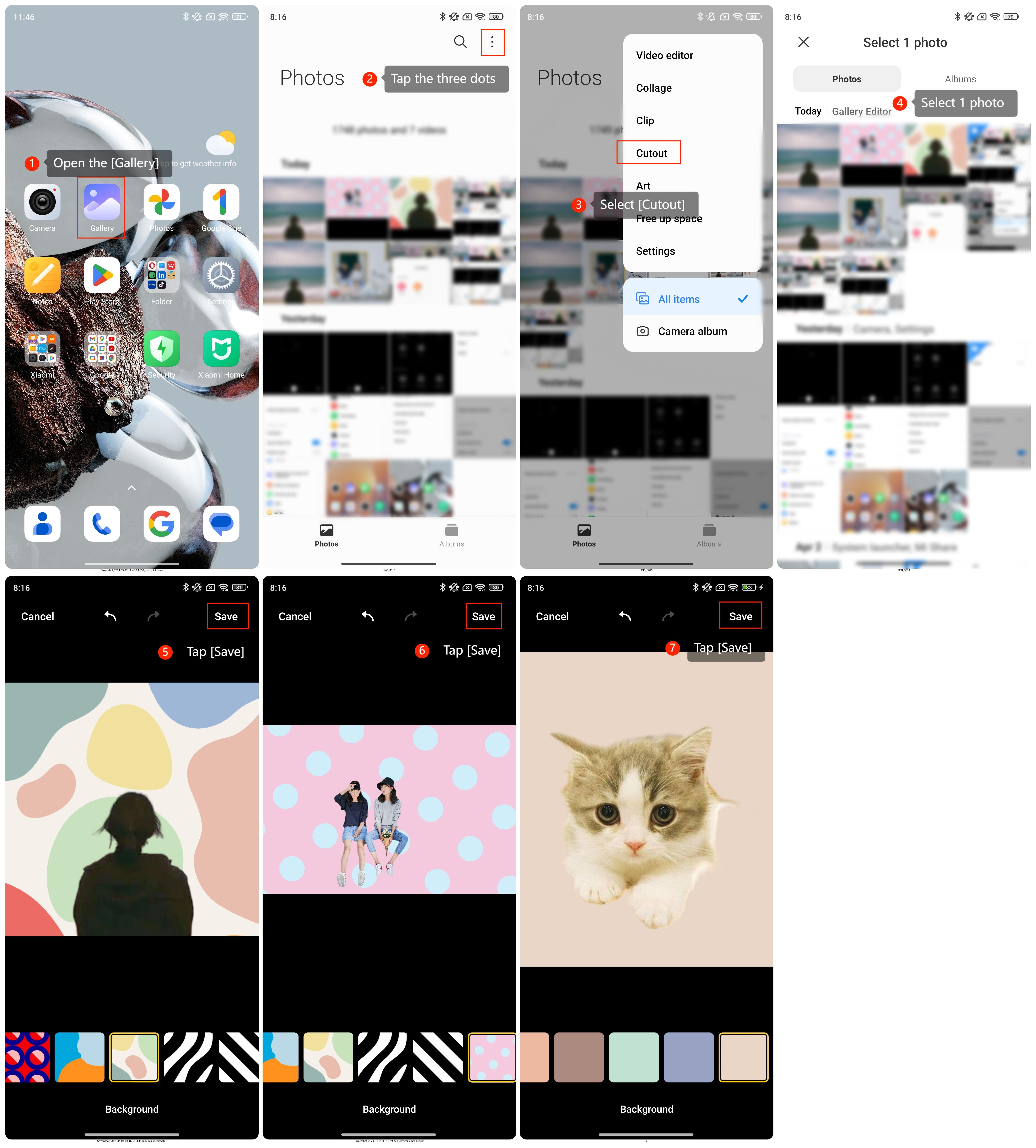
1. Go to [Gallery];
2. Tap the three dots at the upper-right corner of the phone;
3. Tap [Cutout];
4. Select 1 photo, such as single, double or pet image;
5. Wait for the system to identify the subjects in the photo;
6. Change the background according to your preferences;
7. Tap [Save].
 Method 2:
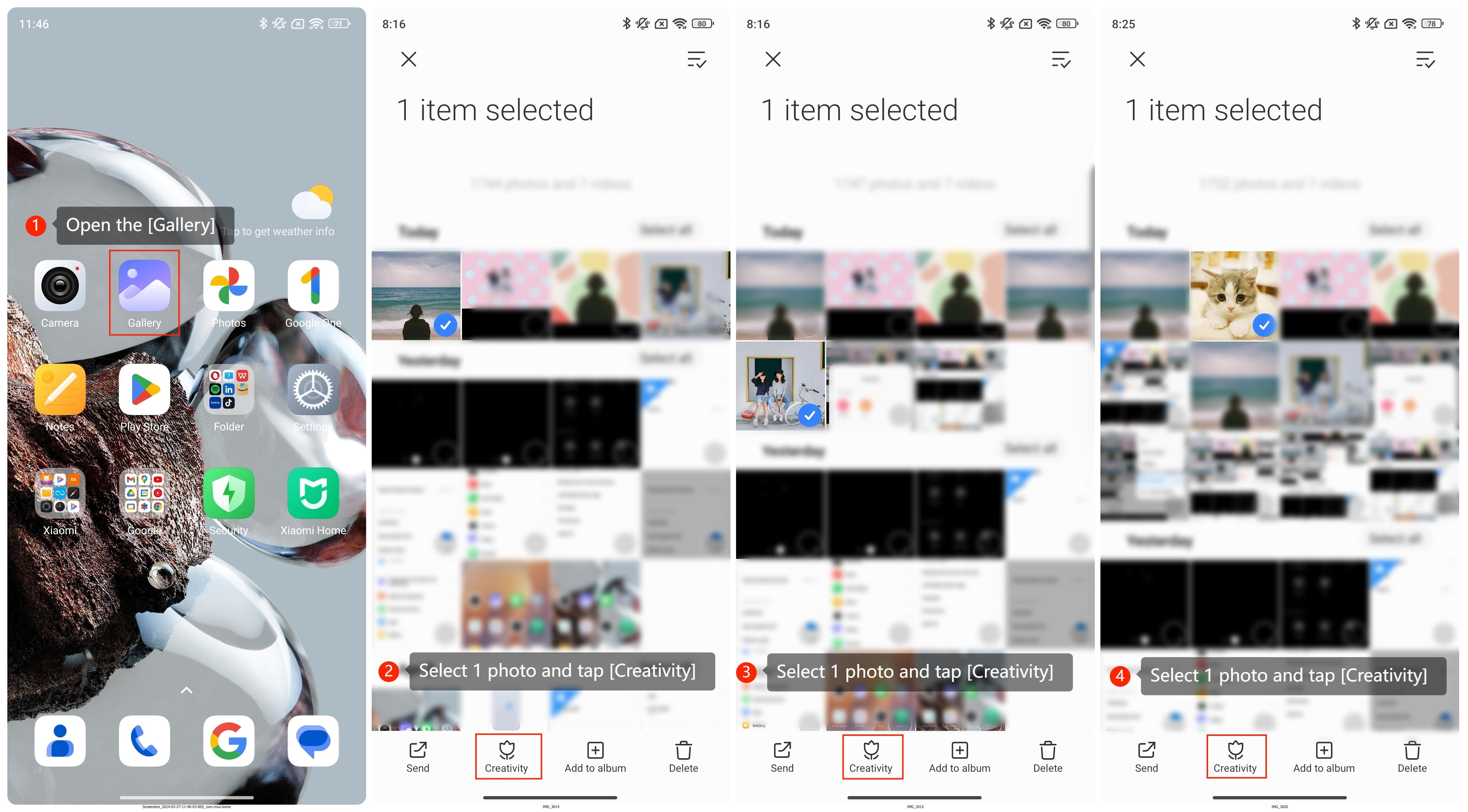
1. Go to [Gallery];
2. Press and hold one photo and select [Creativity], such as single, double or pet image;
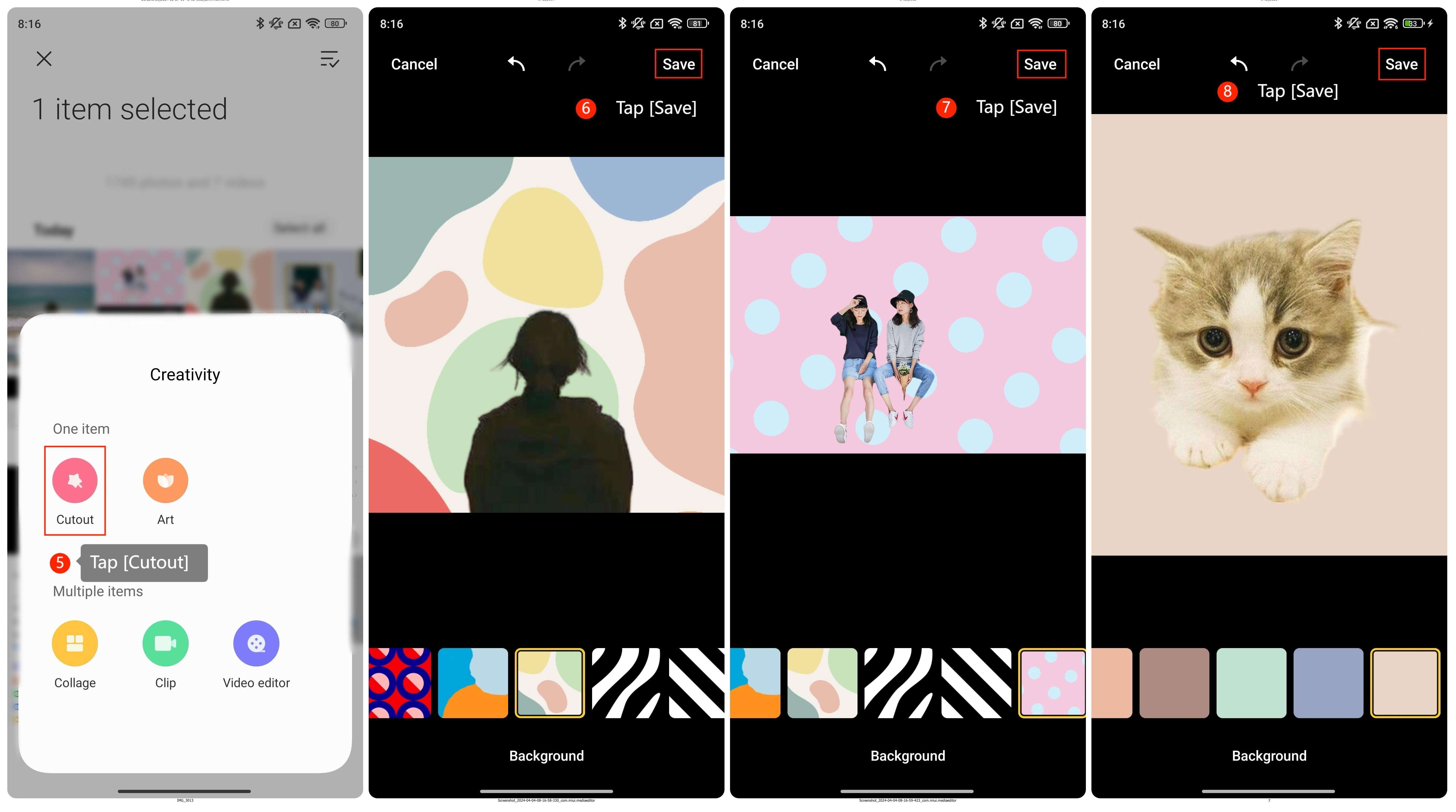
 3. Select [Cutout];
4. Wait for the system to identify the subjects in the photo;
5. Change the background according to your preferences;
6. Tap [Save].
Here are two methods for cutting out images of single, double and pet on the phone with Xiaomi HyperOS by referring to the following steps:
Method 1:
1. Go to [Gallery];
2. Tap the three dots at the upper-right corner of the phone;
3. Tap [Cutout];
4. Select 1 photo, such as single, double or pet image;
5. Wait for the system to identify the subjects in the photo;
6. Change the background according to your preferences;
7. Tap [Save].
Method 2:1. Go to [Gallery];
2. Press and hold one photo and select [Creativity], such as single, double or pet image;
3. Select [Cutout];4. Wait for the system to identify the subjects in the photo;
5. Change the background according to your preferences;
6. Tap [Save].