

The App icons on the home screen of the REDMI Note 13 are visual representations of individual applications that you've installed on your device. Each app typically has its unique icon, making it easily identifiable. These icons serve as shortcuts, allowing you to quickly access and launch the corresponding applications with a simple tap.
To manage the app icons on the home screen of the phone with Xiaomi HyperOS, please refer to the following steps:
1. Navigate to Settings on your smartphone and you can find it on your home screen;
2. Scroll down and tap [Home screen];
3. Within the [Home screen] settings, you can find a title called [HOME SCREEN SETTINGS];
4. When you find the [HOME SCREEN SETTINGS], you can manage the app icons here as you prefer;
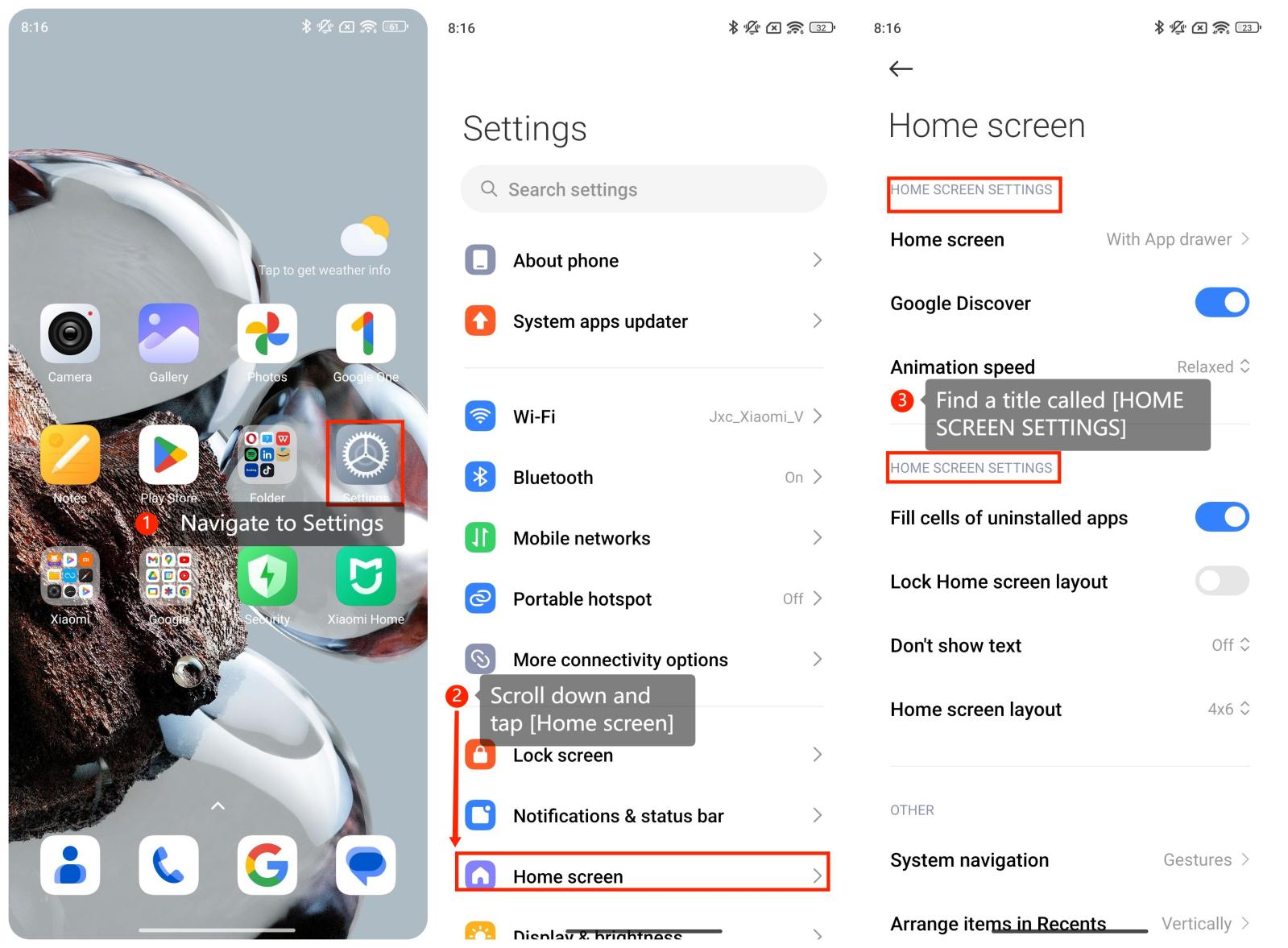
To manage the app icons on the home screen of the phone with Xiaomi HyperOS, please refer to the following steps:
1. Navigate to Settings on your smartphone and you can find it on your home screen;
2. Scroll down and tap [Home screen];
3. Within the [Home screen] settings, you can find a title called [HOME SCREEN SETTINGS];
4. When you find the [HOME SCREEN SETTINGS], you can manage the app icons here as you prefer;
Method 2:
1. Press and hold down the empty space on the screen;
2. Tap [Settings] icon;
3. Manage the app icons;
4. Tap [√] icon.
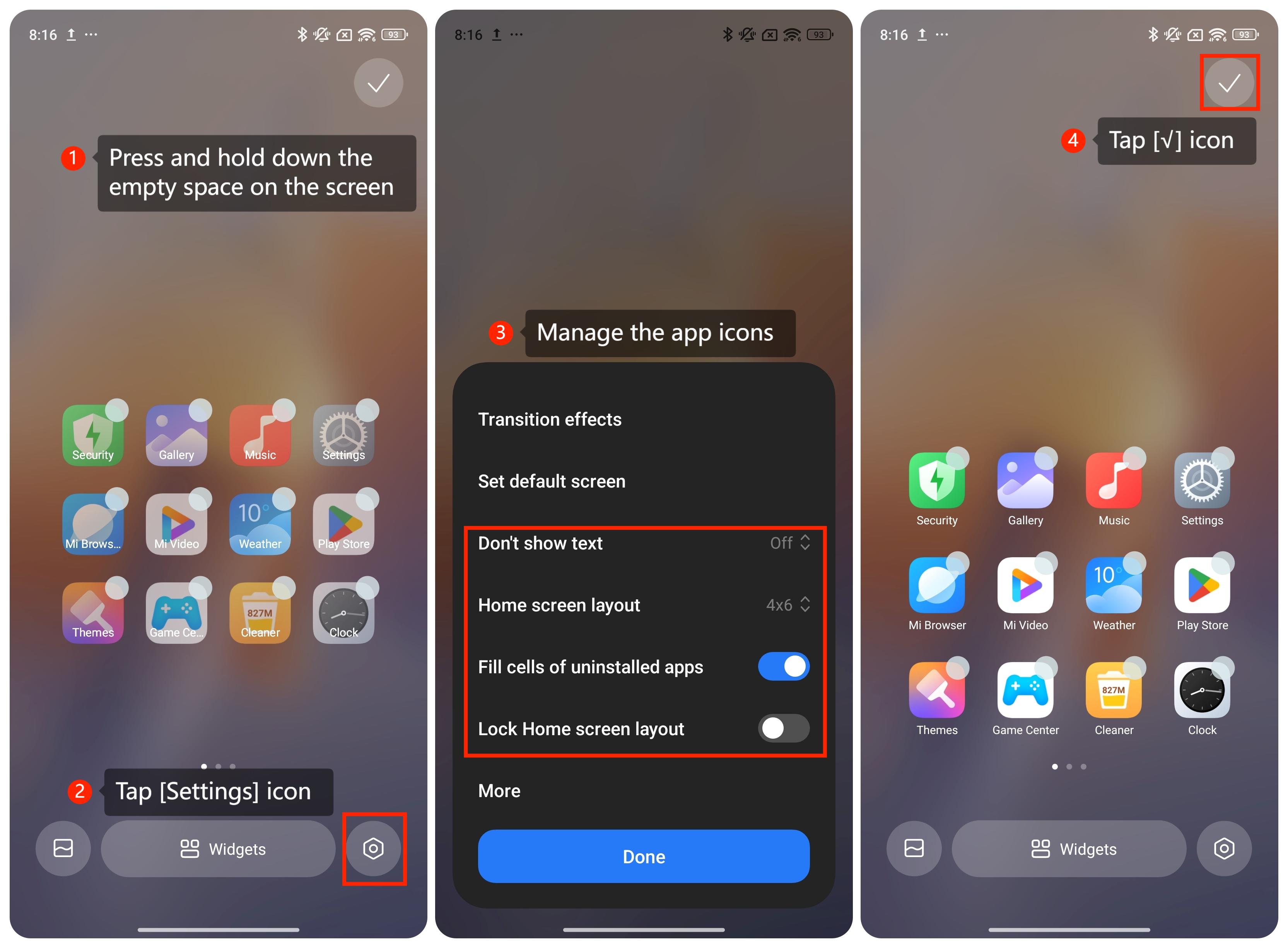
1. Press and hold down the empty space on the screen;
2. Tap [Settings] icon;
3. Manage the app icons;
4. Tap [√] icon.
Note:
There are three ways to arrange home screen settings on the Home screen page: Classic, With App drawer, and Lite mode. You can also explore these options by going to [Home screen] settings.
There are three ways to arrange home screen settings on the Home screen page: Classic, With App drawer, and Lite mode. You can also explore these options by going to [Home screen] settings.