

Android Q (Android 10) began to cancel the support for the Android Beam function, and no longer supports NFC to transfer data such as files and pictures. The card emulation function and card reading function of NFC are not affected.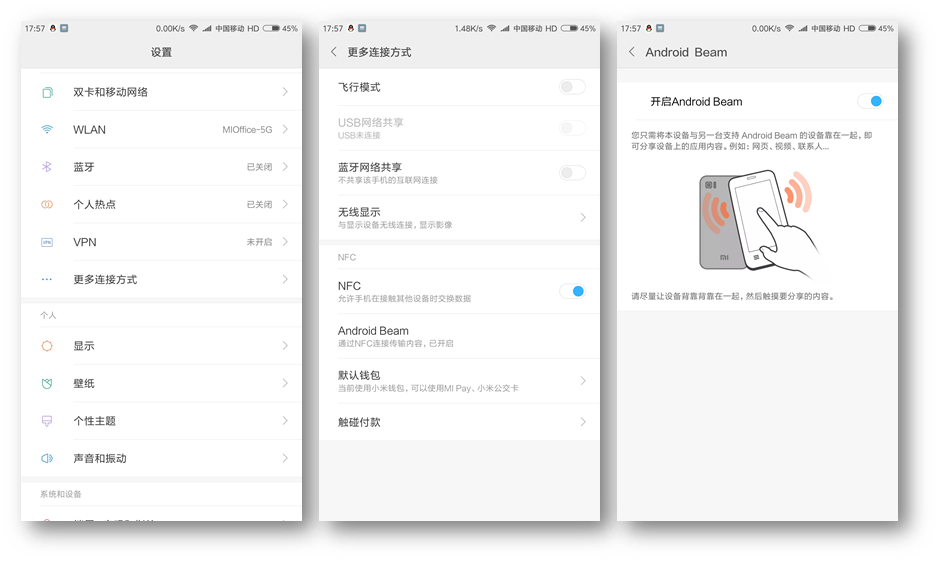
Tips:
1. When two phones use NFC to transmit data, Android Beam needs to be turned on at the same time;
2. It is not recommended to transfer large files (such as movies, etc.), if there exist such needs, it is recommended to use other transfer methods;
3. Bluetooth will be automatically enabled when transferring large files, and Bluetooth will be automatically turned off after the transfer; but Bluetooth will not be enabled when transferring small files (contacts).
1.Enter the phone Settings--more connection methods--Android Beam--open
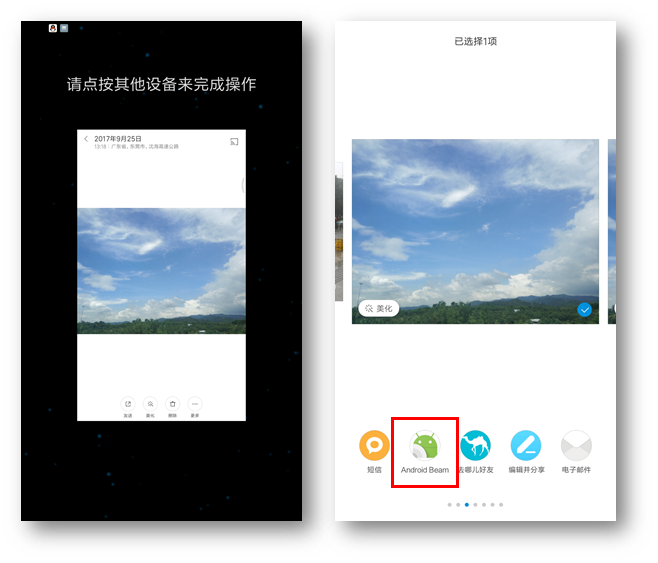
2.Select the file you want to transfer, for example, enter the gallery--select photo--send--Android Beam, as shown in the figure:
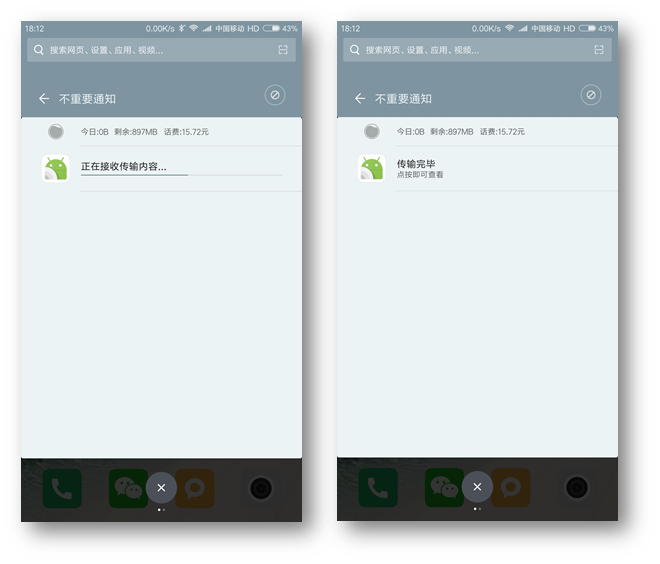
3.Press the two phones back to back to complete the transfer, as shown in the figure:
Tips:
1. When two phones use NFC to transmit data, Android Beam needs to be turned on at the same time;
2. It is not recommended to transfer large files (such as movies, etc.), if there exist such needs, it is recommended to use other transfer methods;
3. Bluetooth will be automatically enabled when transferring large files, and Bluetooth will be automatically turned off after the transfer; but Bluetooth will not be enabled when transferring small files (contacts).