

Regularly checking for updates for the REDMI Buds 4 Pro helps ensure that it is up-to-date with the latest features and improvements, enhancing their performance and longevity while providing a better experience.
To check the update of the buds, please refer to the following steps:
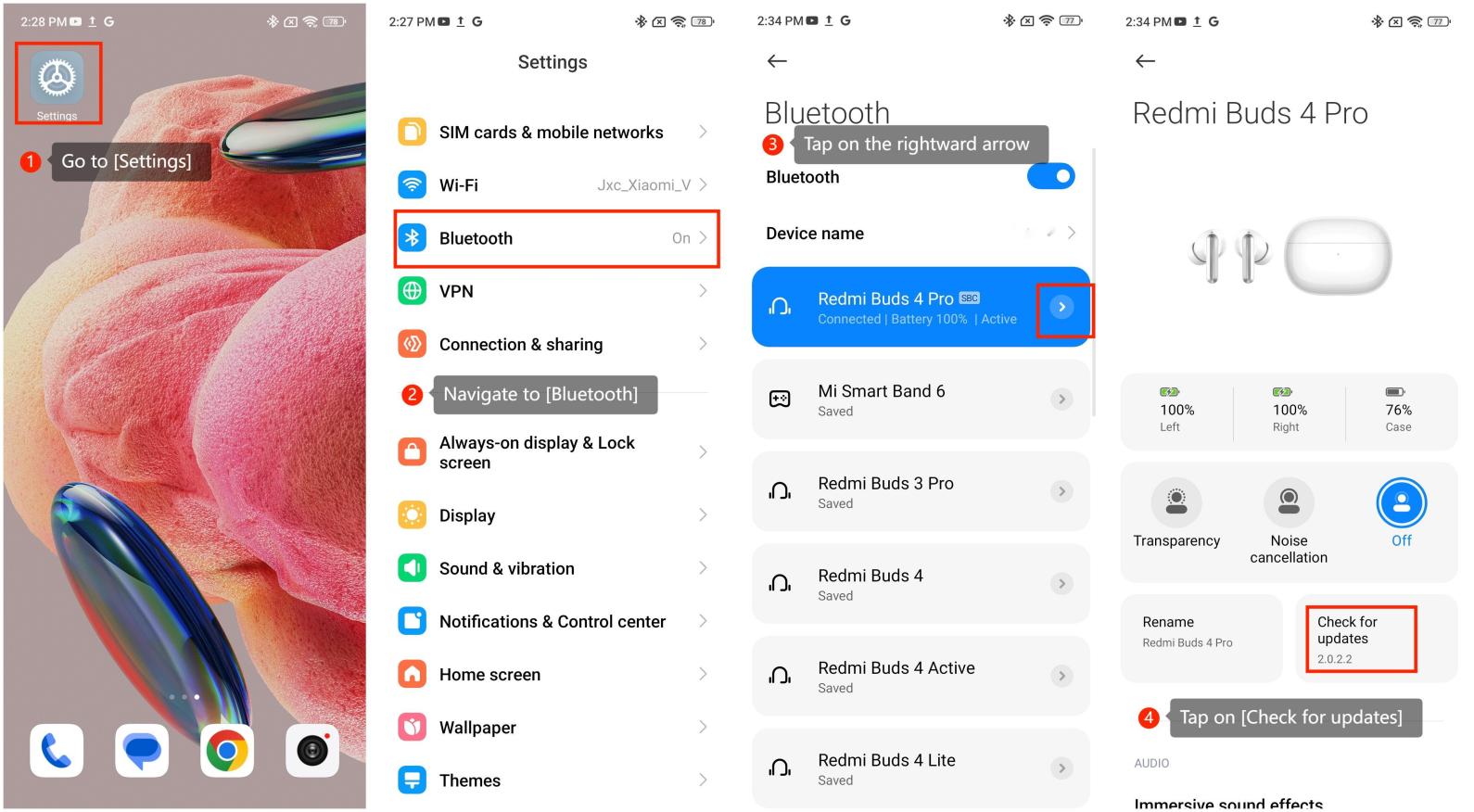
1. Go to [Settings] on your smartphone;
2. Navigate to [Bluetooth];
3. Look for your earbuds and tap on the rightward arrow;
4. Tap on [Check for updates].
Friendly tips:
1. Firmware updates may address issues related to stability and reliability. This can reduce the likelihood of the earbuds experiencing crashes, connectivity issues, or other technical problems;
2. Firmware updates often include patches for software bugs or glitches that may have been discovered after the initial release of the product. Updating the firmware can help resolve these issues, improving the overall performance and stability of the earbuds.
To check the update of the buds, please refer to the following steps:
1. Go to [Settings] on your smartphone;
2. Navigate to [Bluetooth];
3. Look for your earbuds and tap on the rightward arrow;
4. Tap on [Check for updates].
Friendly tips:
1. Firmware updates may address issues related to stability and reliability. This can reduce the likelihood of the earbuds experiencing crashes, connectivity issues, or other technical problems;
2. Firmware updates often include patches for software bugs or glitches that may have been discovered after the initial release of the product. Updating the firmware can help resolve these issues, improving the overall performance and stability of the earbuds.