

To connect the Mi Bluetooth Headset Mini to the smartphone, please refer to the following scenarios:
Scenario 1: Using the headset for the first time
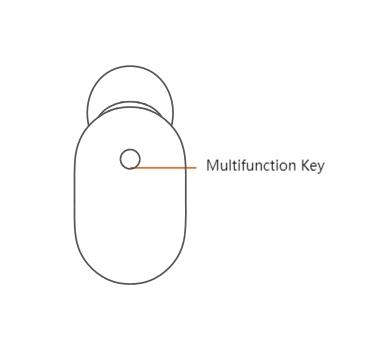
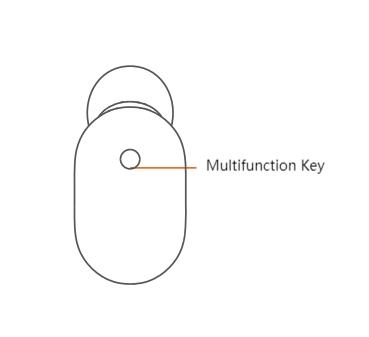
1. Press and hold down the Multifunction Key on the side of the headset for about 2 seconds to directly enter the pairing state (Blue light flashes quickly);
2. Turn on the Bluetooth on your smartphone, search for “Mi Bluetooth Headset Mini” and tap on it to connect. After the connection is successful, the blue light will stay on for about 1 second and then go off.
Scenario 2: Not using the headset for the first time
1. Please press and hold down the Multifunction Key in the power-off state until the blue light flashes quickly to enter the pairing state;
2. Turn on the Bluetooth on your smartphone, search for “Mi Bluetooth Headset Mini” and tap on it to connect. After the connection is successful, the blue light will stay on for about 1 second and then go off.
Note:
When the headset enters pairing mode (blue light flashes quickly) and is not connected to a device for 5 minutes, it will enter standby mode (blue light flashes slowly).
Scenario 1: Using the headset for the first time
1. Press and hold down the Multifunction Key on the side of the headset for about 2 seconds to directly enter the pairing state (Blue light flashes quickly);
2. Turn on the Bluetooth on your smartphone, search for “Mi Bluetooth Headset Mini” and tap on it to connect. After the connection is successful, the blue light will stay on for about 1 second and then go off.
Scenario 2: Not using the headset for the first time
1. Please press and hold down the Multifunction Key in the power-off state until the blue light flashes quickly to enter the pairing state;
2. Turn on the Bluetooth on your smartphone, search for “Mi Bluetooth Headset Mini” and tap on it to connect. After the connection is successful, the blue light will stay on for about 1 second and then go off.
Note:
When the headset enters pairing mode (blue light flashes quickly) and is not connected to a device for 5 minutes, it will enter standby mode (blue light flashes slowly).