

To connect the Mi Bluetooth Headset to the smartphone, please refer to the following scenarios:
Scenario 1: Using the headset for the first time
1. Press and hold down the Multifunction Key on the top of the headset for about 1.5 seconds to turn it on. The headset enters pairing mode, and the blue light flashes slowly;
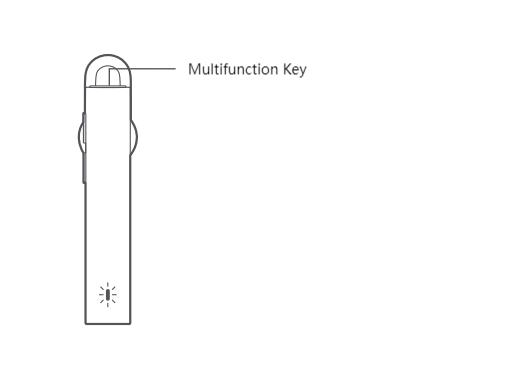
2. Turn on the Bluetooth on your smartphone, search for “Mi Bluetooth Headset Basic” and tap on it to connect.
Note:
When used again, the headset will automatically connect back to the last connected device when it is turned on (the device’s Bluetooth must remain turned on). If the headset does not automatically connect back to the device, click the Multifunction Key to reconnect.
Scenario 2: Not using the headset for the first time
1. When the headset is turned off, press and hold down the Multifunction Key for about 5 seconds to enter the pairing state. Or press and hold down the Multifunction Key for about 1.5 seconds to turn it on, and it will automatically enter the pairing state when no device is connected;
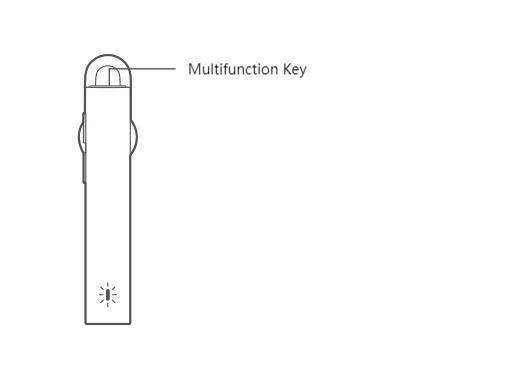
2. Turn on the Bluetooth on your smartphone, search for “Mi Bluetooth Headset Basic” and tap on it to connect.
Note:
When the headset is not connected to a device, it will automatically turn off after 5 minutes.
Scenario 1: Using the headset for the first time
1. Press and hold down the Multifunction Key on the top of the headset for about 1.5 seconds to turn it on. The headset enters pairing mode, and the blue light flashes slowly;
2. Turn on the Bluetooth on your smartphone, search for “Mi Bluetooth Headset Basic” and tap on it to connect.
Note:
When used again, the headset will automatically connect back to the last connected device when it is turned on (the device’s Bluetooth must remain turned on). If the headset does not automatically connect back to the device, click the Multifunction Key to reconnect.
Scenario 2: Not using the headset for the first time
1. When the headset is turned off, press and hold down the Multifunction Key for about 5 seconds to enter the pairing state. Or press and hold down the Multifunction Key for about 1.5 seconds to turn it on, and it will automatically enter the pairing state when no device is connected;
2. Turn on the Bluetooth on your smartphone, search for “Mi Bluetooth Headset Basic” and tap on it to connect.
Note:
When the headset is not connected to a device, it will automatically turn off after 5 minutes.