

Features:
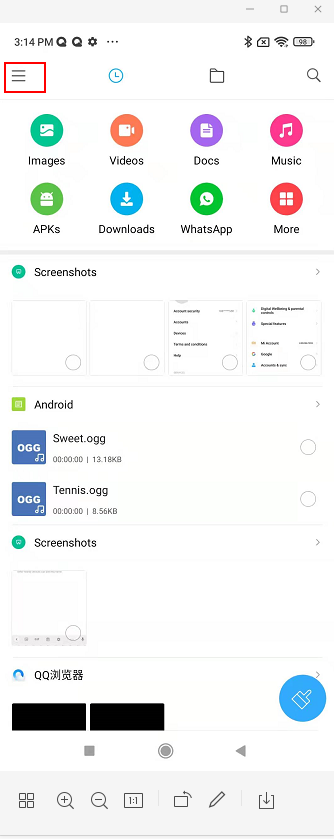
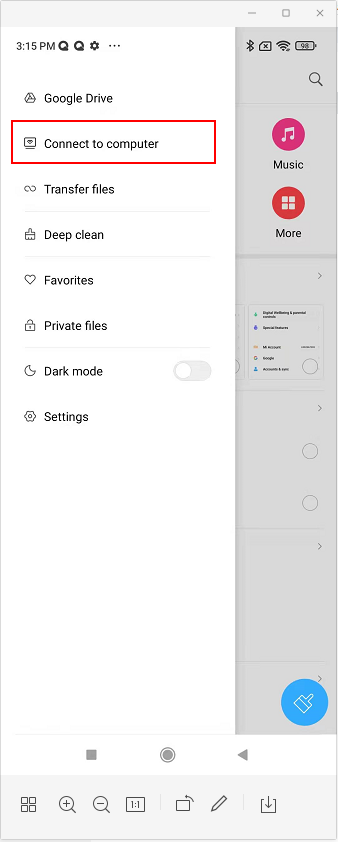
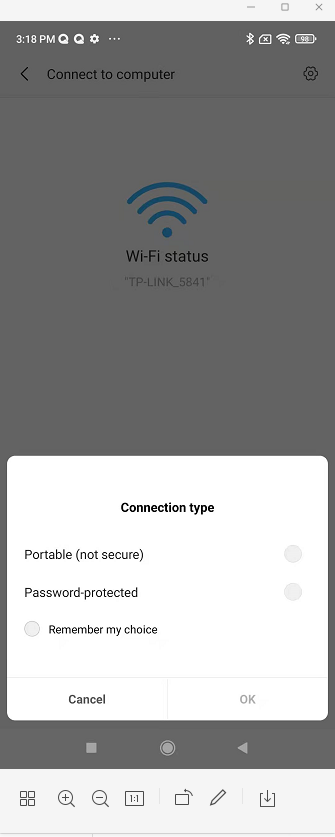
1. Steps: file manager >> classification >> Connect to computer; select connection type: Portable (not secure)or Password-protected; open the same network as the computer and enter the address into your computer’s file manager.
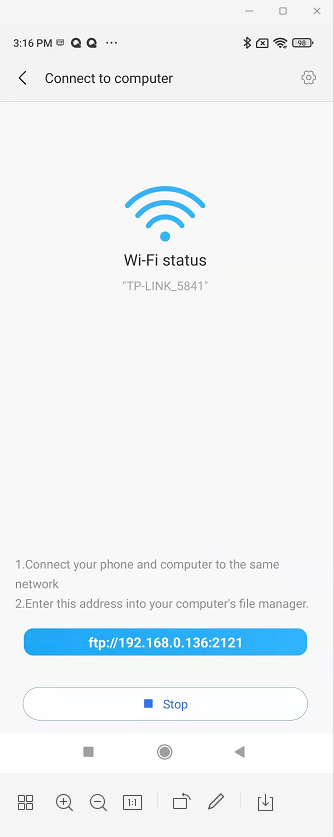
2. File manager is actually a function of FTP file transfer. If you use IE or any other browser to log in, only the download function can be realized. If you log in in "My Computer", you can upload and download. It should be noted that due to the limitation of the FTP protocol, the support for Chinese file names is not very good, so if the transfer of Chinese files fails, you can try to rename the file in English or try using professional FTP software.
3. When the miui system of AndroidP uses the remote management function, the mobile phone that supports sd card expansion can transfer the files of the mobile phone sd card to the computer, but the files of the computer cannot be transferred to the mobile phone sd card, because AndroidP has added access rights for sd.