

Problem Description:
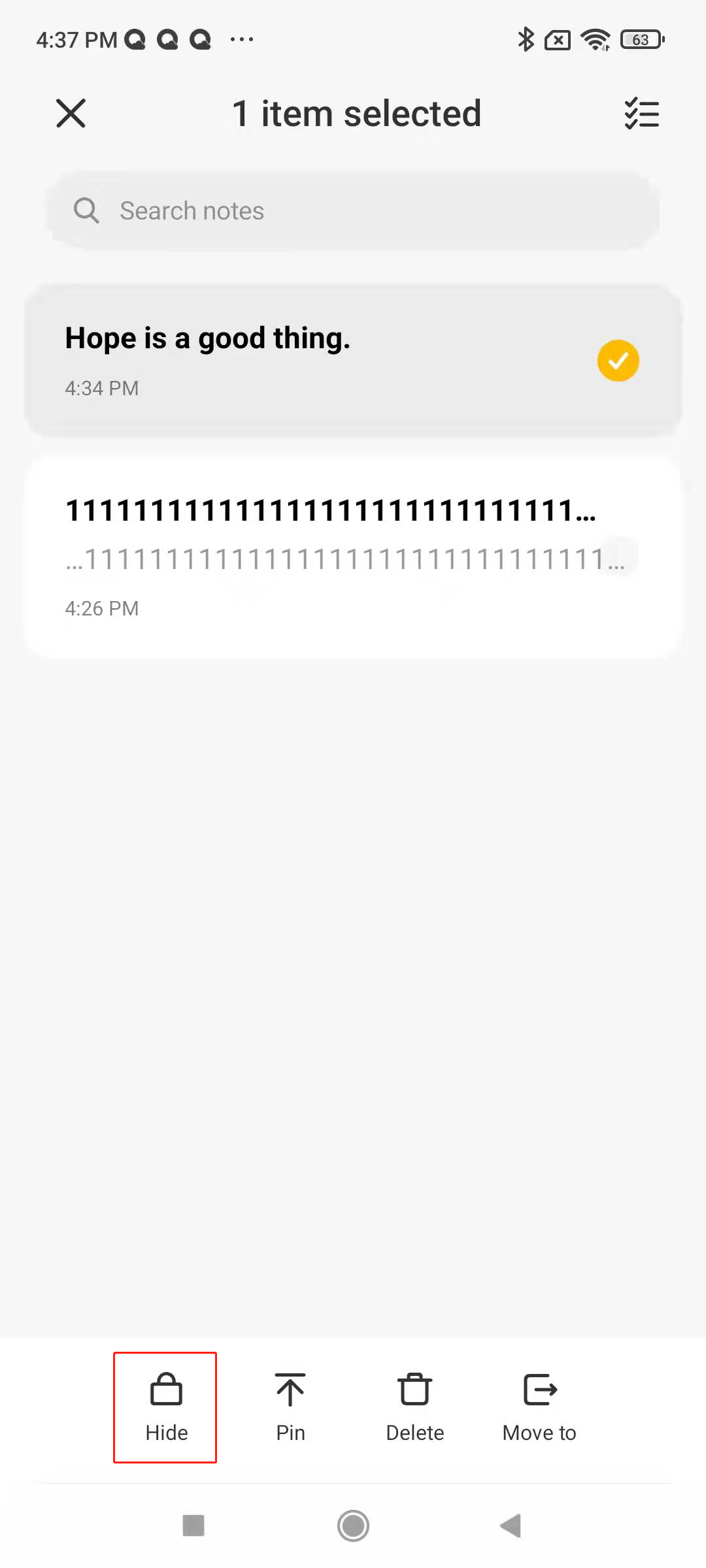
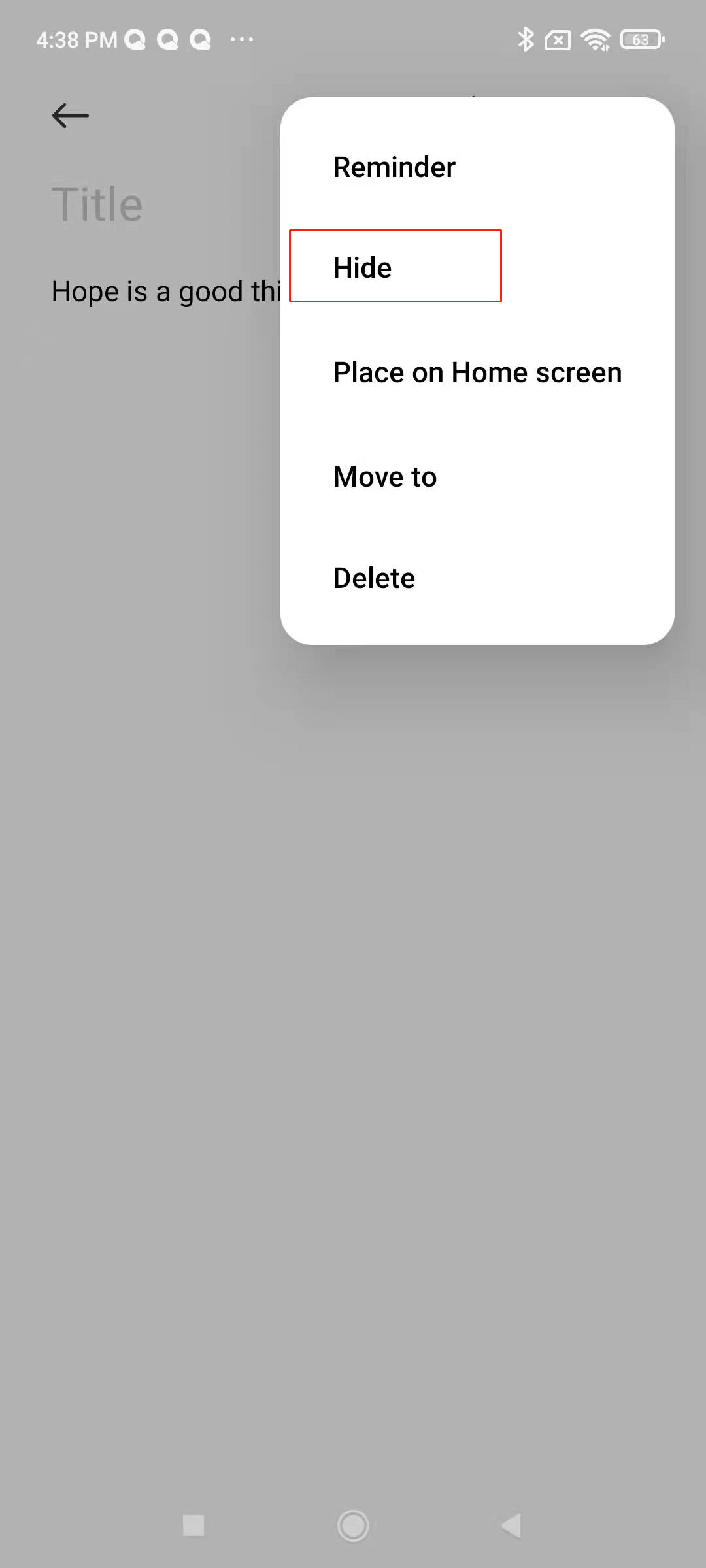
Set a private note: You can set the note as a private note by long pressing the note and selecting "Hide"; or after entering the notes, click "..." in the upper right corner and select "Hide" to set the note as a private note.
Enter private note:
Enter the note interface, pull down the note homepage, enter the private note password, and enter the private note interface. (You need to set a password to enter the private note for the first time, only patterns are supported).
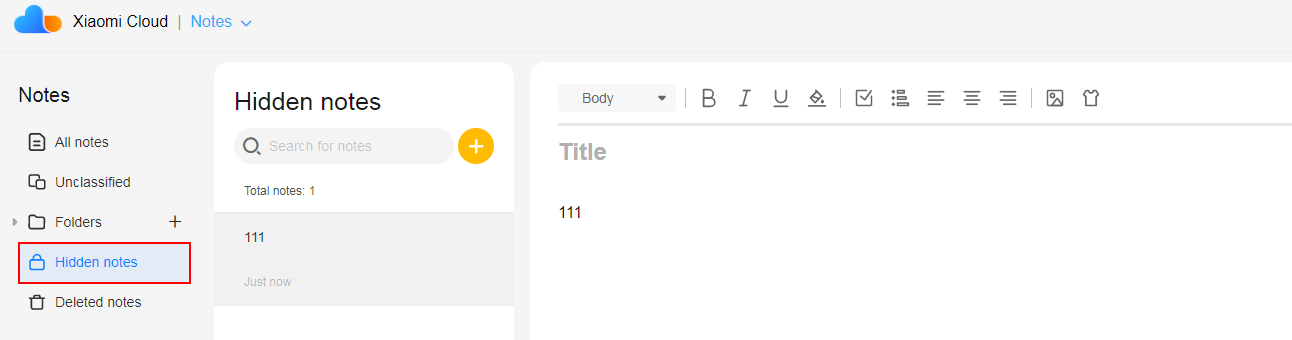
Cloud service synchronization of notes: Both private notes and ordinary notes can be synchronized to cloud services. There is a private note folder in the cloud, as shown in the figure below:
Set a private note: You can set the note as a private note by long pressing the note and selecting "Hide"; or after entering the notes, click "..." in the upper right corner and select "Hide" to set the note as a private note.
Enter private note:
Enter the note interface, pull down the note homepage, enter the private note password, and enter the private note interface. (You need to set a password to enter the private note for the first time, only patterns are supported).
Cloud service synchronization of notes: Both private notes and ordinary notes can be synchronized to cloud services. There is a private note folder in the cloud, as shown in the figure below: