

Features:
RAW stands for "unprocessed". When you use RAW format to take photos, the photos taken by the camera will be output directly without any algorithm adjustment; taking photos in RAW format will generate two different formats of .dng and .jpg photos at the same time. .dng photos only record the original information of the photos, which provides more creative space for the photographer to edit the photos later.
If you want to take photos in RAW format, just turn on the camera-switch to the professional mode on the far right-click on the three horizontal line menu in the upper right corner-RAW button to enable this function. After shooting, the album will generate a "RAW album", the .jpg photos taken in RAW mode will be generated in a normal album, and the photos in .dng format will enter the "RAW album".
The original intent of RAW is the "unprocessed", uncompressed file format, which is equivalent to the original data of a CMOS or CCD image sensor that converts the captured light source signal into a digital signal.
RAW file records the original information of the digital camera sensor, and at the same time records some original data (such as ISO settings, shutter speed, aperture value, white balance, etc.) files produced by the camera. Compared with ordinary JPG image files generated by direct photos, the RAW format retains more picture information, and has more room for post-retouching and optimization adjustments. It is a common way for photographers and professional enthusiasts to take pictures.
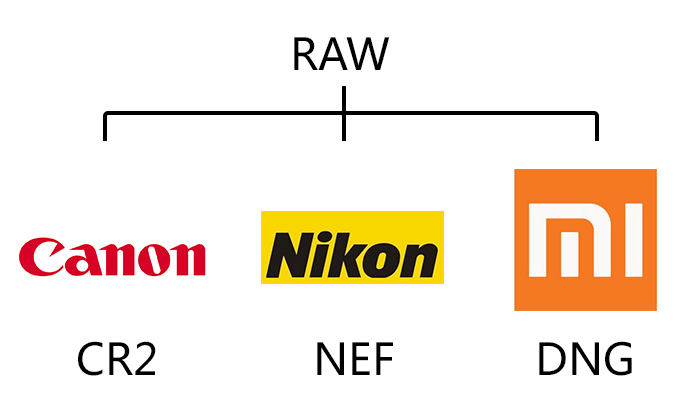
Different cameras have different extensions for RAW files. Common RAW formats include Canon's CR2 format, Nikon's NEF format, etc., which are not compatible between brands.
Mi phones are in .dng format, which means digital negative is a public archive format for raw data files generated by digital cameras. DNG solves the problem of the lack of open standards between the raw data files of different models of cameras.
RAW stands for "unprocessed". When you use RAW format to take photos, the photos taken by the camera will be output directly without any algorithm adjustment; taking photos in RAW format will generate two different formats of .dng and .jpg photos at the same time. .dng photos only record the original information of the photos, which provides more creative space for the photographer to edit the photos later.
If you want to take photos in RAW format, just turn on the camera-switch to the professional mode on the far right-click on the three horizontal line menu in the upper right corner-RAW button to enable this function. After shooting, the album will generate a "RAW album", the .jpg photos taken in RAW mode will be generated in a normal album, and the photos in .dng format will enter the "RAW album".
The original intent of RAW is the "unprocessed", uncompressed file format, which is equivalent to the original data of a CMOS or CCD image sensor that converts the captured light source signal into a digital signal.
RAW file records the original information of the digital camera sensor, and at the same time records some original data (such as ISO settings, shutter speed, aperture value, white balance, etc.) files produced by the camera. Compared with ordinary JPG image files generated by direct photos, the RAW format retains more picture information, and has more room for post-retouching and optimization adjustments. It is a common way for photographers and professional enthusiasts to take pictures.
Different cameras have different extensions for RAW files. Common RAW formats include Canon's CR2 format, Nikon's NEF format, etc., which are not compatible between brands.
Mi phones are in .dng format, which means digital negative is a public archive format for raw data files generated by digital cameras. DNG solves the problem of the lack of open standards between the raw data files of different models of cameras.
1. If the mobile phone supports RAW format, just turn it on in the relevant settings of the camera's professional mode. When it is not turned on, it is generally in .jpg format.
2. When the RAW format is turned on, the phone will generate files in two formats, "JPG" and "DNG" when taking pictures. Because the files in DNG format are large in size, the storage time will be extended by 1 to 2 seconds;

3. After the shooting is completed, directly preview the thumbnails. There will be no obvious difference in the first sense, but there is a big difference in the size of the two formats of photos. As shown in the figure above, the size of the JPG format for ordinary shooting is about 3M. , And when RAW is turned on, the size of the shot DNG format is about 27M
Note: The pictures with the dng suffix can be opened on the computer with professional drawing tools, such as ACDsee, Photoshop, Lightroom, etc.