

Virtual Identity:
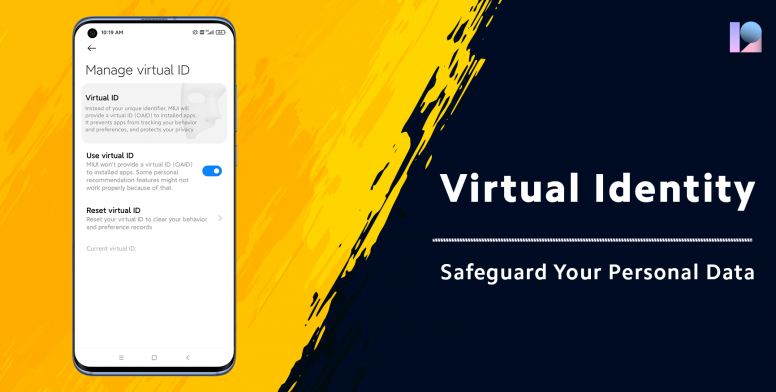
Security has always been at the core of Xiaomi values. Safeguarding your privacy is our top priority. Besides being an efficient assistant in your day-to-day life, MIUI also does its best to make sure that your things stay yours alone. Allow things to happen only when they must happen. As you all know MIUI 12 focuses more on users privacy concerns and comes with enhanced privacy protection features. Today we will be talking about one such important feature - Virtual Identity.
The virtual identity option with MIUI allows customer to safeguard your personal information to any app or websites. The new virtual identity feature on MIUI 12 will provide a Virtual ID to installed apps instead of your unique identifier. It will prevent apps from tracking your behaviour and preferences. As a result, your privacy will always be protected.
How to Enable Virtual ID?
- Go to Settings
- Click on Privacy Protection
- Click on Special Permissions
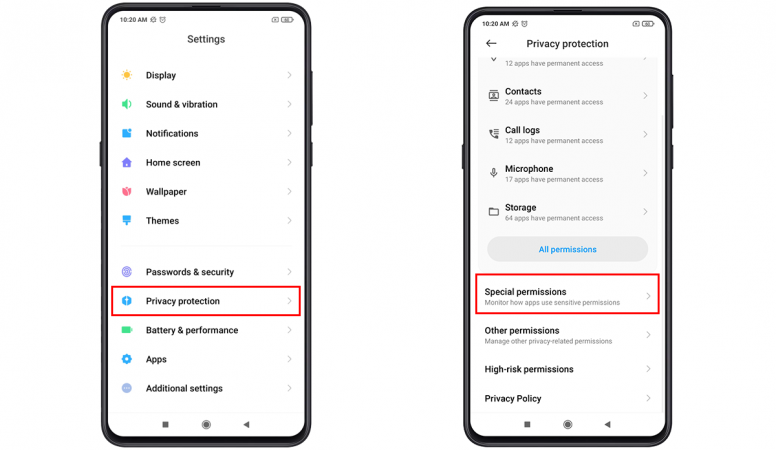
- Navigate to Manage Virtual ID at the bottom
- This virtual ID can be reset whenever customer prefer to clear out any usage, preference related personalizations.
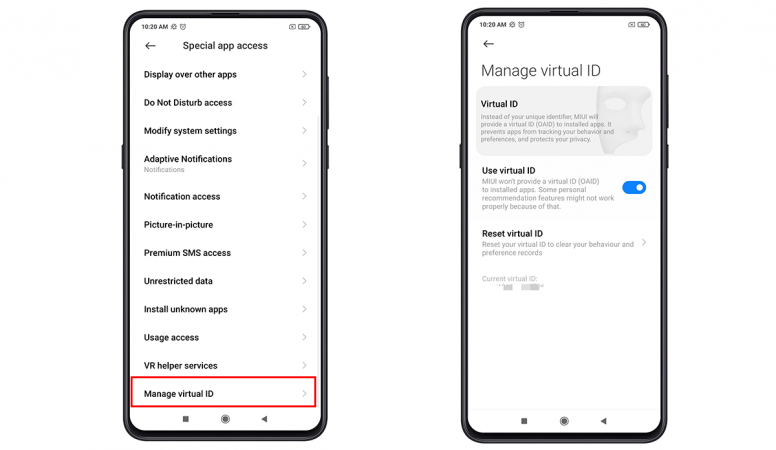
Every app and website on the internet uses an online identifier to offer personalized ads to users. However, there might arises some cases where risk of tracking and profiling can be involved. So to prevent that, Virtual ID feature lets customer mask in-browser personalization behind a virtual profile. It gives apps and websites a temporary ID, to ensure better security for the data that you provide them with.