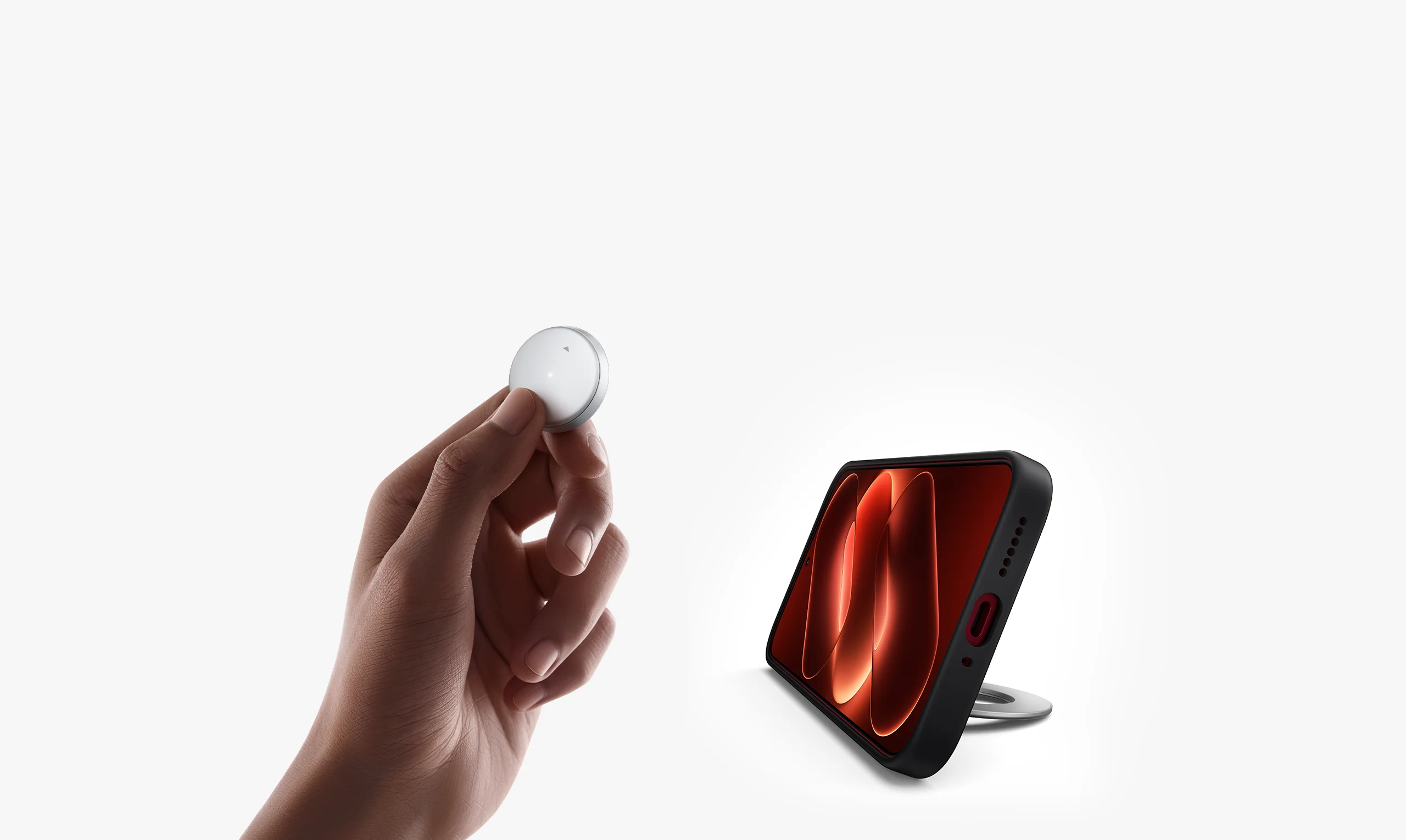


Strong magnetic attachmentAttaches securelyThe remote control uses strong magnets to create a secure attachment and is compatible with MagSafe cases, helping prevent it from getting lost and making storage easy.1,2

Snap onSupports horizontal and vertical orientation
The magnetic design allows it to double as a remote control and a smartphone stand, offering comfortable angles for immersive hands-free viewing.

Magnetic standVersatile remote controlPress the up or down button once to switch through short videos, turn pages or change songs. Compatible with popular apps for convenient one-handed control without touching the screen.3
Press onceSwipe through videos
Press onceTurn pages left/right
Press onceChange song
Press onceScroll up/down

Remote camera controlCapture with easeDouble-press to control your camera remotely and take photos or record video. Take group shots, full-body selfies and panoramic shots from more angles with greater freedom.

Photo modeDouble-press the up/down button to take a photo

Video modeDouble-press the up/down button to start or pause recording


Fun mini gamesPlay, interact and unwindUse the remote control to launch relaxing mini games on the Back Display. Give a chubby seal a belly rub or tap on a cute little keyboard. Enjoy playful interactions that help you de-stress, unwind and lift your mood.

Direct Bluetooth connectionEasy to use

First-time connection or resetPress and hold the up and down buttons simultaneously for 3 seconds until the status indicator starts flashing. The remote enters Bluetooth advertising mode. A quick connect pop-up automatically appears on the Xiaomi phone home screen. Tap Connect.

Sleep modeAfter 5 minutes without input, the device automatically enters sleep mode. Press either button once to wake and reconnect.

Please read the user manual carefully before useBefore using the remote for the first time, please pull out the battery insulating tab as shown in the diagram.

This product comes with a coin cell battery installed. Spare batteries are sold separately.This product is powered by a CR2016 coin cell battery. The battery is not rechargeable. Replace it only with a battery of the same type and specification.· The battery compartment is located on the underside of the ring‑shaped remote. Rotate the battery cover anticlockwise until it aligns with the lock‑shaped icon, then remove it.· Pairing information is retained after battery replacement and the remote automatically reconnects to the last paired device.
1. Remove the battery coverHold the remote with the back facing upwards. Press down on the battery cover with both thumbs, or use the stand, and rotate it anticlockwise until the slot on the cover aligns with the unlock mark. When the battery cover pops up slightly, you can remove it.
2. Remove and insert the batteryRemove the old battery: After removing the battery cover, gently lift the old battery from the edge with your fingertip or a suitable tool, then remove it.Insert the new battery: Insert a new coin cell battery according to the polarity markings inside the battery compartment, ensuring that the positive (+) side faces upwards.
3. Refit the battery coverPlace the battery cover onto the battery compartment aligning the slot aligned with the lock-shaped icon. Press down gently and rotate it clockwise until the slot aligns with the indicator mark to secure the cover in place.
Specifications
MaterialsButton power supplyButton typeButton connectivity
Stand angleAluminium alloy stand
0–85°2 physical buttonsMagnet
CR2016 coin cell batteryButtonsButton attachment method
PlasticBluetooth Low Energy
Notes:1. For compatibility demonstration purposes only, this product is not endorsed, sponsored, or affiliated with Apple Inc. in any way. Apple and MagSafe are registered trademarks of Apple Inc.2. Adhesive metal plate instructions: The adhesive metal plate is only suitable for smartphone cases without magnetic attachment functionality. It is not required if you use an official magnetic smartphone case. Attach the adhesive metal plate to the centre of the outside of your smartphone case. The adhesive metal plate may interfere with wireless charging, NFC and other functions. Do not use these functions while the plate is attached to your case. Use of an official magnetic smartphone case is recommended.3. Supports commonly used popular apps. Supported functions and compatibility vary by app. Please refer to actual use or contact Xiaomi customer service for details.*Some images on this page were generated by AI and are for illustrative purposes only.*Product images, models, data, features, performance, specifications, user interfaces and other product information on this page are for reference only and may differ from the actual product, particularly between regions. Xiaomi may update this information. Please refer to the actual product for details. Actual UI may vary.