

What to do if the Xiaomi Smart Band 10 has paired with other Xiaomi accounts when pairing?
If you see that the Xiaomi Smart Band 10 has paired with other accounts when pairing, please refer to the following steps to troubleshoot:
1. The unpaired Xiaomi Smart Band 10 will vibrate and display [Pair, From xxx] when you pair the device. If the phone searches the band paired with other accounts, the APP will display that the device is paired;
2. If you are using the band for the first time, please check whether the band is in the pending pairing state. In the pending pairing state, the band will display [Download the app to pair band];
3. Check whether the band vibrates during the pairing process and prompts [Pair, From xxx]. If the band does not prompt, the device being connected is not yours. Please check whether there are other band around;
4. After the band vibrates normally and prompts, tap the [√] icon to bind. After the successful pairing, the Mi Fitness APP will show that the addition is successful, and the band will display the Home screen.
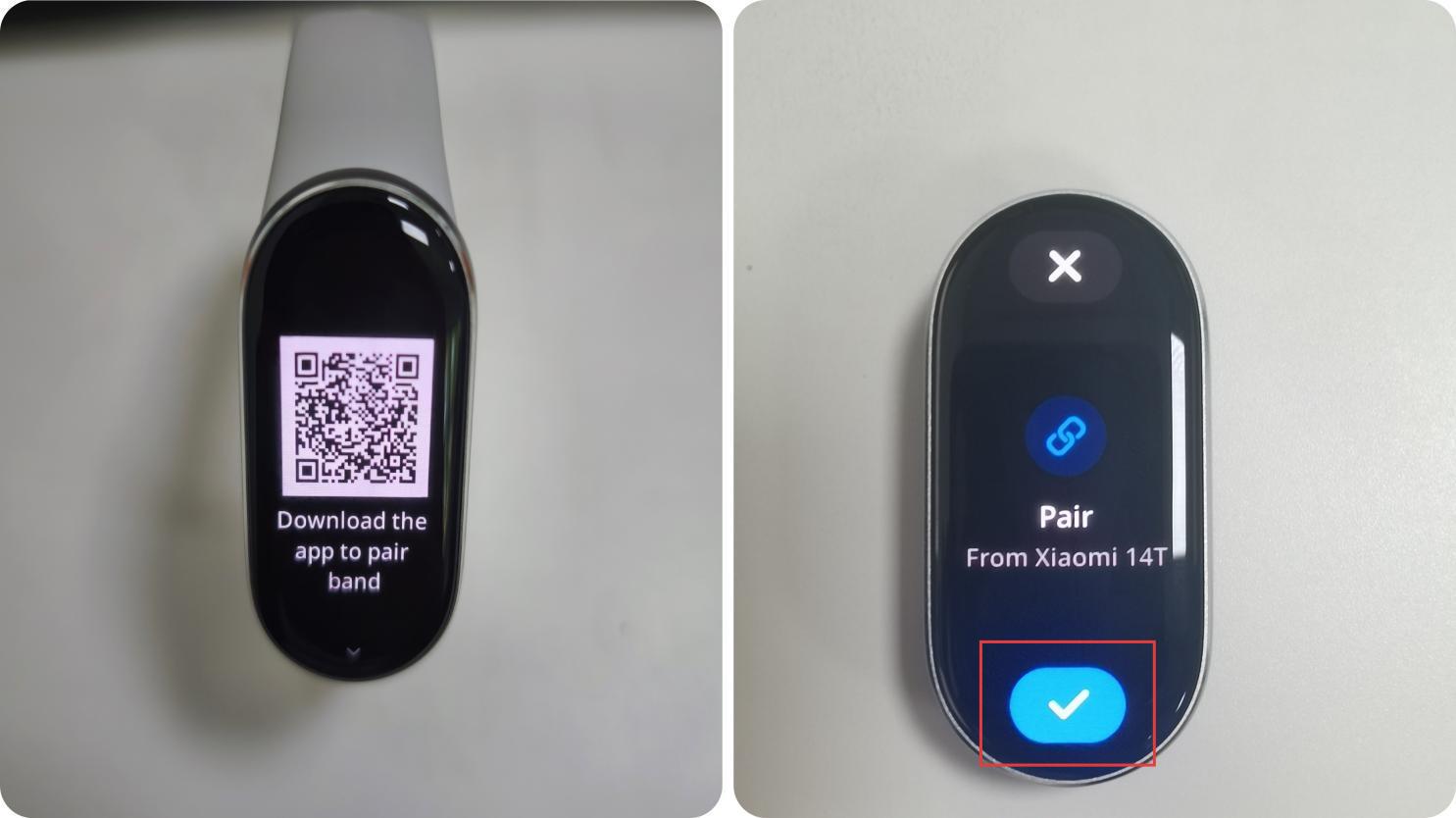
1. The unpaired Xiaomi Smart Band 10 will vibrate and display [Pair, From xxx] when you pair the device. If the phone searches the band paired with other accounts, the APP will display that the device is paired;
2. If you are using the band for the first time, please check whether the band is in the pending pairing state. In the pending pairing state, the band will display [Download the app to pair band];
3. Check whether the band vibrates during the pairing process and prompts [Pair, From xxx]. If the band does not prompt, the device being connected is not yours. Please check whether there are other band around;
4. After the band vibrates normally and prompts, tap the [√] icon to bind. After the successful pairing, the Mi Fitness APP will show that the addition is successful, and the band will display the Home screen.
Does it help?
Yes
No