

How to turn on MEMC on the Xiaomi 14T Pro?
The MEMC (Motion Estimation and Motion Compensation) on the Xiaomi 14T Pro analyzes motion in consecutive frames, generates intermediate frames to fill gaps, and effectively improves the frame rate. These intermediate frames are mixed with the original frames to provide a smoother viewing experience, significantly reducing motion blur in fast-moving scenes.
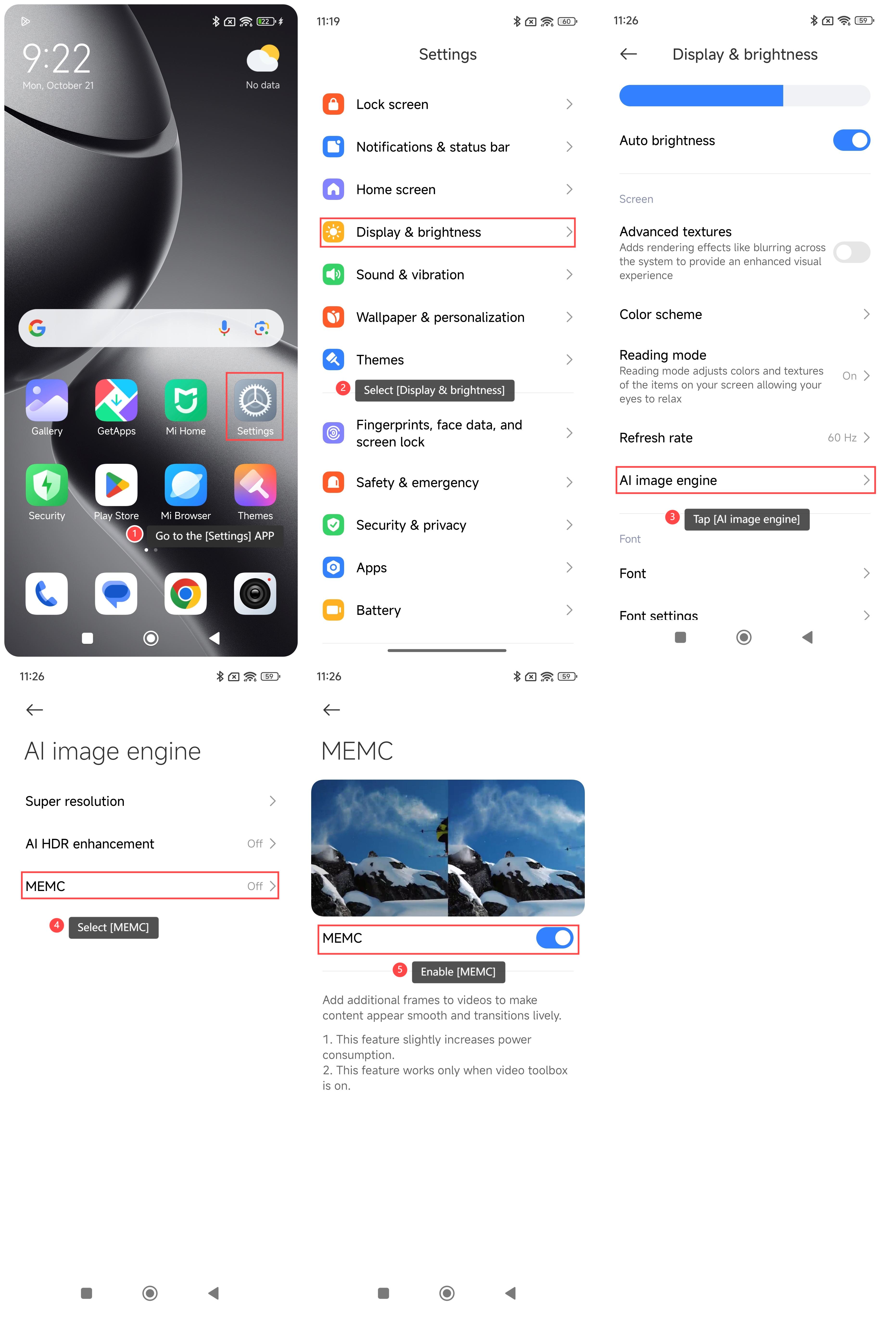
To turn on MEMC on your phone, please refer to the following steps:
1. Go to the [Settings] APP on your phone;
2. Select [Display & brightness];
3. Scroll down and tap [AI image engine];
4. Select [MEMC];
5. Enable [MEMC].
Note:
MEMC's advantages include clearer images and smoother playback for sports events, action movies, and video games, enhancing overall entertainment. It also improves the immersive viewing experience, engages the audience, and enhances detail representation in fast scenes, significantly boosting video content quality.
To turn on MEMC on your phone, please refer to the following steps:
1. Go to the [Settings] APP on your phone;
2. Select [Display & brightness];
3. Scroll down and tap [AI image engine];
4. Select [MEMC];
5. Enable [MEMC].
Note:
MEMC's advantages include clearer images and smoother playback for sports events, action movies, and video games, enhancing overall entertainment. It also improves the immersive viewing experience, engages the audience, and enhances detail representation in fast scenes, significantly boosting video content quality.
Does it help?
Yes
No