

How to set the Favorite mode manually for the Mijia Air Conditioner using the Xiaomi Home App?
You can set the Favorite mode manually for the Mijia Air Conditioner in the Xiaomi Home App, which allows you to customize your preferred temperature, air flow, fan speed, and other options for enhanced comfort and convenience.
To set the Favorite mode manually for the Mijia Air Conditioner using the Xiaomi Home App, please refer to the following steps:
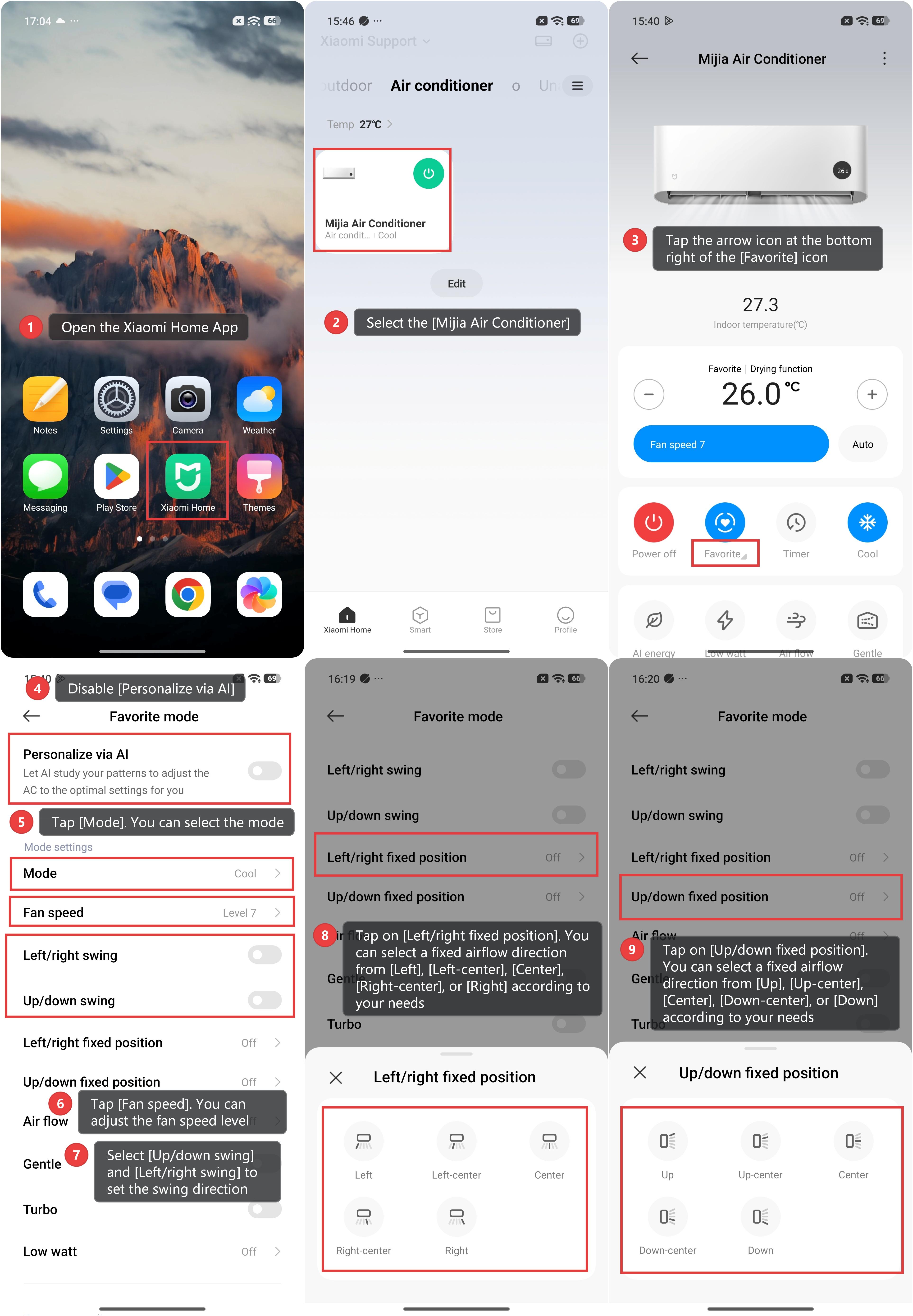
1. Open the Xiaomi Home App.
2. Select the [Mijia Air Conditioner].
3. Tap the arrow icon at the bottom right of the [Favorite] icon.
4. Disable [Personalize via AI].
5. Tap [Mode]. You can select the mode of the air conditioner.
6. Tap [Fan speed]. You can adjust the fan speed level.
7. Select [Up/down swing] and [Left/right swing] to set the swing direction.
8. Tap on [Left/right fixed position]. You can select a fixed airflow direction from [Left], [Left-center], [Center], [Right-center], or [Right] according to your needs.
9. Tap on [Up/down fixed position]. You can select a fixed airflow direction from [Up], [Up-center], [Center], [Down-center], or [Down] according to your needs.
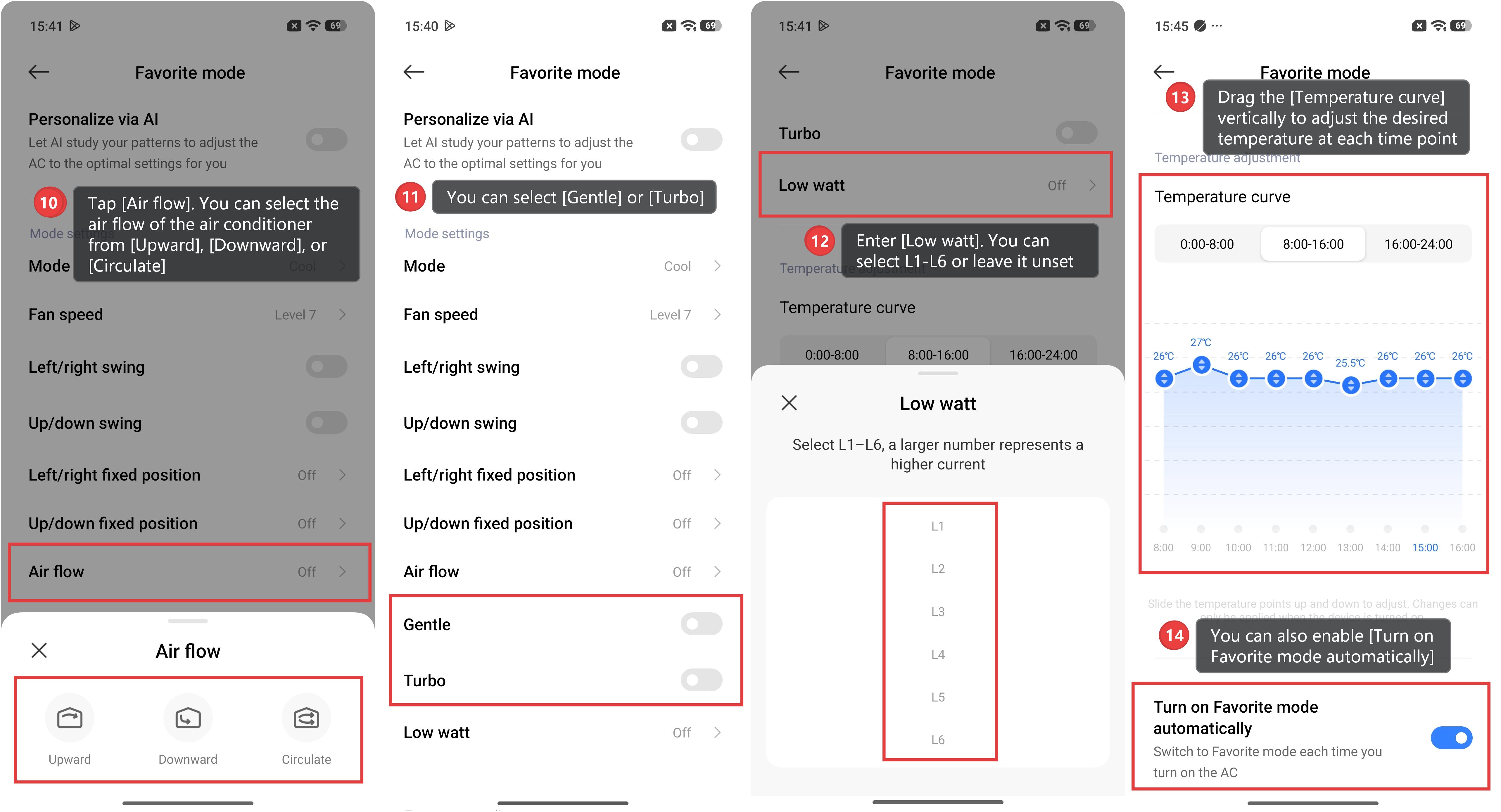
10. Tap [Air flow]. You can select the air flow of the air conditioner from [Upward], [Downward], or [Circulate].
11. You can select [Gentle] or [Turbo].
12. Enter [Low watt]. You can select L1-L6 or leave it unset; a larger number represents a higher current.
13. Drag the [Temperature curve] vertically to adjust the desired temperature at each time point.
14. You can also enable [Turn on Favorite mode automatically], which allows the air conditioner to switch to Favorite mode each time it is turned on.
Does it help?
Yes
No