

How to check the firmware version of the Mijia Air Conditioner?
Checking the firmware version of your Mijia Air Conditioner helps ensure that the device is running the latest software, providing optimal performance, stability, and access to new features. Regularly verifying the firmware version can also help troubleshoot issues and ensure compatibility with the Xiaomi Home App.
To check the firmware version of the Mijia Air Conditioner, please refer to the following steps:
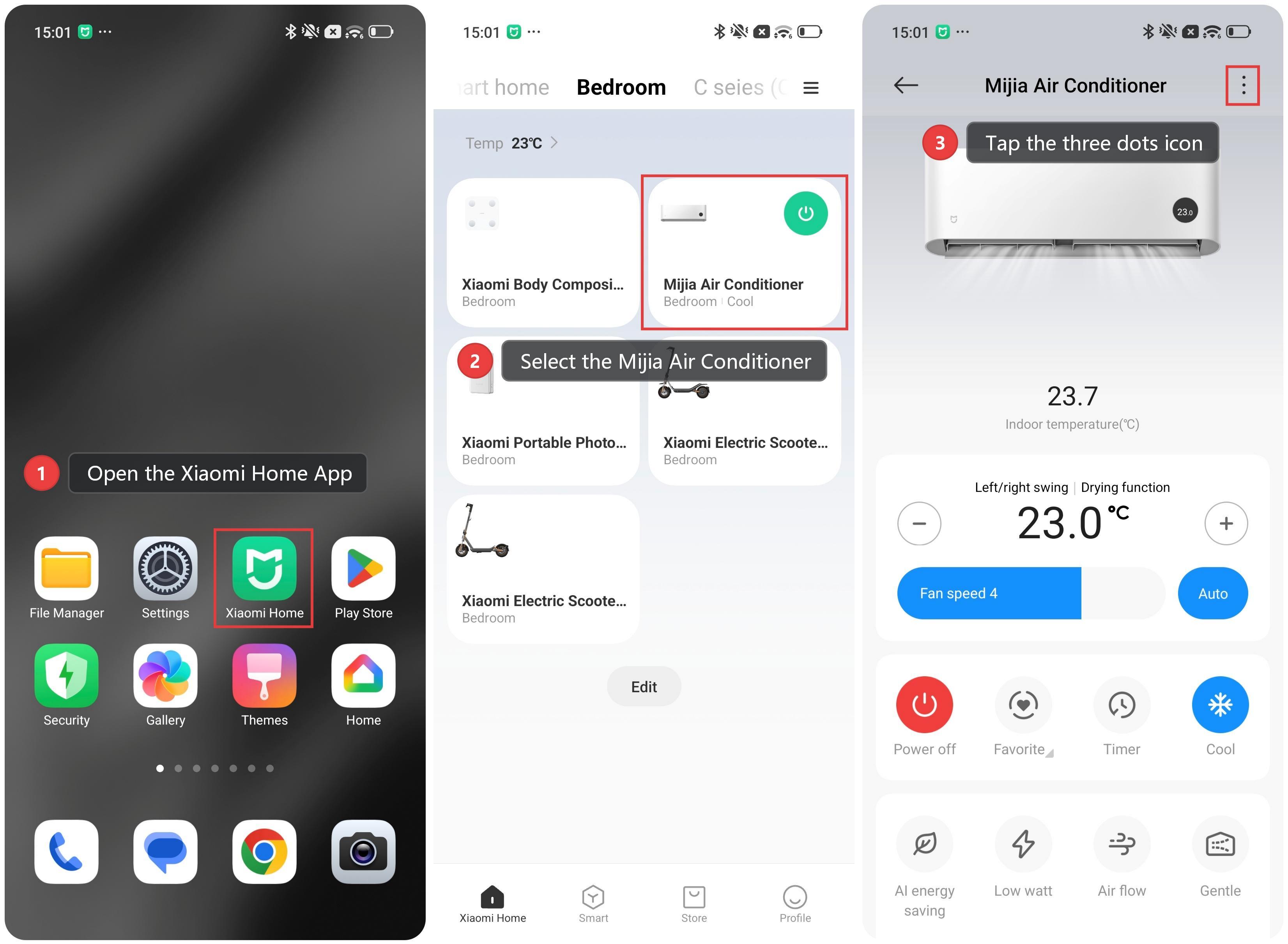
1. Open the Xiaomi Home App and make sure the Mijia Air Conditioner is connected successfully.
2. Select the Mijia Air Conditioner.
3. Tap the three dots icon in the upper-right corner.
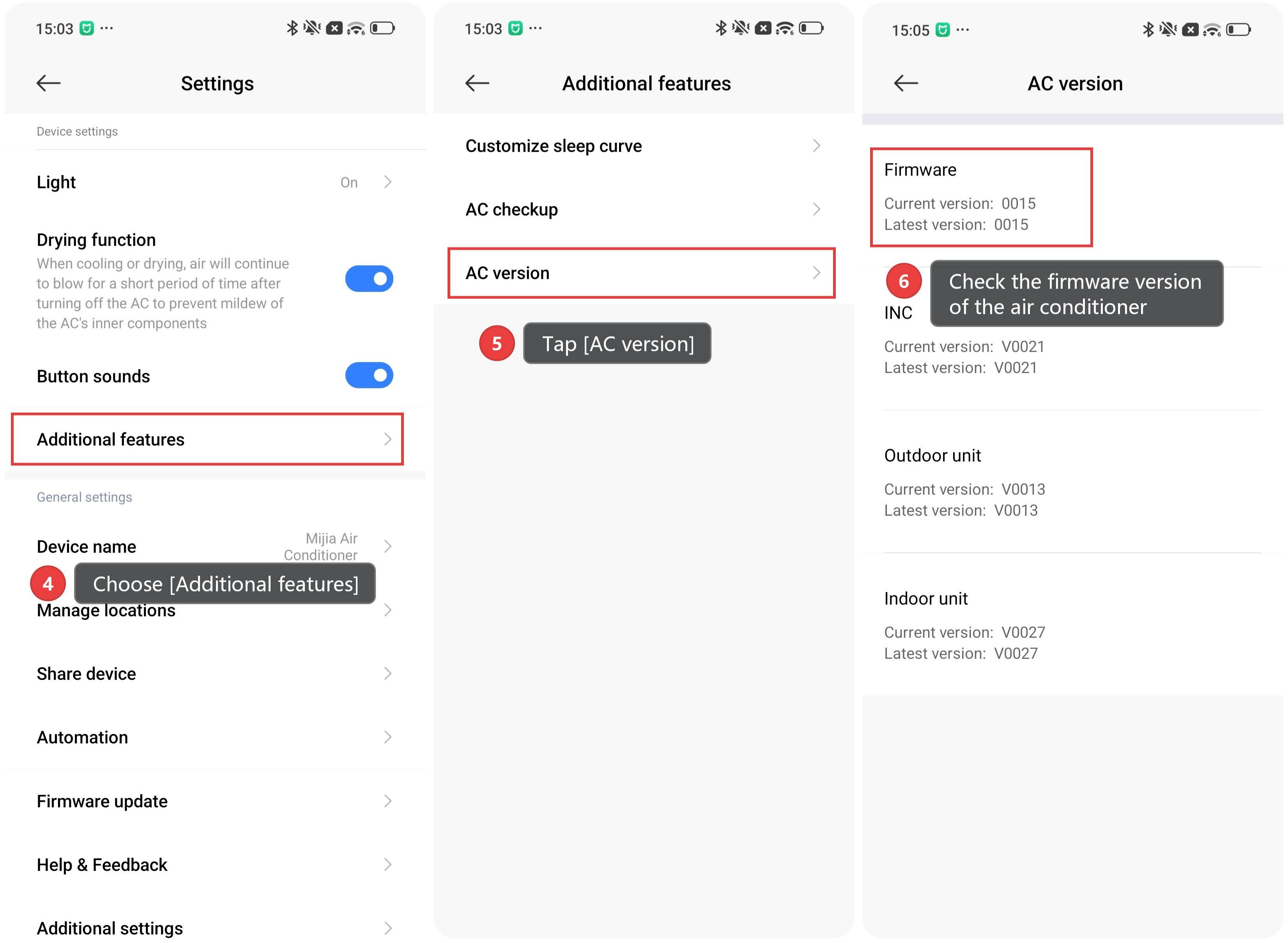
4. Choose [Additional features].
5. Tap [AC version].
6. Check the firmware version of the air conditioner, including the current version and the latest version.
Does it help?
Yes
No