

How to check the temperature and working status of the Mijia Refrigerator Cross Door 510L?
The Mijia Refrigerator Cross Door 510L supports checking the temperature and working status on the display screen of the refrigerator and the Mi Home/Xiaomi Home APP, which can help you master the status of each compartment of the refrigerator.
To check the temperature and working status of the Mijia Refrigerator Cross Door 510L, please refer to the following methods:
1. Lightly tap the refrigerator’s display screen to view the temperature settings for each compartment and Wi-Fi status and locking status of the refrigerator;
2. Open the Mi Home/Xiaomi Home APP, and you can remotely see the temperature settings for each compartment of the refrigerator even you are not at home.
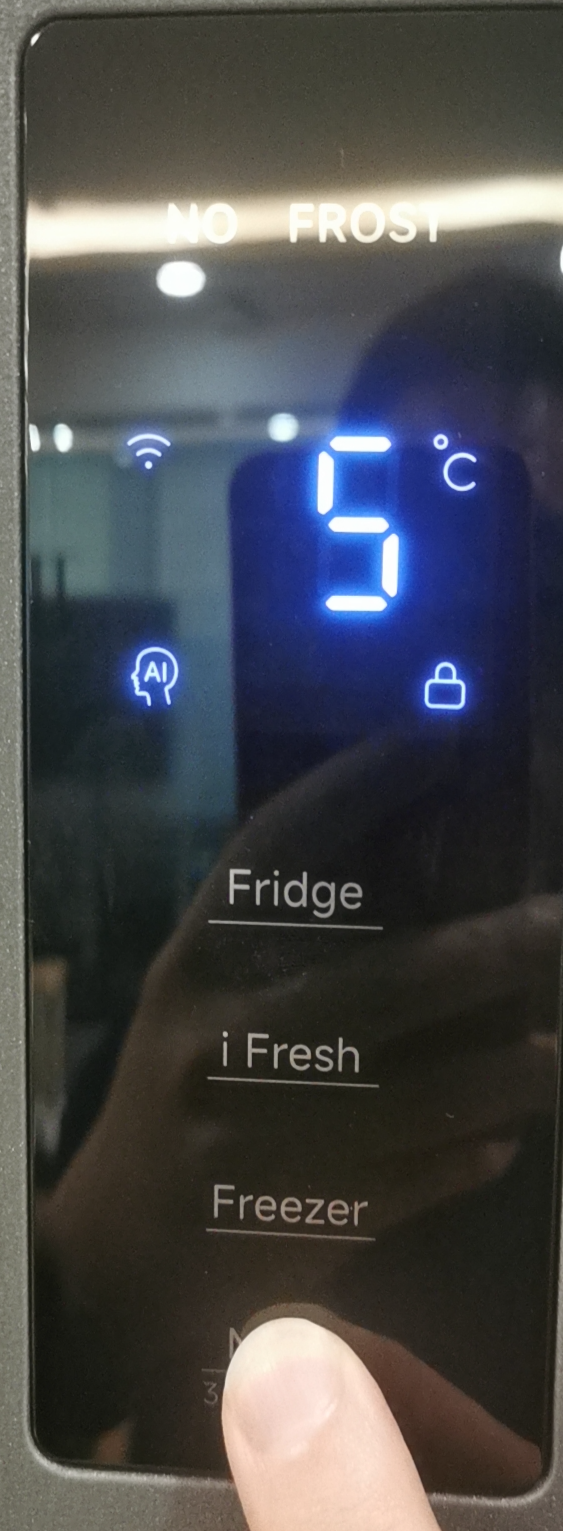
To check the temperature and working status of the Mijia Refrigerator Cross Door 510L, please refer to the following methods:
1. Lightly tap the refrigerator’s display screen to view the temperature settings for each compartment and Wi-Fi status and locking status of the refrigerator;
2. Open the Mi Home/Xiaomi Home APP, and you can remotely see the temperature settings for each compartment of the refrigerator even you are not at home.
Does it help?
Yes
No