

How to set up Automation for the Mijia Refrigerator Cross Door 510L?
The Mijia Refrigerator Cross Door 510L supports setting Automation on the Mi Home/Xiaomi Home APP, which can realize the smart linkage with other devices.
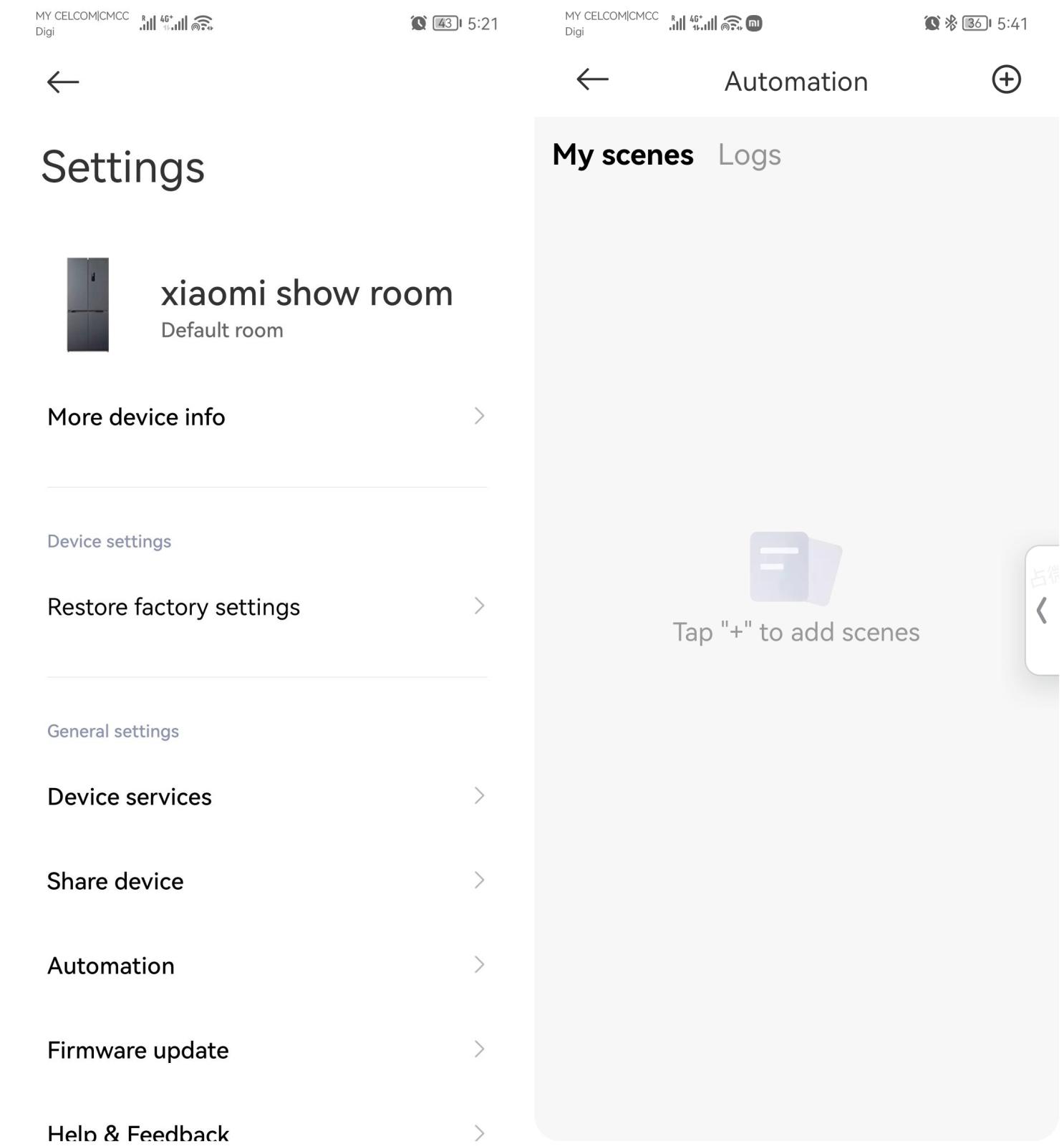
To set up Automation for the Mijia Refrigerator Cross Door 510L, please refer to the following steps:
1. Connect to the Mi Home/Xiaomi Home APP
Ensure that your refrigerator is successfully connected to the Mi Home/Xiaomi Home APP. Once connected, you can control the fridge/freezer temperatures, switch modes, and so on;
2. Enter the Automation
Open the Mi Home/Xiaomi Home APP, and tap the device card. Scroll down and select [Automation];
3. Create a new scene
(1). Tap the [+] icon in the upper-right corner;
(2). Choose [Automation];
(3). Tap [+ Add a trigger condition];
(4). Choose [Smart home devices] or [Schedule], and then make relevant settings.
4. Save and activate
Once the setup is complete, tap [Create] to save. The new smart scene will become active immediately. You can return to this interface at any time to view or modify your scene settings.
To set up Automation for the Mijia Refrigerator Cross Door 510L, please refer to the following steps:
1. Connect to the Mi Home/Xiaomi Home APP
Ensure that your refrigerator is successfully connected to the Mi Home/Xiaomi Home APP. Once connected, you can control the fridge/freezer temperatures, switch modes, and so on;
2. Enter the Automation
Open the Mi Home/Xiaomi Home APP, and tap the device card. Scroll down and select [Automation];
3. Create a new scene
(1). Tap the [+] icon in the upper-right corner;
(2). Choose [Automation];
(3). Tap [+ Add a trigger condition];
(4). Choose [Smart home devices] or [Schedule], and then make relevant settings.
4. Save and activate
Once the setup is complete, tap [Create] to save. The new smart scene will become active immediately. You can return to this interface at any time to view or modify your scene settings.
Does it help?
Yes
No